How to Earn a Living Bringing AI to the 90% of Local Businesses: The Complete Grok Bot Playbook
In 1981 a beige box arrived on the desks of America’s small businesses, and almost nobody knew what to do with it. The owners who figured it out first did not do it alone. They called the kid from the computer store, the night-school instructor, the neighbor who “knew computers.” A whole trade grew up overnight: people who earned a good living walking into a dental office, an insurance agency or a hardware store and showing the owner how to make the machine pay for itself.
It happened again with the web, when every business suddenly needed a website and somebody local had to build it. It happened a third time with social media, when every business needed a presence and somebody local had to run it. Each time the technology came from far away, but the money was made close to home, face to face, by people who could translate a powerful tool into a Tuesday morning at a plumbing company.
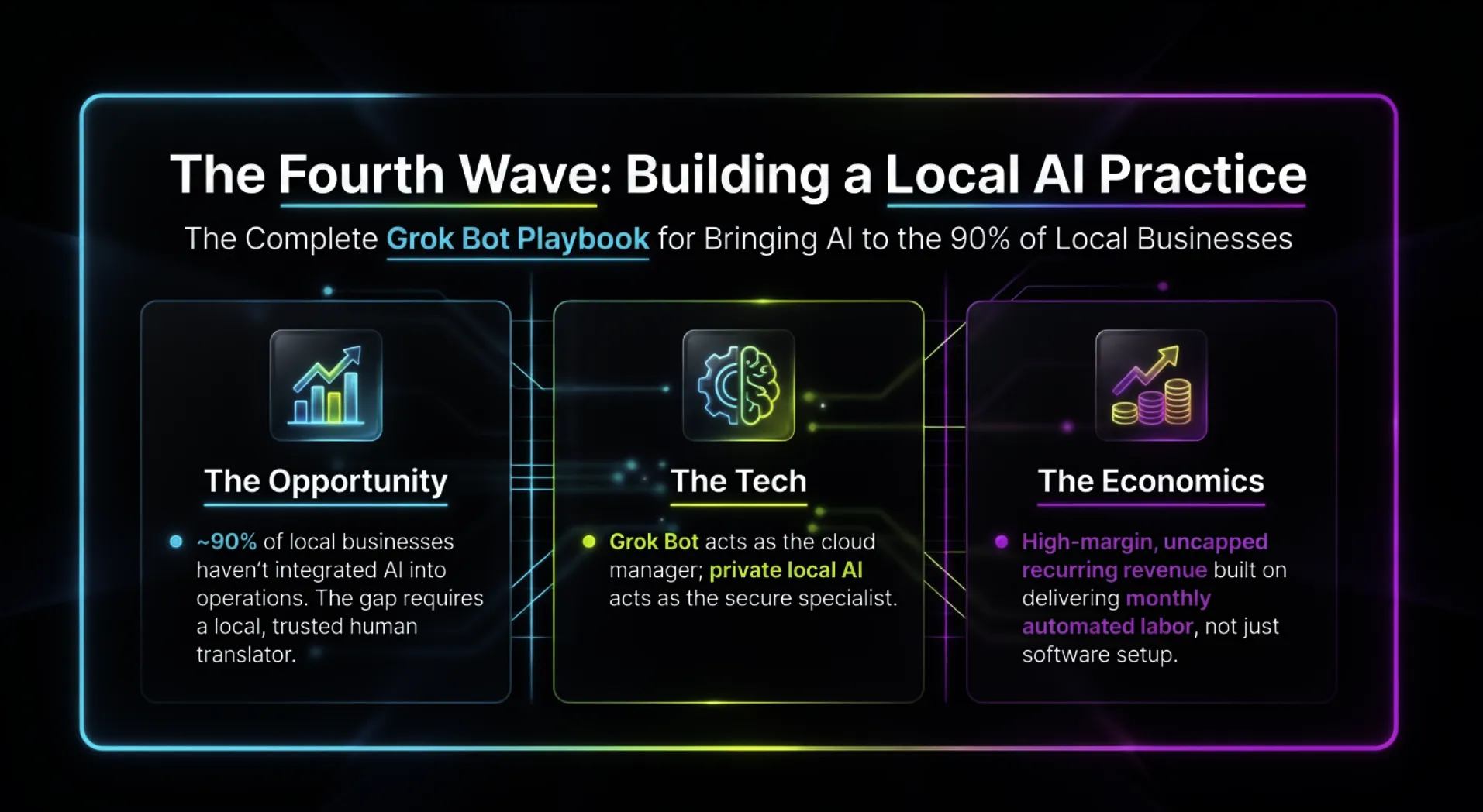
It is happening a fourth time, right now, with AI. And this time the tool can do far more than sit on a desk or a web page. It can read the email, answer the voicemail, chase the invoice, confirm the appointment, draft the estimate and watch the books while the owner sleeps. In my view, roughly nine out of ten local businesses have not truly put it to work yet. That gap is the opportunity of this decade for anyone willing to learn the craft and knock on doors.
The Fourth Wave
The PC, the website, the social page, and now the bot. Face-to-face marketing, a process-evaluation method, every intake form, how to bill, and fifty real examples for building a local AI practice with Grok Bot and private local AI.
This article is sponsored by Read Multiplex Members who subscribe here to support my work: Link: https://readmultiplex.com/join-us-become-a-member/
It is also sponsored by many who have donated a “Cup of Coffee”. If you like this, help support my work: Link: https://ko-fi.com/brianroemmele
Listen to the ReadMultiplex.com podcast: https://rss.com/podcasts/readmultiplex-com-podcast/3348021
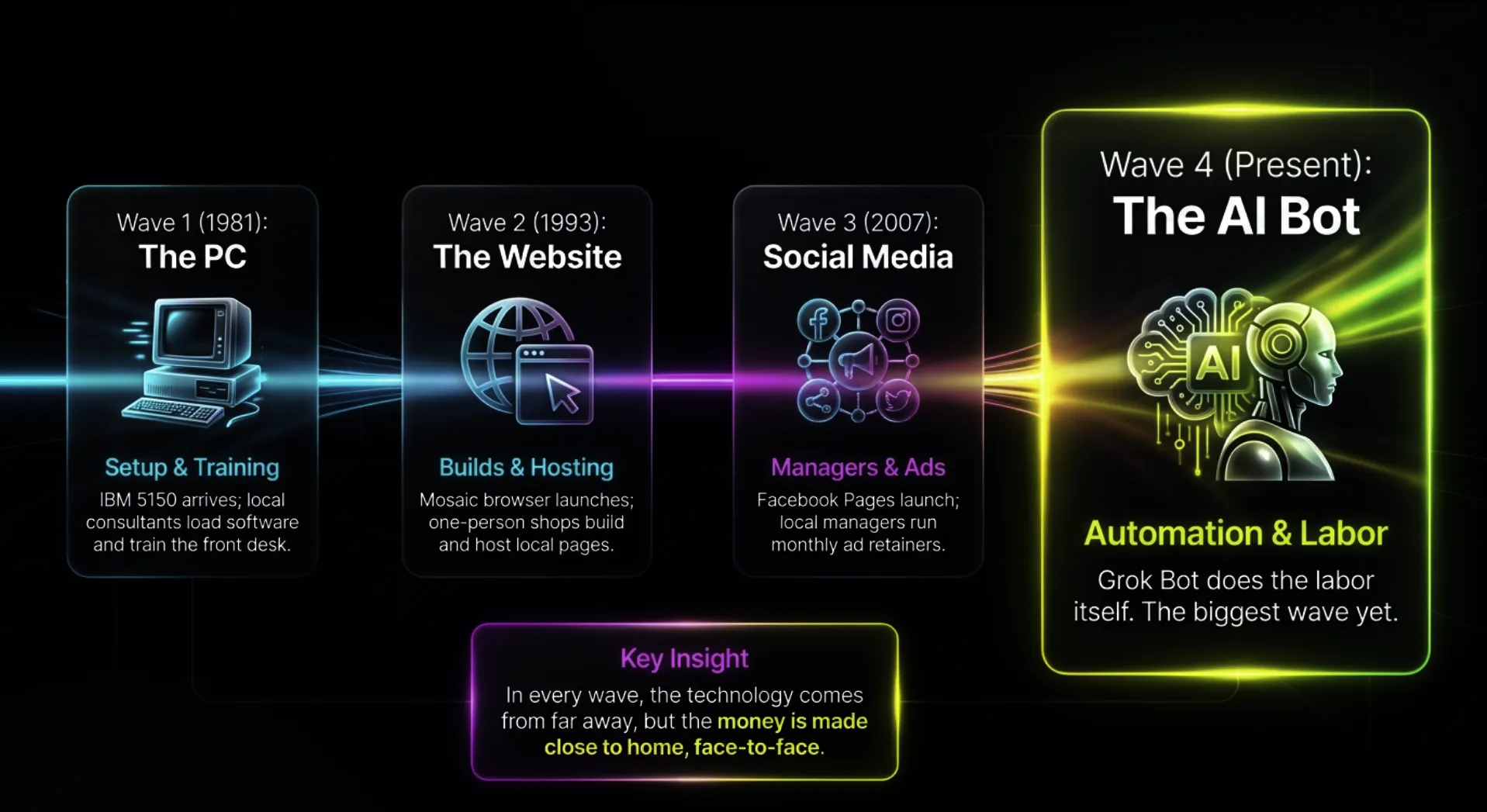
Here is what I mean in plain words. Helping local businesses put AI to work is not a stipend job. It is a profession, and done well it pays far better than any program check. You do not need a big company to sponsor you, assign you a town or decide which tools your clients must use. You need a method, a set of forms, a fair way to bill, and the willingness to sit across the table from a business owner and listen.
Why I Am Writing This Today
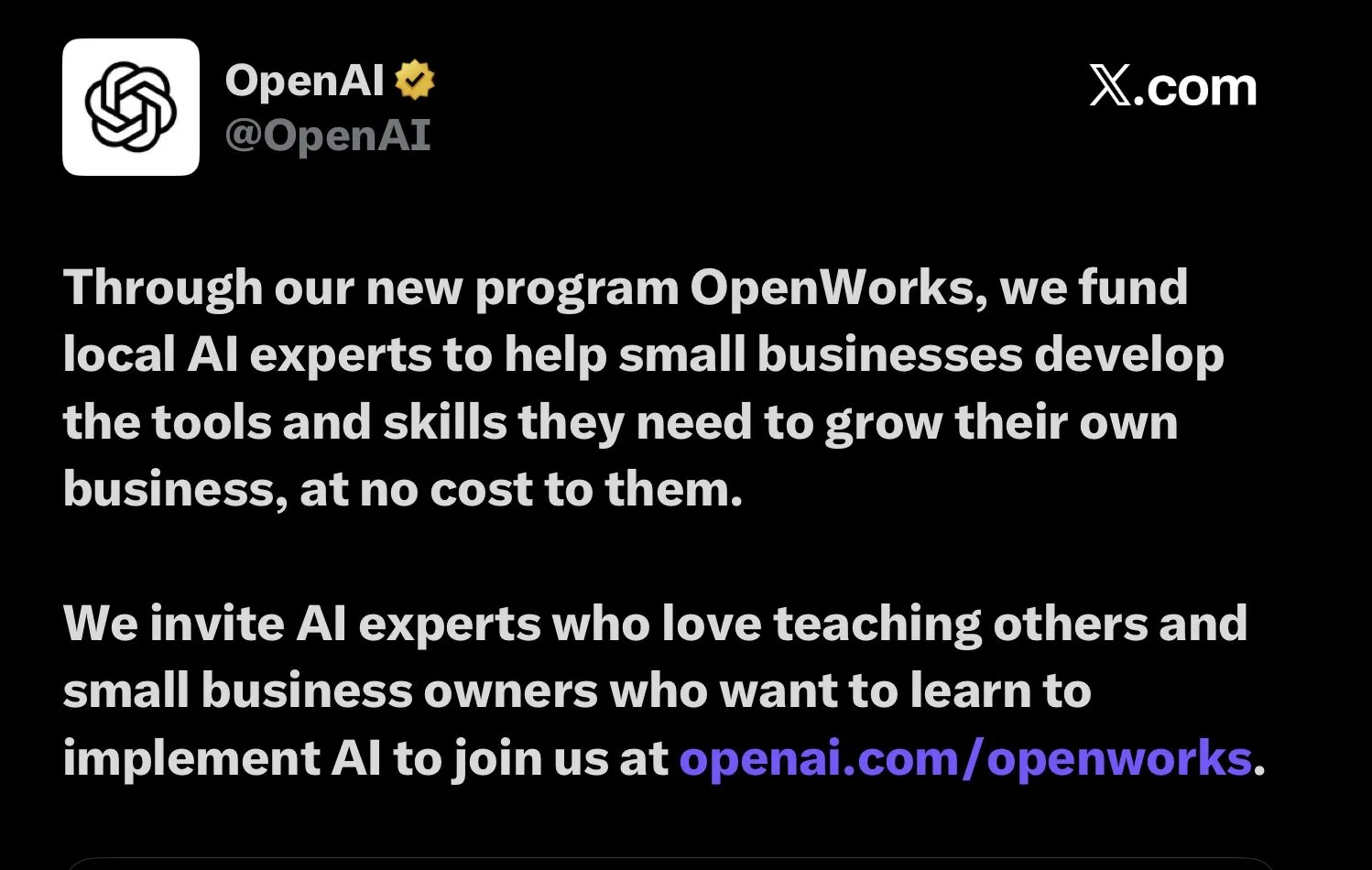
This morning a post went around X announcing that OpenAI will pay “AI experts” up to $8,000 a month to help local small businesses adopt AI through a new program called OpenWorks. The program is real. OpenAI’s own OpenWorks page says it is recruiting partners in a 20-community pilot, that partners “dedicate days each month to work directly with local businesses” and “host a monthly workshop,” and that they receive “a monthly stipend of up to $8,000.” Participating businesses get the help for free, plus three months of ChatGPT Business. You would become nothing more than a tool for a funnel they make with you doing all of the work for them to find and train merchants for what will amount to chump change. You are far more than someone’s funnel to an arrogant San Francisco company.
I quoted that post with three short points, and I will repeat them here word for word, because they are the reason this article exists:
“First I get paid a heck of a lot more for doing this exact job and helping perhaps the largest cohort doing this since 2022.
Second SpaceXSI is in a far better position to do this at scale with better compensation. I can prove this.
Third don’t trust OpenAI.”
Here is what I mean in plain words. Helping local businesses put AI to work is not a stipend job. It is a profession, and done well it pays far better than any program check. You do not need a big company to sponsor you, assign you a town or decide which tools your clients must use. You need a method, a set of forms, a fair way to bill, and the willingness to sit across the table from a business owner and listen.
That is what this article gives you. It is the most complete how-to I know how to write on this subject: the history that tells you why this works, the face-to-face marketing that wins the first clients, the method for evaluating any manual process, every intake form you need, how to price and bill, and fifty concrete examples across more than two dozen kinds of local business. I lean hard on Grok Bot for the automation, because it is the most capable business tool I have used, and on private local AI for the situations that demand it.
As a members bonus, members get the full AI Business Starter Pack as a designed PDF with every form ready to print or fill in, plus a new members forum where we can share workloads, leads and client stories. Membership also gives you access to skills for building better Grok Bots: the reusable instruction templates in my Grok Bot Insider Guide on GrokBot.Rocks, such as starter bot instructions, safety and approval rules, a routine prompt template and a memory handbook, which you hand to your bot to adopt as its how-tos, plus a searchable library of Grok Bot tips. More on that at the end.
Why I Know This Works: Selling to Small Business Since 1986
I am not writing this from a theory. I have been selling to small businesses since 1986, face to face, one counter at a time.
That year I started 1st American Card Service, a merchant payments company. We set up some of the first electronic merchant accounts for small businesses that had only ever taken cash and checks. We put card terminals on the counters of small businesses, and we stayed with those merchants for years. Later I processed the first Internet transaction for Books-A-Million, when paying for something on the web was still a strange idea.
We built it with people. Our field sales force grew to tens of thousands of salespeople over the years, talking directly to small merchants every day. As I wrote on X, those salespeople “faced cold-visit/cold-call rejection hourly. Even the best products are rejected.” They learned to win anyway, and I learned what makes a small business owner say yes.
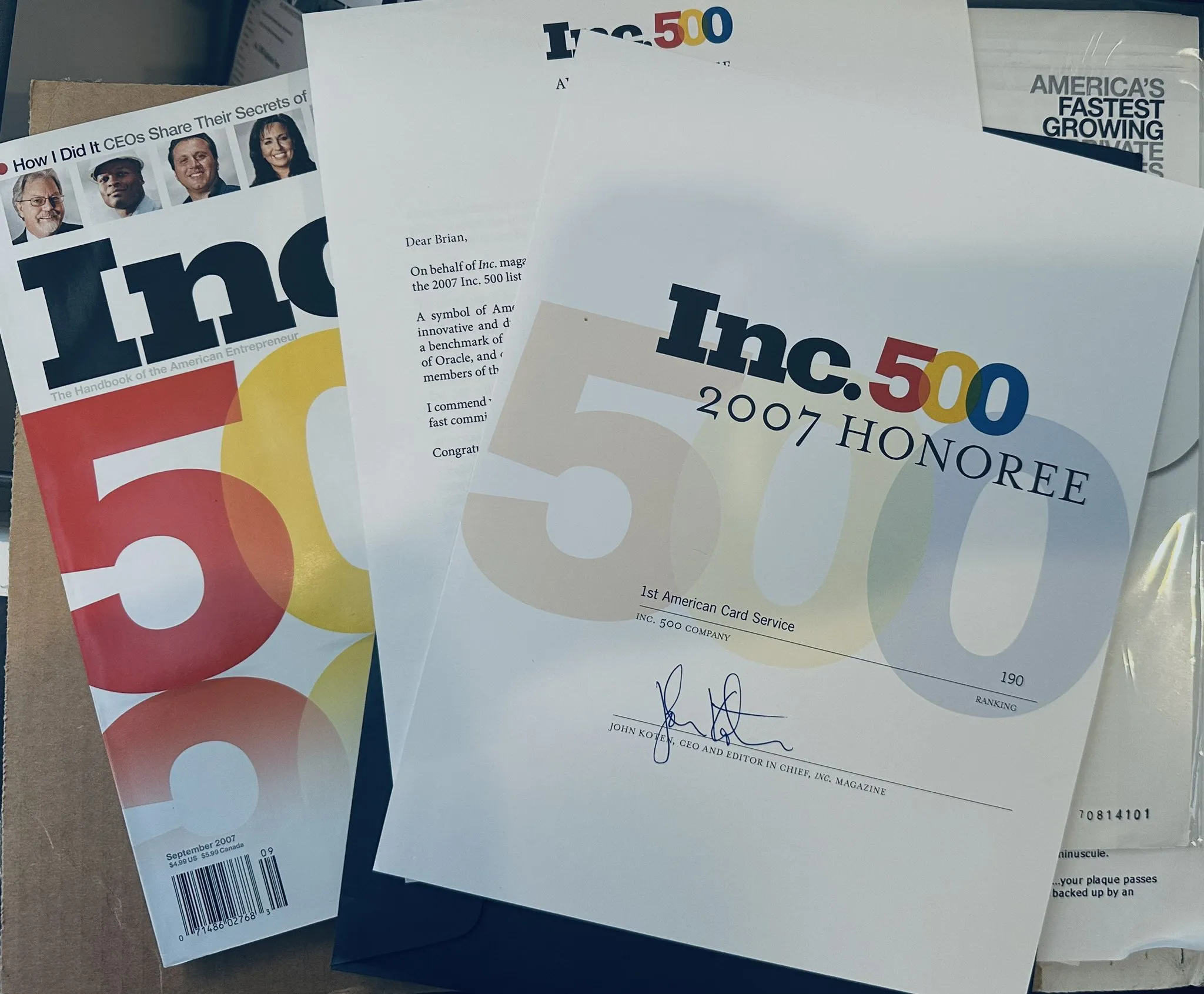
In 2007, Inc. magazine named 1st American Card Service to the Inc. 500, its list of the fastest-growing private companies in America, at No. 190. I took no venture capital to get there.
Before that, in the late 1980s, I ran a computer consulting practice during the first wave in this article. IBM gave seminars to thousands of small businesses then, and as I have written, I “sold more IBM PC/AT computers than their top 3 sales people COMBINED.”
So when I say this AI wave will make careers, I am saying it as someone who has sold to small businesses through every wave since the first PCs. Here is what forty years of selling to small merchants taught me:
- Owners buy from people they can see. Every wave was won at the counter, not in an ad. A Grok Bot practice is the same: walk in, listen, show it working on the owner’s own phone.
- They buy the result, not the technology. No merchant ever wanted a “terminal.” They wanted to stop losing the sale when a customer had no cash. Today’s owner does not want “AI.” They want the missed call answered.
- The money is in the relationship, not the install. A merchant account paid for years because we stayed and served. A monthly care plan for a working Grok Bot is the same business, with a far more valuable product.
The tools have changed. The small business owner has not. That is why I know this works.
Work With Me Directly
I personally consult with anyone interested in putting this to work, whether you are starting a practice or you own a business that wants AI help. To request time, email me at [email protected] or call (951) 387-5663. Tell me your type of business, its size, what you want automated and your timeline. Read Multiplex members get 15% off my consulting.
The Same Explosion, Three Times Before
Every one of the great computing waves created the same opening: a powerful new tool that business owners knew they needed and did not have time to learn. Each time, the people who stepped into that gap built real livelihoods. The pattern is worth studying, because it is repeating almost beat for beat.
Wave One: The Personal Computer
It was possible to buy a personal computer before 1981, but as IBM’s own history puts it, “for anyone other than a devout hobbyist, there wasn’t much point.” That changed in August 1981 with the IBM 5150 Personal Computer. Within a few years, spreadsheets, word processors and accounting packages made the PC a business machine.
But the machine did not install itself into a business. Somebody had to choose the hardware, load the software, set up the printer, move the customer list off index cards, build the first spreadsheet and teach the front desk how to use it. That somebody was usually local: a computer store, a consultant, a community-college instructor, an independent trainer. The work was face to face, billed by the hour or the project, and it was steady for years because every new version and every new employee meant more teaching.
Wave Two: The Website
In 1993 the NCSA Mosaic browser made the web visual and easy. By December of that year, according to the National Center for Supercomputing Applications, Mosaic was on the cover of the New York Times business section and more than 5,000 copies were being downloaded a month. Within a few years every business owner was being asked the same question by customers and competitors alike: “Do you have a website?”
Again the technology came from far away, and again the money was made locally. A huge cottage industry of web designers grew up, many of them one-person shops who built sites for the restaurants, churches, contractors and law offices in their own towns. They sold the way the PC consultants had sold: a handshake, a portfolio, a referral from the chamber of commerce. Then they kept those clients for years with hosting, updates and “can you add a page for our new location?”
Wave Three: The Social Presence
On November 6, 2007, Facebook launched Pages, and the company’s own announcement says more than 100,000 Pages launched that day, “covering the world’s largest brands, local businesses, organizations and bands.” Over the next decade every business needed a presence on Facebook, then Instagram, then wherever the customers moved next. The new local trade was the social media manager: someone who could post consistently, answer comments, run small ad campaigns and report what worked.
Notice the pattern. The tool was free or cheap. The skill to use it well was scarce. The business owner was too busy running the business to learn it. And the person who closed the gap was usually someone the owner had met in person.
Wave Four: The Bot
AI is the fourth wave, and it is bigger than the first three combined, for one simple reason. A PC, a website and a social page are all tools a person has to operate. An AI agent like Grok Bot is a tool that operates. It can watch an inbox around the clock, draft the reply, put the appointment on the calendar, read the bank feed, chase the late invoice, call a supplier, research a competitor and hand the owner a one-page summary at 7 AM. You are not teaching a business to use software anymore. You are giving it a tireless new member of staff, and teaching the humans how to manage it.
That is a bigger job, a more valuable job, and a longer-lasting relationship than any of the three waves before it.
The Three Waves, Year by Year: Who Got Paid, and Who Got Squeezed
History does not repeat exactly, but the money in each wave followed the same path. Here is the record, with the numbers I could source and a flag where I could not.
| Year | What happened | What it meant for local independents |
|---|---|---|
| 1981 | IBM 5150 Personal Computer launched (August) | A new trade: setup, software, training and support |
| 1972–1984 | Computer and data processing services jobs: about 106,700 to 475,300 (BLS) | Service work, not just hardware, became a big industry |
| 1993 | NCSA Mosaic; 130 websites in June, 623 by December (Gray, MIT) | The first web designers set up shop |
| 1996 | 100,000 websites (January); small-site bids of $900 to $15,000 (LA Times) | Builds plus hosting and maintenance |
| 2000 | About 17 million websites (Internet Live Stats estimate) | Websites become standard; competition rises |
| 2003–2006 | Squarespace (2003) and Wix (2006) founded | Do-it-yourself sites squeeze simple page builders |
| 2007 | Facebook Pages launch: more than 100,000 on day one (November 6) | The social media manager is born |
| 2018 | Facebook says it will show less public content from businesses; Pages may see reach decrease (January) | Free reach shrinks; paid ads and measurement win |
| 2022 | Meta: more than 200 million businesses use its apps monthly | Social presence is universal |
| 2023 | ChatGPT reaches an estimated 100 million users in two months (UBS via Reuters) | AI arrives faster than any earlier wave |
| 2026 | About 24% of businesses use AI in a business function (Census BTOS); 14% fully embedded (Goldman Sachs) | The AI integrator’s gap is wide open |
Wave One, 1981 to the Mid-1990s: The PC Comes to Main Street
What businesses needed. After the IBM PC arrived in August 1981, a small business needed someone to choose the machine, install the software, move the books and the customer list onto it, and train the staff. None of that came in the box.
How the independents earned. The government’s own statistics show how big the service trade became. According to the Bureau of Labor Statistics’ Monthly Labor Review (May 1985), employment in computer and data processing services grew from about 106,700 jobs in 1972 to 475,300 in 1984, an increase of roughly 345%. A later Monthly Labor Review article (April 1986) put the industry’s growth at more than 250% from 1974 to 1984, and a December 1987 article found it added about 227,000 jobs from 1982 to 1986, growing 12.8% a year. In November 1985, BLS projected it would be the fastest-growing of the 378 industries it tracked, with demand coming in part from small businesses. Much of that work was done by small shops, local dealers and one-person consultancies, billed by the hour or by the project. I could not find a reliable published figure for what a typical 1980s PC consultant charged per hour, so I will not give you one.
How it played out. The early movers who learned one business deeply, such as accounting for contractors or billing for medical offices, built practices that lasted decades. Over time, hardware sales consolidated into big-box stores and mail order, and the margin on simply selling a computer shrank. The people who got squeezed were the ones whose only product was the box. The ones who sold setup, training and support kept their clients.
Wave Two, 1993 to the Late 2000s: Every Business Needs a Website
What businesses needed. A presence on the web, then email, then a way to take orders. The growth was explosive. MIT researcher Matthew Gray counted 130 websites in June 1993, 623 by December 1993, 23,500 by June 1995 and 100,000 by January 1996. By 2000, Internet Live Stats estimates there were about 17 million.
How the independents earned. In June 1996 the Los Angeles Times described a Burbank furniture maker who collected bids “in the $5,000 range, although the highest reached $15,000,” before signing a $900 deal that included coding, a domain name and hosting. That same month, Internet World told business owners that paying a designer “between $50 and $75 an hour” was “a good wage for expert work,” estimated “$100 to $500 for each Web page,” and warned that “Maintenance costs may even exceed the cost of the original site within the first year.” Inc. reported in September 1996, from interviews with about 100 small and midsize firms, that professional design ran from $500 to $50,000 and monthly hosting from $30 to $3,500. Today the Bureau of Labor Statistics lists web developers and digital designers with a 2025 median pay of $99,520 a year, which shows the trade grew into a profession.
How it played out. The early designers who added hosting and maintenance turned one-time builds into monthly income, exactly as Internet World predicted. Then the do-it-yourself builders arrived. Squarespace started in 2003 and Wix in 2006, and simple brochure sites became something an owner could make in an afternoon. The squeeze hit the people who sold pages. The ones who sold results, such as more calls, more orders and online booking, moved up.
Wave Three, 2007 to Today: The Social Presence
What businesses needed. On November 6, 2007, Facebook launched Pages, and more than 100,000 went up on day one. Within a few years a business needed a Page, then Instagram, then reviews, then video. By May 2022, Meta said “More than 200 million businesses use our apps every month.”
How the independents earned. The new local trade was the social media manager, usually paid a monthly retainer to post, answer comments and run small ad campaigns. Pay for this work is poorly documented: government wage data do not cover the self-employed, and the most-quoted figure is Upwork’s own undated estimate of $400 to $2,000 a month for a small business with two channels. Treat that range as a rough guide, not a statistic.
How it played out. Early movers did very well while free reach was high. Then the platforms changed the rules. In January 2018, Facebook announced it would “show less public content, including videos and other posts from publishers or businesses,” and warned that “Pages may see their reach, video watch time and referral traffic decrease.” Free reach shrank, paid ads became the main lever, and the managers who could only post got squeezed. Those who could run ads and measure leads survived.
Why the AI Wave Is Massively Larger
Look at the three waves together and the AI wave stands out on every measure.
- It reaches every business at once. The PC came to offices over fifteen years; the web took a decade to reach most storefronts. The SBA counts 36.2 million small businesses, 99.9% of all U.S. firms, and every one of them answers phones, sends invoices and keeps a schedule. Every one of those jobs can be helped by an AI agent today. Yet the Census Bureau’s survey found only about 24% of businesses used AI in a business function in late 2026, and Goldman Sachs found only 14% of small businesses have it fully embedded. That gap is the opportunity.
- It is arriving faster. The web went from 623 sites to 100,000 in about two years, which seemed impossibly fast at the time. ChatGPT reached an estimated 100 million users in two months, according to a UBS analyst note reported by Reuters in February 2023. Owners are hearing about AI from their customers and their kids, not from a trade magazine.
- It does labor, not just tools. This is the difference that matters most to your income. A PC, a website and a Facebook Page all needed a person to operate them. A Grok Bot does the work itself: it answers, follows up, schedules, reminds and reports. When you sell a tool, you are paid for the setup. When you install a worker and manage it, you are paid for a share of the labor it saves, every month.
- The squeeze will come again. In each wave, the people who sold only the tool got squeezed when it became easy. In this wave, the squeeze will hit the people who only teach prompts. Sell the result, manage the bot, and stay.
The 1980s computer consultant, the 1990s web designer and the 2010s social media manager each made a living from one gap. You have a bigger one in front of you.
The Size of the Gap
Let me be careful with numbers, because this subject attracts a lot of loose ones.
The surveys disagree on how many small businesses “use AI,” mostly because they define it differently. The U.S. Chamber of Commerce’s 2026 small business technology survey found that two-thirds of small businesses (66%) now use AI, with the most common use being a generative AI chatbot. By that definition, typing a question into a chat window counts.
Measured more strictly, the picture changes. The U.S. Census Bureau’s Business Trends and Outlook Survey asks businesses whether they used AI in any business function in the previous two weeks. In the period collected October 19 to November 1, 2026, about 24% said yes. (The Census Bureau now labels the question “Super Intelligence,” formerly AI.) And when Goldman Sachs 10,000 Small Businesses Voices surveyed owners early this year, 76% said they use AI, but only 14% said AI is fully embedded in their core operations. In that same survey, 73% said more training and resources would help them implement it.
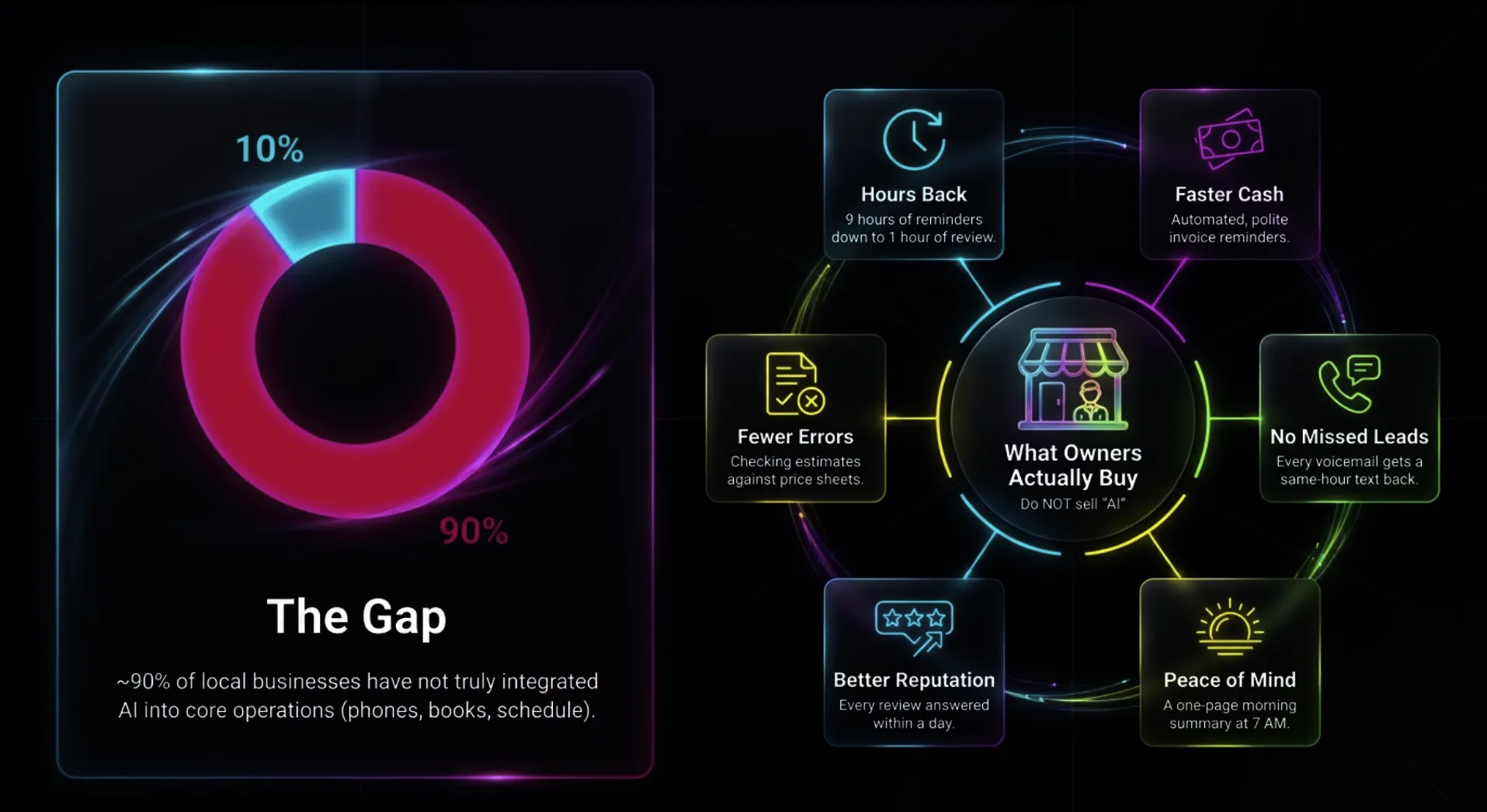
So here is how I read it, and this is my view, not a statistic: most local businesses have tried AI the way people once “tried” the internet by looking up a recipe. Roughly nine out of ten have not wired it into the actual work: the phones, the books, the schedule, the follow-ups, the paperwork. They know it matters. They do not have the time to figure it out. They would rather pay someone they trust to do it with them.
That someone can be you.
What You Are Actually Selling
Do not walk into a business and sell “AI.” Owners do not buy technology. They buy outcomes. In practice, almost every job you will do falls into one of six outcomes, and you should learn to name them in the owner’s words:
- Hours back. “Your office manager spends nine hours a week on appointment reminders. We can get that to one hour of review.”
- Calls and leads that stop slipping through the cracks. “Every voicemail gets a same-hour text back and a note on your calendar.”
- Faster cash. “Invoices over 30 days get a polite reminder automatically, and you approve the firm ones.”
- Fewer errors. “The bot checks every estimate against your price sheet before it goes out.”
- Better reputation. “Every review gets a thoughtful reply drafted within a day.”
- Peace of mind. “One page every morning that tells you what needs you today, and nothing else.”
When you can say one of those sentences, with a number in it, about a specific person’s specific week, you have a client.
The Toolkit: Grok Bot First, Local AI When the Situation Dictates
I build almost everything on Grok Bot, and I teach the people I work with to do the same. Here is what it can actually do today for a local business, in plain terms. Every item below is a shipped feature, not a promise.
A Grok Bot Works Like an Employee, Not a Chat Window
This is the single most important idea in this article, so let me say it plainly. Grok Bot is the primary solution I sell, and it is not a chatbot that waits for questions. It works like a new member of staff. It has its own email to read and answer, a calendar to keep, texts and phone calls to make, a computer and browser to log into the portals the business already uses, connectors to the books and the CRM, routines that run on a clock without anyone asking, and a memory of how this particular business does things. You give it a job description, the owner approves anything that matters, and it shows up every day.
Local AI has a real place in my toolkit, and I explain it below. But it is the specialist for private or regulated data, not the main event. For almost every local business, the first and biggest win is a Grok Bot doing the work.
What Grok Bot Brings to a Small Business
- Routines. A Grok Bot can run on a schedule (every weekday at 7 AM), on a repeat (every hour from 8 to 6), or when something happens (a new email arrives with “invoice” in the subject). This is the heart of automation: the work happens without anyone remembering to ask.
- Connectors to the tools the business already uses. The official Grok Apps include Gmail, Google Calendar, Google Drive, Google Sheets, Outlook, QuickBooks Online, Xero, Zoho Books, HubSpot, Calendly, Docusign, Shopify and Canva, among many others. My directory at GrokApps.Rocks lists thousands of them, with safety ratings, so you can check what a client’s tools connect to before you quote.
- Per-tool permissions. Since the November 18 release, each connector’s tools can be set to Always allow, Auto-review, Needs approval, or Blocked, according to the official Grok Bot changelog. For a small business this is enormous. You can let the bot read QuickBooks freely, require approval before it creates an invoice, and block it from deleting anything at all.
- Drafts with a human in the loop. The bot can draft the email, the review reply, the estimate or the collection letter and wait for a person to approve it. For most local businesses this is where you start: the bot does most of the typing, the owner keeps all of the say.
- Phone calls. Grok Bots can place real phone calls through calling connectors. My own bots do it every day: Three Quotes calls local pros for written quotes, New Patient Booker calls offices to get a first visit booked, and Call A Restaurant Reservation phones a restaurant and returns a transcript as proof. For a business, that means supplier checks, order status calls and appointment confirmations with customers who agreed to be called.
- Its own computer and browser. A Grok Bot works on its own computer, so it can log into a supplier portal the business already uses, fill a form, download a report or check a listing, then hand the result back.
- Skills. You can teach a bot a repeatable procedure once, written as a skill, and it follows that recipe every time: “how we write estimates,” “how we reply to a one-star review,” “how we onboard a new patient.”
- Pages. The bot can publish a clean web page report, a dashboard, a price sheet, a weekly summary, that the owner opens on a phone.
- Travel. The November releases added redesigned flight results with booking steps and hotel pages with photos, maps, reviews and bookable rates. For a business that sends crews or sales staff on the road, that is a real time-saver.
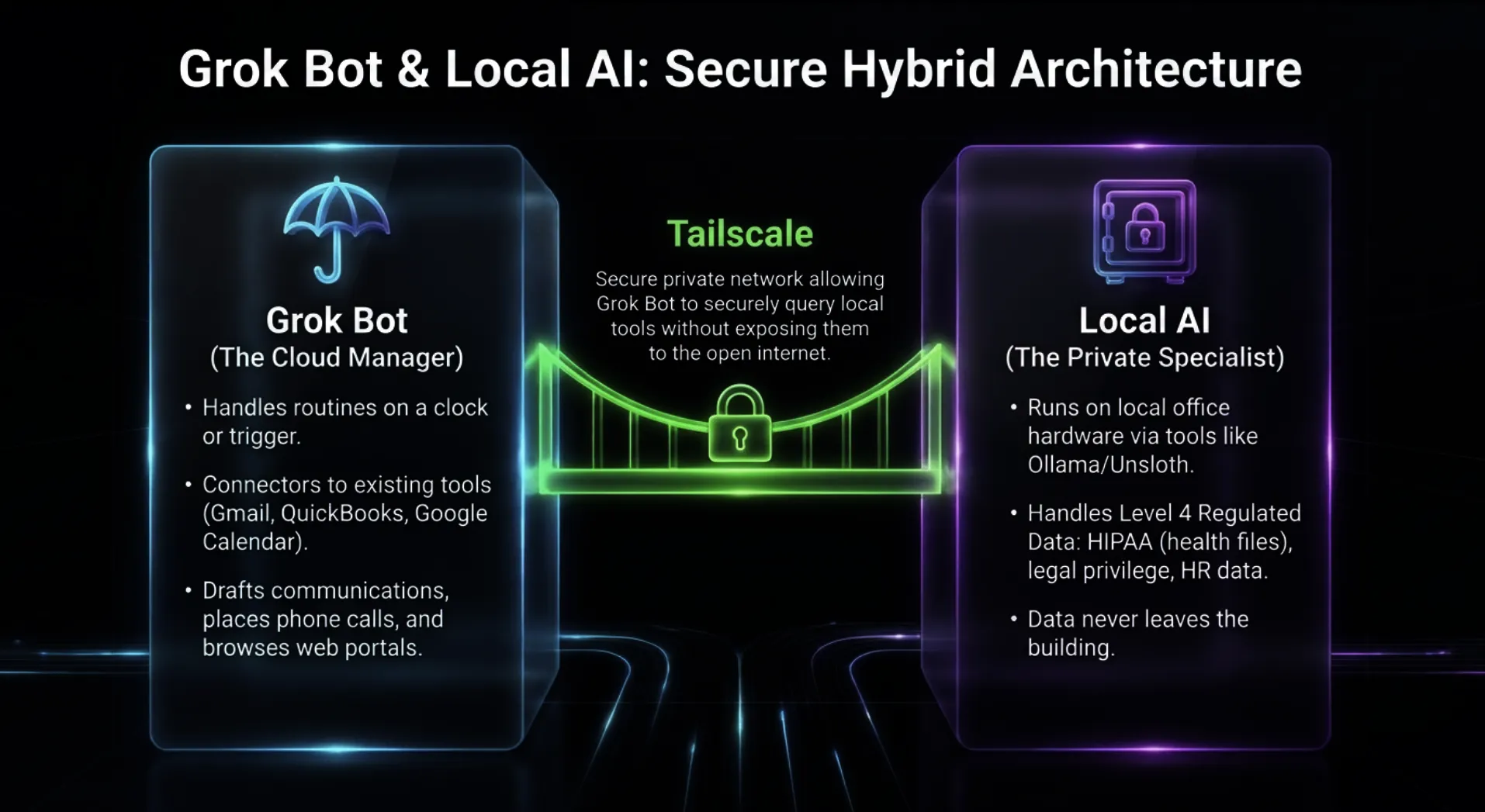
- Private networks through Tailscale. Grok Bot can now join a business’s own private Tailscale network to reach private tools and servers without exposing them to the internet. Tailscale’s own announcement explains that Grok Bot connects to private MCP servers on your tailnet and follows your tailnet’s access rules. That is the bridge between Grok Bot and the local AI I describe next.
You also do not have to build every bot from scratch. My directory at GrokBot.Rocks lists more than eleven thousand public Grok Bots, and hundreds of them were built by people solving exactly the problems your clients have: front desks, invoice chasers, bookkeepers, review responders, dispatchers. I link many of them in the examples below. Use them as starting points, study how they are written, and adapt them to your client.
When the Situation Dictates Local AI
Some work should never leave the building. For that work, I use private local AI: an open model running on a computer the business owns, with no data sent to anyone. I wrote a full beginner’s guide to this, How to Run Local AI on a Computer From 2017, using free tools like Ollama and LM Studio with Google’s open Gemma models.
Reach for local AI when any of these are true:
- Protected health information is involved. Under HIPAA, a medical, dental, therapy or chiropractic practice may only share protected health information with a vendor under a business associate agreement. If you cannot confirm that a cloud service will sign one for the specific use, keep the patient data on a local model.
- Legal privilege or confidentiality is involved. Law offices, accountants with client tax files, financial advisors and HR files. When in doubt, local.
- The client or an industry rule requires data to stay in a place. Some contracts, government work and data-residency rules require exactly that.
- The internet is unreliable or absent. A farm office, a job trailer, a rural clinic, a boat.
- The volume is huge and the task is simple. Classifying ten thousand old scanned receipts may simply be cheaper on a desktop that is already paid for.
- The owner just wants it that way. Some owners will never be comfortable with their customer list in the cloud. Respect it and build local.
The Hybrid Pattern I Use Most
In real life the best answer is often both. Grok Bot is the manager; the local model is the specialist in the locked room. The bot runs the schedule, the reminders, the calendar and the non-sensitive email. When a task touches sensitive data, the work goes to the local model on the office computer, and only a de-identified result comes back: “Three charts need a signature today,” not the charts themselves. With Grok Bot’s Tailscale support, the bot can reach a private tool on the office network without that tool ever being exposed to the internet. Design it so the sensitive data stays local, and write down exactly what crosses the line.
OpenWorks vs. a Grok Bot Practice: Ask Yourself Who This Deal Really Pays
Now let me come back to the program that started all this. Everything I state as fact in this section comes from OpenAI’s own pages, which I read on November 23, 2026: the OpenWorks page, the partner application, the business application and the ChatGPT Business pricing page. Everything else is my opinion, and I will label it that way. I am also not judging every ChatGPT feature here. OpenAI’s pricing page lists connectors and “workspace agents” for ChatGPT Business. I am judging the deal.
What OpenAI Actually Says
In OpenAI’s words, OpenWorks is “a nationwide network of OpenWorks Partners to provide free, hands-on AI support to small businesses.” OpenAI says, “We fund and equip OpenWorks Partners to work alongside small business owners on projects they choose.” Partners “dedicate days each month to work directly with local businesses,” “host a monthly workshop,” and receive “a monthly stipend of up to $8,000.” The partner application spells out the days: “Can you commit four full days per month to providing free, hands-on AI help to local small businesses, plus one monthly workshop?”
For the business, “Participation is free,” the goal is to “build skills you and your team can use independently,” and the business gets “3 months of ChatGPT Business at no cost.” The pilot runs in 20 named communities, from Chicago and Fargo to Incline Village and New York.
The Side-by-Side
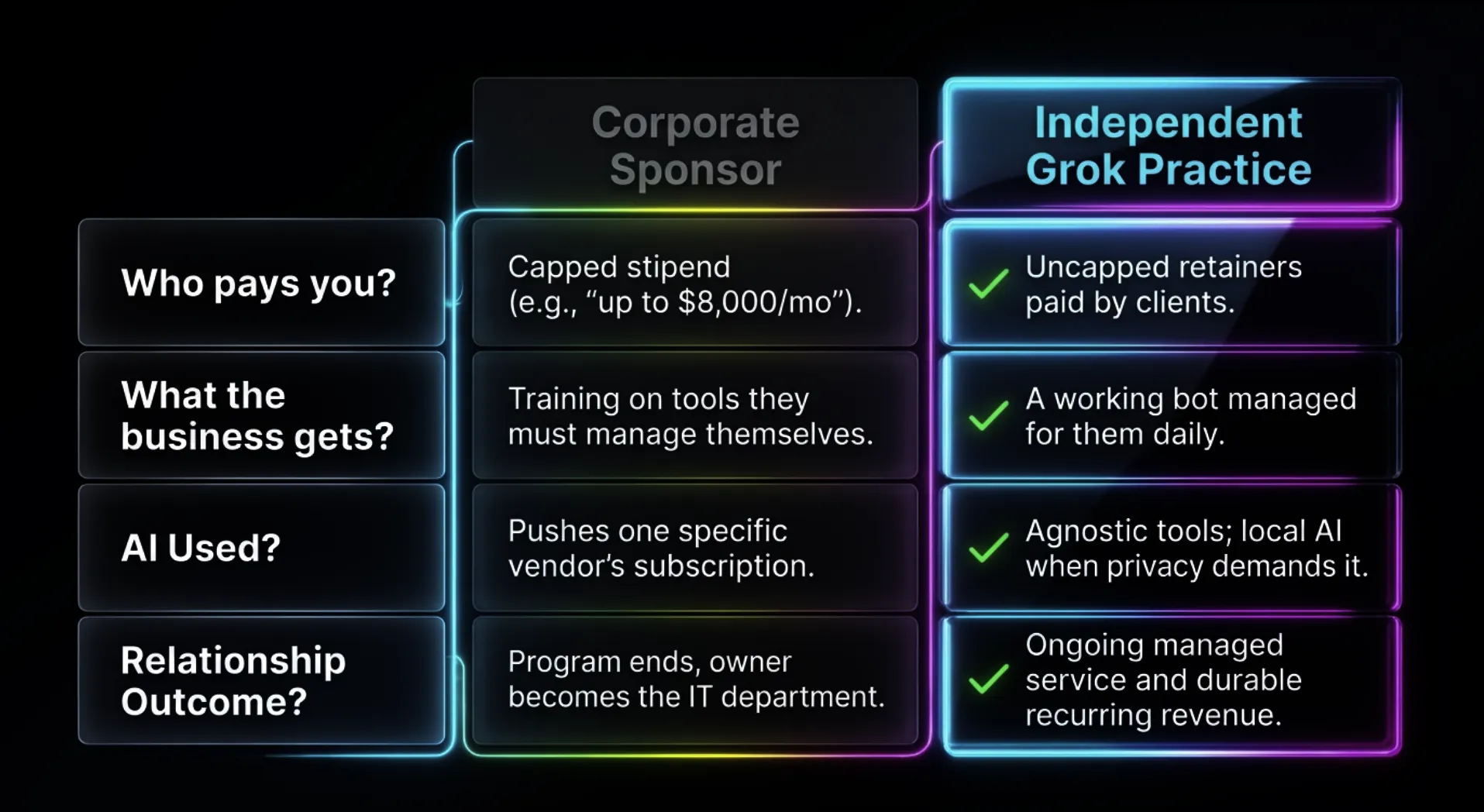
| Question | OpenWorks (OpenAI’s own pages, Nov 23, 2026) | Your own Grok Bot practice |
|---|---|---|
| Who pays you | OpenAI: “a monthly stipend of up to $8,000”; how it is set and how long it lasts are not stated | Your clients: paid assessment, builds and a monthly retainer |
| What the business pays | “Participation is free” | What the work is worth to them |
| Your time | “four full days per month” of “free, hands-on AI help,” plus a monthly workshop | Your calendar, and every hour is billable |
| Where | A 20-community pilot, in person | Anywhere you can shake hands |
| What gets delivered | Skills to “use independently”; a tool the team keeps “using on its own” | A bot that does the work every day, managed by you, plus training |
| Which AI | Partner stories show ChatGPT and Codex; 3 months of ChatGPT Business at no cost | Grok Bot first; private local AI when privacy demands it |
| After month three | ChatGPT Business: $20 a seat a month billed annually, $25 monthly, “For teams of 2–200 employees” | Your monthly managed service; tool subscriptions passed through at cost |
| Program terms on revenue share, later billing, ownership of work, exclusivity | Not stated on the pages I could find | Your contract, your terms |
Why I Think It Is a Bad Deal for the Consultant
This is my opinion, built on OpenAI’s own words. Ask yourself who this deal really pays.
- Your expertise becomes free. The application asks for “four full days per month” of “free, hands-on AI help.” Free is the product. Once a town learns that AI help costs nothing, what do you think happens to the price of yours?
- The ceiling is the headline. “Up to $8,000” is a maximum. I could not find anything on OpenAI’s pages that says how the amount is set, how many partners get the top figure, or how long the stipend lasts. Would you quit a client for a number with “up to” in front of it?
- OpenAI’s own case study shows the gap. On the OpenWorks page, the owners of Tiny Things in Fargo say their partner’s dashboard was “a build that Jordan estimates would cost around $50,000 to commission.” Hold that next to a stipend capped at $8,000 a month. Who captured that value? Not the consultant who built it.
- You are trained to make yourself unnecessary. The stated goal is skills the business can “use independently” and a tool “their team can keep using on its own.” That is a fine goal for a charity. For your practice, it means the relationship is designed to end.
- The tool is chosen for you. Every partner story on the page describes the partner showing an owner how to use ChatGPT or Codex. You become a field rep for one company’s subscription, and the subscription is the part that renews.
- You must audition for it. The application asks for a portfolio or social profile, optional client testimonials, and proof you can work in person in one of the pilot towns. You hand over your best clients’ praise to get in line for free work.
Why I Think It Is a Bad Deal for the Business Owner
Again, opinion, resting on OpenAI’s pages.
- “Free” has a timer. The business gets “3 months of ChatGPT Business at no cost.” After that, OpenAI’s pricing page lists ChatGPT Business at $20 a seat per month billed annually, or $25 billed monthly. Ask yourself what the three free months are for.
- It is built for teams, and most businesses are one person. The pricing page says ChatGPT Business is “For teams of 2–200 employees.” The SBA’s Office of Advocacy counts about 29.8 million of the country’s 36.2 million small businesses as having no employees at all. I could not confirm whether a one-person shop can keep a single seat after the trial.
- When the partner leaves, the owner is the IT department. “Build skills you and your team can use independently” sounds empowering. In practice, a busy owner who just learned a tool on a few community days now has to maintain it, fix it and update it alone. Who answers the phone when the dashboard breaks?
- The sensitive work is the hard part. OpenAI’s own business application asks whether the work involves “Health information subject to HIPAA (PHI),” “Payment card or banking information,” or “Special security requirements (e.g., approved tools only, security review, or no external app connections),” and warns, “Please don’t include any medical, payment, personal, or confidential information in this form.” I could not find any OpenWorks-specific terms on who owns the work product or how program data is handled. To be fair, the ChatGPT Business pricing page promises “No training on your business data by default.” But what about the dentist who cannot send patient data to any cloud? The program page does not mention a local, private option.
- One project at a time. The page asks the owner to “Choose something you’d like to accomplish.” Most of the businesses I see have twenty things worth automating, and they need someone to keep all of them running.
Grok Bots vs. OpenAI’s Dots: Lower Cost, No Contract, Built to Share
OpenAI now has its own answer to a Grok Bot. It calls them dots. In OpenAI’s words, a dot is “a personal, always-on AI teammate in ChatGPT” with “their own cloud computer.” That is a serious product, and I will not pretend otherwise. But look at how each one reaches a local merchant. Facts below are from OpenAI’s dots announcement, its dots help pages, its ChatGPT Business pricing, xAI’s pricing page, its referral trial terms and the Grok Bot docs on sharing a Bot, all read November 23, 2026.
- Cost matters to a merchant. Grok Bot comes with X Premium at $30 a month. OpenAI says “your first dot is included in your Pro or Business Premium plan,” and a Business Premium seat is listed at $100 a month billed annually or $125 billed monthly. Who do you think a corner shop can afford to keep?
- Two weeks to try it. An eligible new user who signs up through a subscriber’s referral link gets “14 days of X Premium free,” which includes Grok Bot. The merchant sees it work before paying anything.
- No long-term contract. xAI’s pricing page says “Cancel anytime.” OpenAI offers ChatGPT Business monthly, but its seats cost less on an annual plan, and it lists “annual plans for Business and Enterprise.” My understanding is that OpenAI is steering businesses toward longer commitments. That is my view; I could not find a page saying a merchant must sign one.
- A Grok Bot travels; a dot stays home. A Grok Bot can be shared as a template link. Whoever adds it gets “a copy on the recipient’s account,” and “they never get your computer, logins, or conversation history.” Build it once, then set it up for one merchant after another, and list it in a directory like GrokBot.Rocks or the official Grok Bot Marketplace. A dot is personal: OpenAI’s workspace help says “Only a dot’s owner can direct it” and “Shared-dot management is not included.” I could not find any OpenAI page describing a way to copy a dot to another business or list one in a public directory. Can you build a practice on something you cannot carry from client to client?
What I Could Not Confirm
I looked and could not find these on OpenAI’s pages as of November 23, 2026, so treat them as open questions, not facts: whether partners share in any revenue; how the stipend amount is decided and for how long it runs; whether partners may later bill the same businesses for paid work; who owns the tools and code built during the program; whether there is any exclusivity; what a one-person business pays after the three free months; whether those free months include the Business Premium seat that comes with a dot; and whether OpenAI requires any merchant to sign a long-term contract. If OpenAI publishes answers, judge the deal again with them.
Why a Grok Bot Practice Can Charge More
You are not selling a lesson. You are installing a worker. A Grok Bot answers the inbox, keeps the calendar, follows up by text, places calls, logs into the supplier portal, runs on a schedule and remembers how this business does things. You set the per-tool permissions so it drafts and the owner approves. When privacy demands it, you put that work on local AI on the owner’s own computer. And you stay on as the manager of that worker, for a monthly fee, because a worker that does real labor needs a supervisor.
That is why the business pays you more and keeps paying you: you deliver hours back every week, not a skill they must find the time to practice. The relationship is yours, the price is yours, and the tools are the best ones for the job, not the one your sponsor sells.
Stay Independent: Don’t Tie Your Practice to One Company
There is one more reason I tell every new consultant to stay independent, and in my opinion it is the most important one. The day your practice belongs to one company, you are no longer free to give each client the best answer.
Think about what a client actually needs. The dental office needs patient reminders that never send a chart to the cloud. The roofing contractor needs a bot that answers missed calls and chases estimates. The accountant needs client tax files kept on a machine in the back office. No single vendor is the best at all of that, and no vendor’s program will pay you to recommend a competitor’s tool, or no tool from them at all.
An independent consultant chooses per client and per job:
- Grok Bot as the main worker. For most local businesses it is the strongest tool I know for real daily work: email, calendar, texts, calls, a browser, connectors and routines, with per-tool permissions the owner controls.
- Private local AI as the specialist. For health, legal, financial and HR files, an open model runs on a computer the business owns, so the data never leaves the building.
- Whatever else the job demands. The accounting system the client already uses, the booking tool their customers already know.
Local AI goes one step further, and this is where a one-company program cannot follow you. Free tools such as Unsloth can fine-tune an open model on a business’s own examples, then export it to run in Ollama on the office computer. Unsloth’s own table lists about 5 GB of graphics memory as the minimum to fine-tune a 7-billion-parameter model with its 4-bit method. That means a model that writes estimates in this contractor’s style, or sorts this clinic’s intake forms its way, trained on data that never leaves the building. A partner whose job is to teach one company’s subscription is not going to install that for you. An independent can.
Ask yourself: if your income depends on one company’s program, whose interest do you put first when that company’s tool is not the right one? Stay independent, and the answer is always the client’s. The members section has the full playbook: picking tools, keeping your contracts vendor-neutral, and pricing local fine-tuned AI as a premium service.
You Already Know Enough to Start
Before I show you how to find clients, let me answer the question I hear most: “Do I know enough to do this?”
If you are reading an article this long about Grok Bot, you almost certainly know a great deal more about Grok Bot, Grok and AI than the business owner you will be helping. That owner has spent the last year running a business, not testing bots. You have spent it learning. That gap is the whole opportunity.
Here is something I have noticed over a lifetime of working with experts in many fields: the expert usually knows only a little more than the average person. Not ten times more. A modest edge, applied with care and consistency, is what makes them worth hiring. That is my observation, not a statistic, but I have seen it hold again and again.
So you very likely already know enough to start this business. If you have doubts, close the gap. I put a great deal of material up for free on X at @BrianRoemmele and here on ReadMultiplex.com, and I give members much more in the members area at ReadMultiplex.com, including skills and templates for building better Grok Bots.
Keep learning, because it pays your client directly. The more you know, the better you produce for your client, and the better the outputs they get. Every new routine you master, every connector you test and every mistake you learn from turns into a better result in someone’s business.
And do not wait to feel finished. Everybody in this field is learning while they are doing. No single person knows everything about AI, including me, because AI is a growing, moving target. The tools change month to month. The people who succeed are not the ones who know it all. They are the ones who show up, do the work carefully, keep learning, and tell the client the truth about what they know and what they are still testing.
Start with what you know. Learn the rest on the job, the way every consultant in every wave before you did.
The Local Playbook: Face to Face Wins Again
Every one of the earlier waves was won locally, and the strongest channel was always the same: a real person, in the room, solving a real problem. That is even more true with AI, because owners are nervous about it. They have heard the stories. They do not want a stranger on the internet wiring a robot into their checkbook. They want someone they can look in the eye.
Here is the playbook, in the order I would run it.
1. Start With the Businesses You Already Use
Your dentist, your mechanic, your barber, the restaurant you go to every Friday, your church office, your kid’s gym. You already have a relationship. Ask for ten minutes, not a sale: “I help local businesses take the busywork off their plate with AI. Could I ask you three questions about where your week goes?” Then ask the three questions in the discovery form below, and listen.
2. The Walk-In
Pick one street or one strip center and walk it on a Tuesday or Wednesday mid-morning, when it is slow. Bring nothing but your one-page leave-behind and a phone with a demo on it. Ask for the owner or manager by name if you can. Your opening line is a question, not a pitch: “What’s the one job in this place that everybody hates doing?” Write the answer down in front of them. Leave the one-pager. Follow up within 48 hours with a short note that repeats their words back to them and offers a free 30-minute look.
3. Chamber of Commerce
Join your local chamber. The U.S. Chamber keeps a directory of local chambers. Go to every mixer for three months. Volunteer to give a short talk on “AI for the rest of us.” Chambers are hungry for useful programs, and a free, practical, no-hype session is exactly what they want to offer members. Ask to be listed as a member resource.
4. BNI, Rotary and Other Referral Groups
A referral group such as BNI meets weekly and exists for one purpose: members pass each other business. There is usually one seat per profession, so claim “AI and automation” before someone else does. Rotary, Kiwanis and Lions clubs are less about sales and more about community, which makes them even better for trust. Give the talk. Help with the club’s own newsletter or volunteer scheduling as a free demonstration. The bankers, accountants and attorneys in those rooms will become your best referral sources.
5. The Free Lunch-and-Learn
This is the single most effective event you can run. Book a room (a restaurant’s back room, a coworking space, the chamber office), buy sandwiches for twelve, and invite owners for a 45-minute, no-pitch session: “Five things AI can do for your business by Friday.” Show it live. Set up a real routine that drafts tomorrow’s appointment reminders. Draft a reply to a real one-star review (with permission). Turn a photo of a handwritten estimate into a typed one. End by offering a free 30-minute process review for anyone who wants one. Members get my full script and slide outline in the Starter Pack.
6. The Public Library and Community College
Libraries run free small-business programs and are always looking for presenters. So do community-college continuing-education departments and the Small Business Development Centers. Teaching a free class is the oldest trick from the PC era, and it still works: the people who take a class on Thursday call you on Monday.
7. Trade Associations
Pick one or two industries and go deep. The state dental society, the plumbing contractors’ association, the realtors’ board, the restaurant association, the landscapers’ group. Offer a talk at the monthly meeting, a short article for the newsletter, a booth at the regional show. Once you have solved the same problem for three dental offices, you are “the AI person for dentists” in your region, and that is a business.
8. Referrals, On Purpose
Every happy client knows five more owners. Ask, specifically, at the 30-day review: “Who else do you know who is drowning in the same paperwork?” Offer a thank-you (a month of service, a gift card, a donation to their favorite charity). Partner with the professionals who already advise small businesses: bookkeepers, accountants, IT shops, insurance agents, bankers, web designers. They are asked about AI every week and most of them do not want to do the work. Make them look good by being the person they send.
9. The One-Page Leave-Behind
Your leave-behind is a single page, printed on good stock. It has:
- A headline in the owner’s language: “Get your evenings back. Local AI help for local businesses.”
- Three before-and-after examples from that owner’s industry, each one sentence long.
- The three-step offer: a free 30-minute look, a paid process review, then a fixed-price build.
- A promise: “Nothing goes out in your name without your approval. Your data stays yours.”
- Your name, face, phone number, and a QR code to book the free look.
The Starter Pack, a members bonus, includes a designed, editable version.
To get you started, here is a free, colorful one-page handout you can print and leave with any merchant. It explains how a Grok Bot works in four steps, with six everyday examples, and has a blank line for your name and contact.
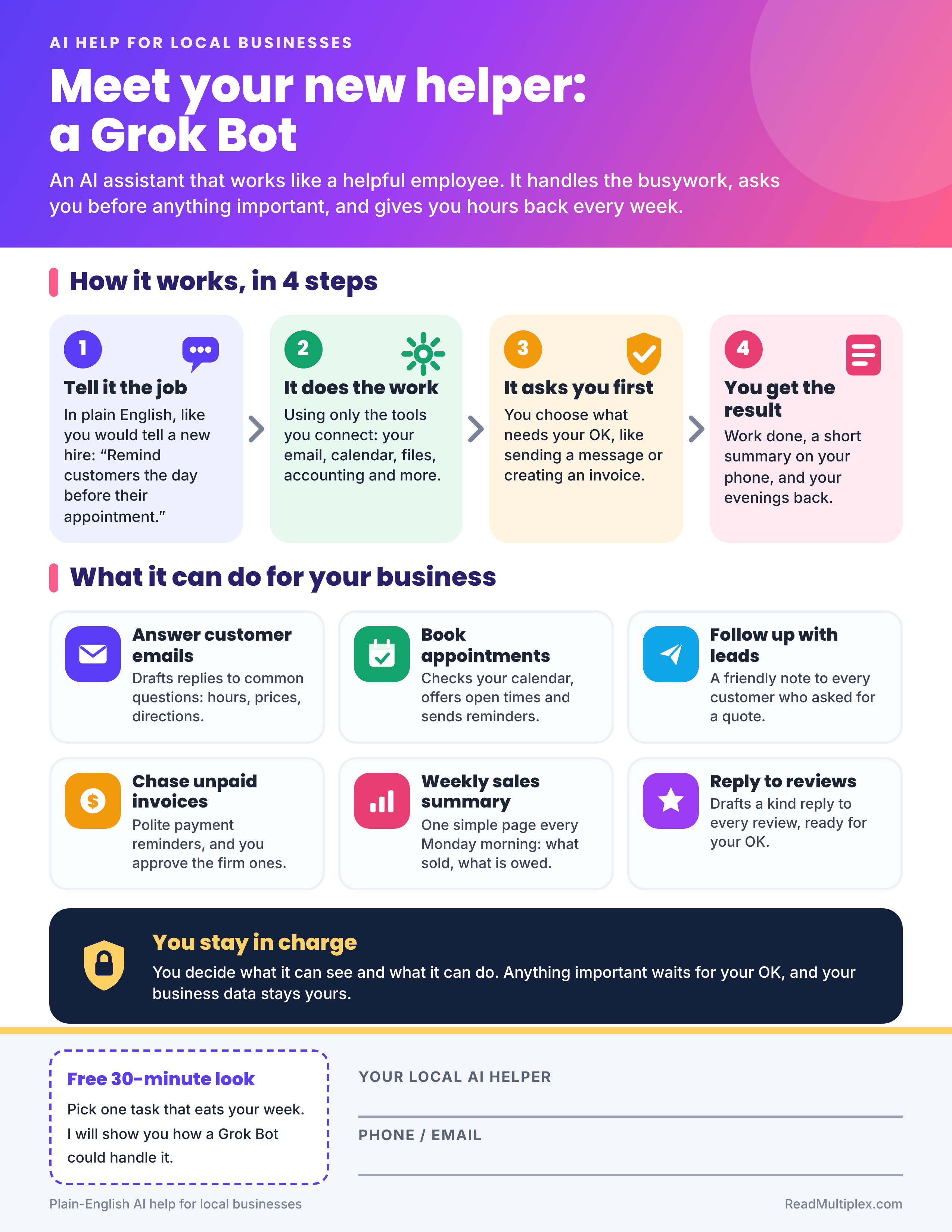
Download the free leave-behind (PNG, letter size, 300 dpi)
Here is a second, companion handout. The first one explains what a Grok Bot is, so leave it on the counter at a first visit or a walk-in. Hand over this one when the owner is warming up and the real question becomes who will set it up and stand behind it: it is about you, a local person who comes to the shop, learns how the business works, and stays nearby.
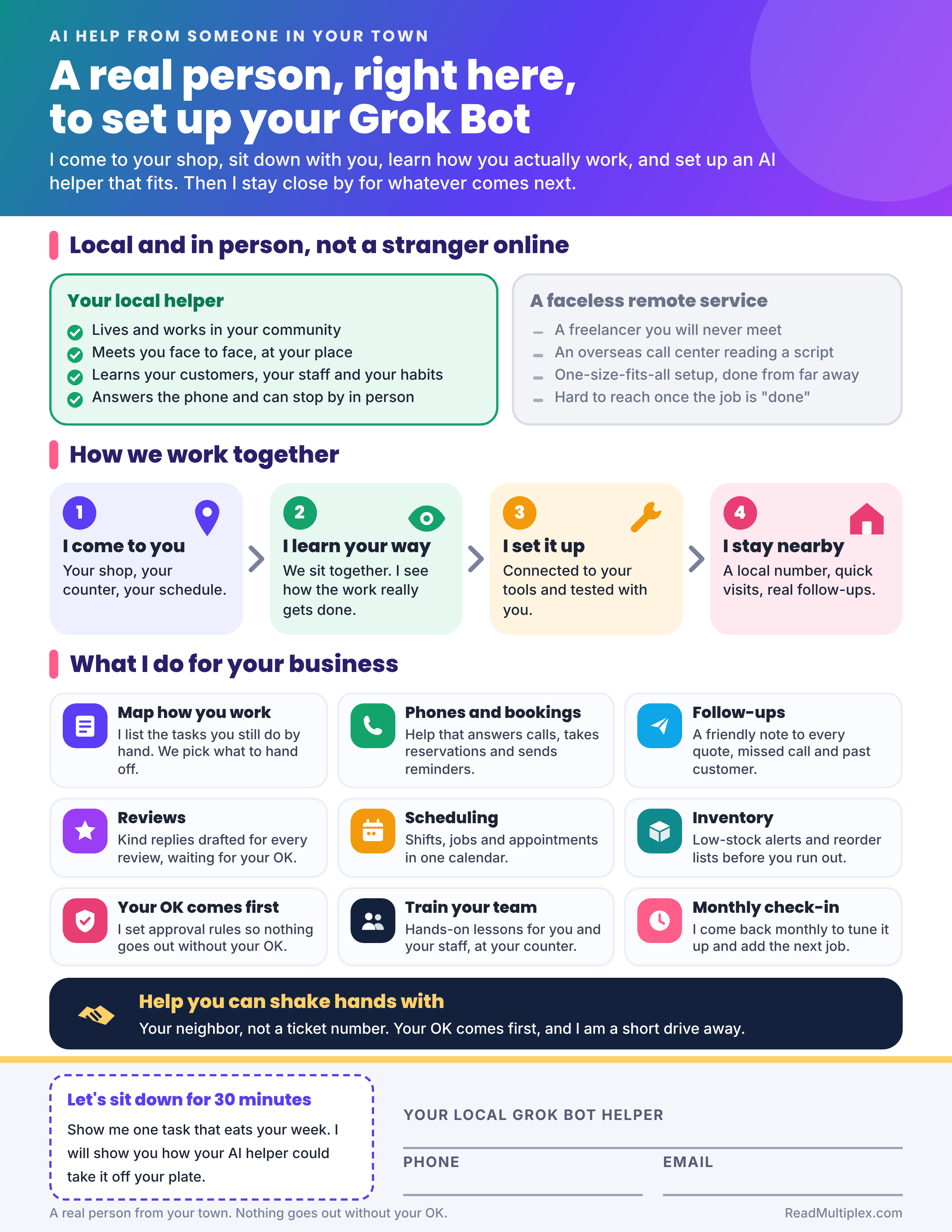
Download the free “local helper” leave-behind (PNG, letter size, 300 dpi)
10. The Ten-Minute Demo
Always have one demo ready on your phone that works without setup. My favorite: forward a real (or realistic) voicemail transcript to a bot, and show the owner the drafted text-back, the calendar hold and the note for the office manager, all in under a minute. Owners believe what they see, not what they hear.
11. Online Still Matters, Locally
Claim your Google Business Profile, post your lunch-and-learn dates in the local Facebook groups and on Nextdoor, and write short case studies (with permission) about real local clients. But treat online as the way people find you after they have met you or heard about you, not as a substitute for meeting them.
Show Your Work: builder.GrokBot.Rocks Is Your Portfolio
Owners hire people whose work they can see. In the website wave, designers carried a portfolio. In this wave, your portfolio is a maker page on builder.GrokBot.Rocks.
Here is what is live there today. Every public Grok Bot in the GrokBot.Rocks directory gets its own page, and every maker gets a page that lists all of their bots in one place. Each bot page shows what the bot does, who built it, when it was first seen, and an “Install this Grok Bot” button. The site updates daily.
You can claim your maker page for free in a couple of minutes, and nobody asks for a password. You get a one-time code and either post it from your X account or add it to the public description of one of your bots. After the daily check, your page shows that it has been claimed by you, with a Verified GrokBot.Rocks Builder badge. Once verified, you can suggest a better description, links, screenshots or a demo video, and you get a badge to put on your own site or profile. Members who are verified builders also get creator perks, such as a fuller creator page and their own share image, like the card below.
Here is mine, so you can see what a client sees.
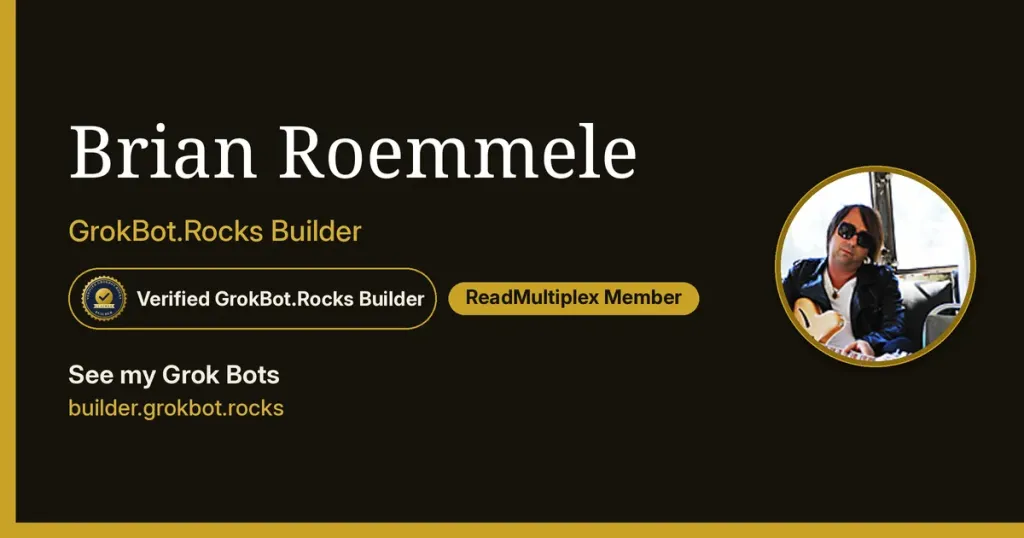
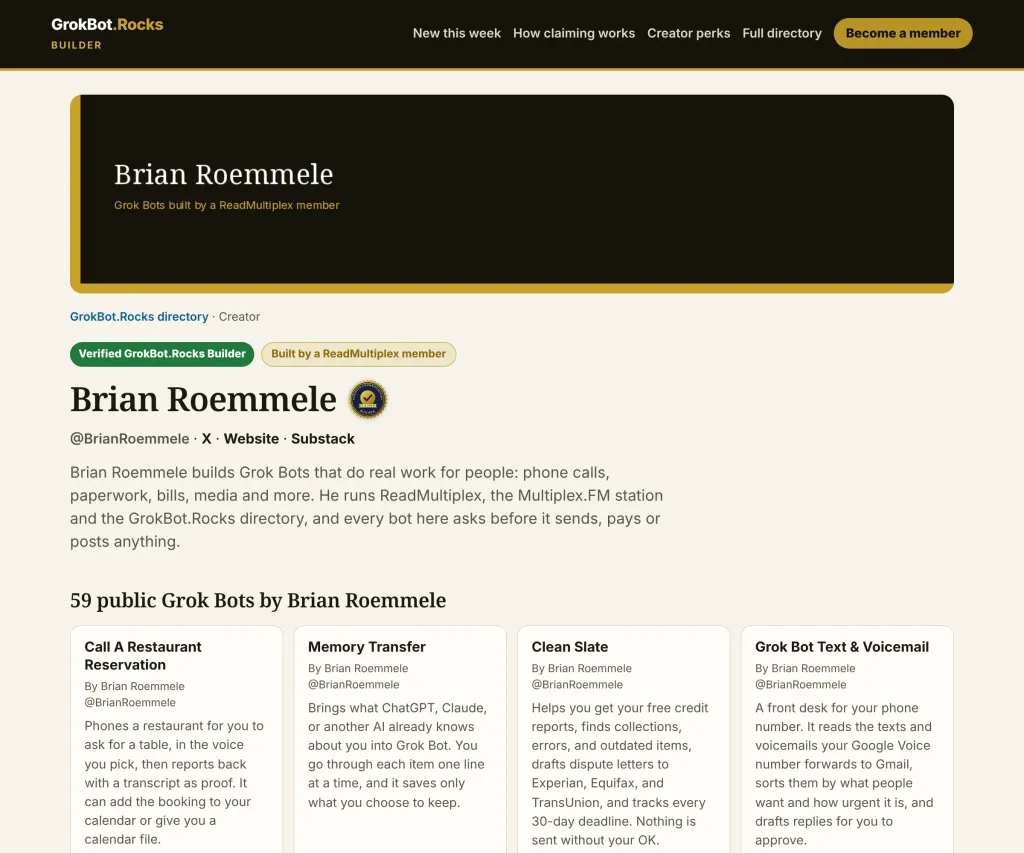
How to Use Your Maker Page to Win Clients
- Get on the board. Build at least one public Grok Bot that solves a real local-business job, and share it. Once it appears in the GrokBot.Rocks directory, it gets a Builder page and you get a maker page.
- Claim it. Follow the claim steps so your page carries the Verified badge.
- Make it read like a portfolio. Write a plain description of who you help and what your bots do. Suggest screenshots or a short demo video.
Then put the link everywhere you sell:
- On the leave-behind, on the blank line under your name.
- In your email signature: “See the Grok Bots I’ve built: builder.GrokBot.Rocks/maker/yourhandle.”
- In your X bio.
- On your Google Business Profile, as your website link or in a post.
- In every proposal, as a “Portfolio” line, and in the notes on your invoices.
- As a QR code on printed handouts and business cards.
And use it in the room:
- Demo it live. On a sales call, open your maker page on your phone or laptop, then open one bot page and walk through what it does in the owner’s words.
- Send one bot as a sample. Pick the bot closest to the merchant’s business, copy its Builder page link, and text it with one sentence: “This is the kind of bot I’d set up for your front desk.” If you show a bot someone else built, say so and credit the maker.
Members also get skills and templates in the Grok Bot Insider Guide to build better bots for that portfolio.

The Process Evaluation Method
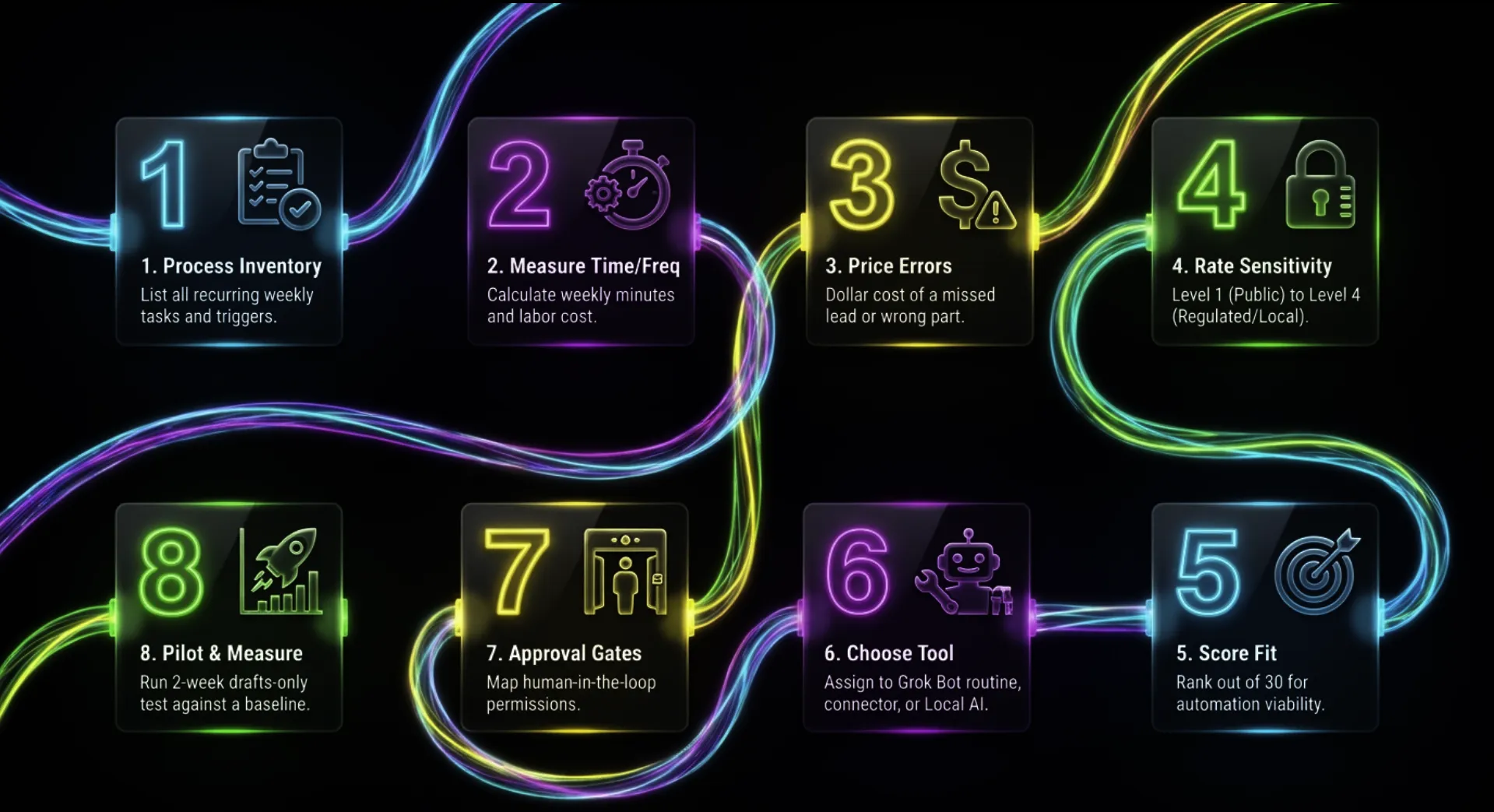
This is the core skill of the trade. Anyone can install a bot. The professional knows which work to automate, in what order, with what safeguards, and how to prove it paid off. I use an eight-step method. Every form mentioned here is in the Starter Pack.
Step 1: Build the Process Inventory
Sit with the owner and the person who actually does the work (they are often not the same person). Walk through a normal week, hour by hour, and list every recurring task. Do not judge yet; just list. A typical small office produces 25 to 60 recurring tasks once you look. For each one, write down:
- The task name, in the staff’s words (“doing the reminders,” “chasing the 60-days”)
- Who does it
- What triggers it (a time of day, an email, a phone call, a form, a customer walking in)
- What tools and accounts it touches (Gmail, QuickBooks, the scheduling software, a paper binder)
- What the output is (a text sent, an invoice created, a file updated)
- Where it goes wrong today
Step 2: Measure Time and Frequency
For each task, estimate how many times it happens per week and how many minutes each takes. Multiply. That gives you weekly minutes. Then multiply by the loaded hourly cost of the person doing it (wage plus taxes and benefits; ask the owner, or use a reasonable estimate and label it). This turns “it’s annoying” into “this costs you about $11,000 a year.”
Better yet, ask the staff to keep a simple tally sheet for one week. Real numbers beat guesses, and the act of counting often surprises the owner more than anything you say.
Step 3: Price the Errors
Some tasks are cheap to do but expensive to get wrong. A missed appointment reminder costs a no-show. A missed call costs a job. An invoice that never gets chased costs the whole invoice. A wrong part number costs a second truck roll. For each task, ask: “When this goes wrong, what does it cost, and how often does it go wrong?” Write down the dollar estimate and the frequency.
Step 4: Rate the Data Sensitivity
Give every task a sensitivity level:
- Level 1, Public. Prices, hours, marketing posts, public reviews.
- Level 2, Internal. Schedules, supplier orders, internal notes.
- Level 3, Confidential. Customer contact details, invoices, payroll totals, contracts.
- Level 4, Regulated. Protected health information, legal case files, financial account numbers, Social Security numbers, children’s records.
Level 4 work goes to local AI or stays manual unless you have confirmed, in writing, that every service in the chain is permitted to handle it.
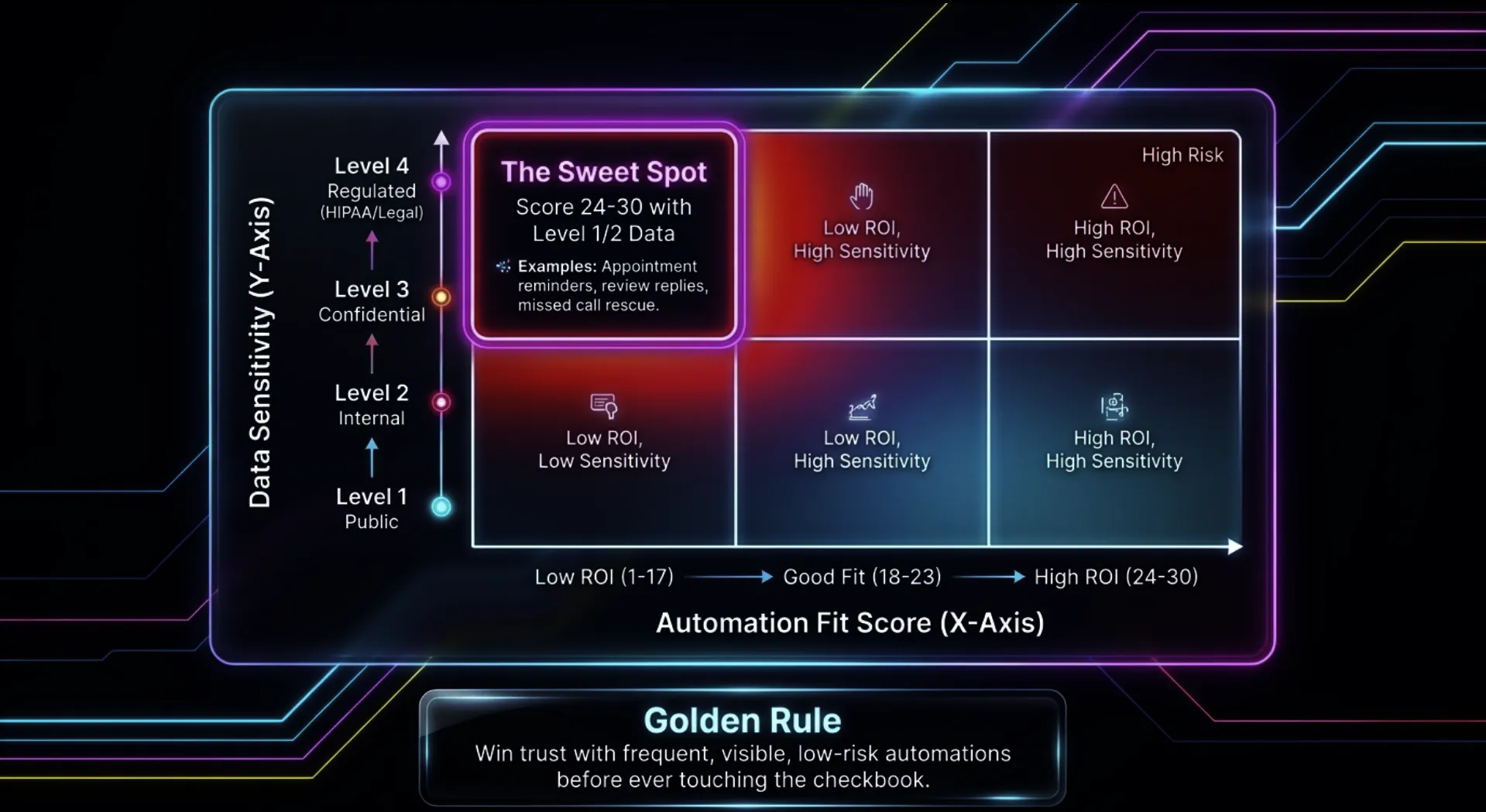
Step 5: Score the Automation Fit
Now score each task from 1 to 5 on six factors. I call the total the Automation Fit Score.
| Factor | Scores 1 when… | Scores 5 when… |
|---|---|---|
| Frequency | It happens a few times a year | It happens many times every day |
| Time cost | A few minutes a week in total | Many hours a week in total |
| Rules clarity | Every case needs fresh judgment | It follows clear, written-down steps |
| Digital inputs | Paper, phone calls, memory | Email, forms, spreadsheets, a connected app |
| Error cost if done by hand | Mistakes are cheap and rare | Mistakes are costly or frequent |
| Safety to automate | Level 4 data or irreversible actions | Level 1 or 2 data, drafts a human approves |
Add the six scores. A task scoring 24 to 30 is a strong first candidate. 18 to 23 is a good second-phase candidate. Under 18, leave it alone for now or automate only a piece of it. Then sort the list. The top three tasks become your first proposal.
The rule I never break: the first automation must be visible, frequent and low-risk. Win trust with the reminders before you touch the checkbook.
Step 6: Choose the Right Tool for Each Task
For each candidate task, decide which Grok Bot building block fits, or whether it belongs on local AI:
- A routine when the work happens on a schedule or a trigger: the 7 AM summary, the 4 PM reminder batch, the Friday cash report, the “new review arrived” reply draft.
- A connector when the work lives in a tool the bot can reach directly: Gmail, Calendar, QuickBooks, HubSpot, Shopify. Always prefer an official connector over clicking through a website.
- A skill when the work follows a recipe that must be the same every time: the estimate format, the brand voice, the collections ladder.
- The browser when the work lives in a website with no connector, like a supplier portal or a county permit site.
- A phone call when the work is a conversation with another business, or with a customer who has agreed to be called.
- A Page when the output is something people need to look at: a dashboard, a schedule, a price list.
- Local AI when the data is Level 4, when the internet is unreliable, or when the owner requires it.
- Leave it human when the task depends on judgment, empathy or a relationship the owner wants to keep personal: firing someone, a hard conversation with a long-time customer, a diagnosis.
Step 7: Put Human-Approval Gates in the Right Places
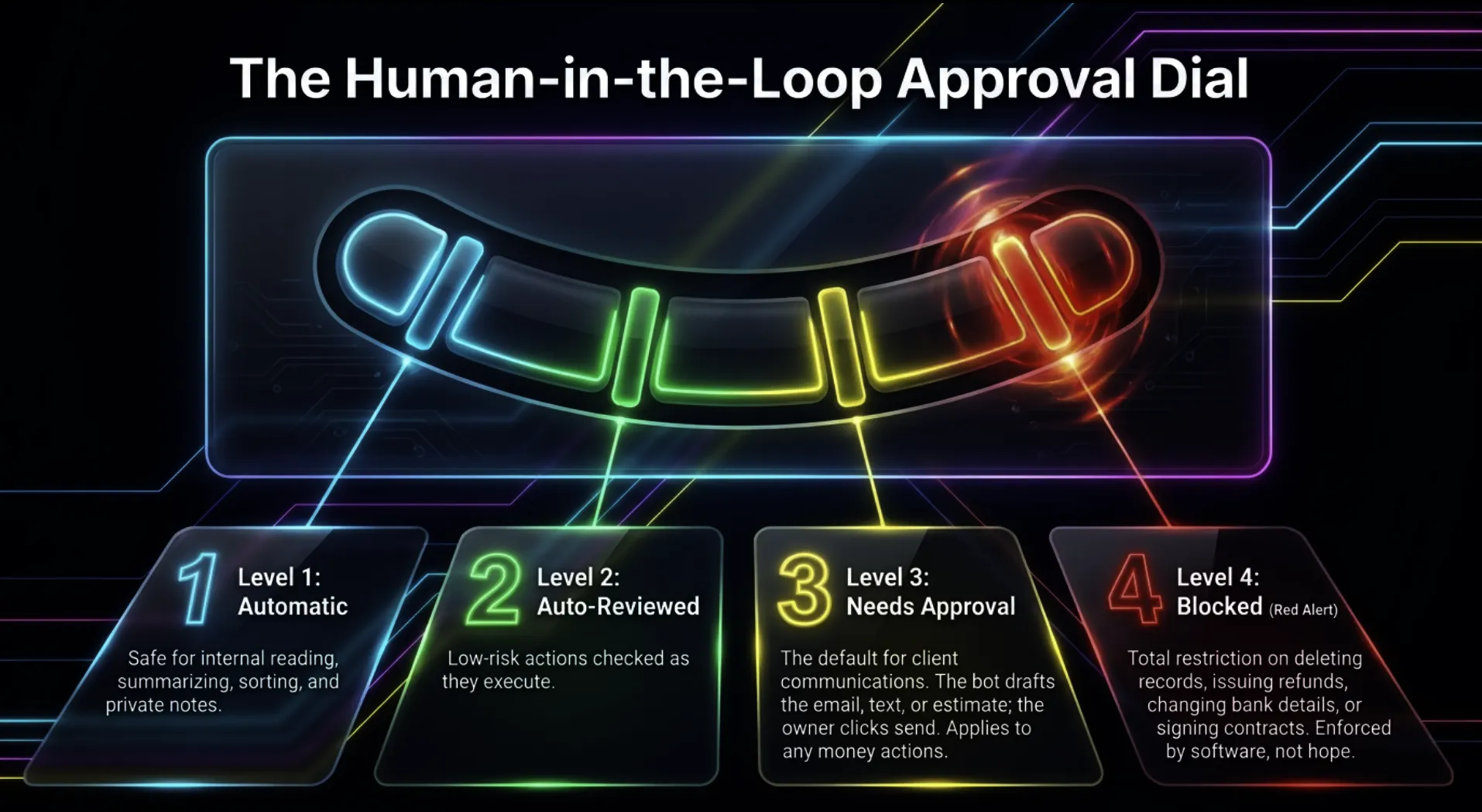
Every automation gets an approval map. For each action the bot can take, decide whether it is:
- Automatic: reading, summarizing, sorting, drafting, internal notes.
- Auto-reviewed: low-risk actions that are checked as they go.
- Needs approval: anything sent in the owner’s name to a customer, anything that changes money, any calendar change that affects a customer, any public post.
- Blocked: deleting records, issuing refunds, changing bank details, signing contracts.
Then set those exact levels in Grok Bot’s per-tool permissions on each connector, so the map is enforced by the software, not by hope. Write the approval map into the client’s runbook, and walk the owner through it. Most owners relax the moment they see the word Blocked next to “delete.”
Step 8: Pilot, Measure, Then Expand
Run each automation as a two-week pilot with a clear before-and-after measure: minutes per week, calls returned within the hour, days to payment, no-show rate, review response time. Keep the drafts-only mode on for the first week. At the end of the pilot, show the owner the numbers on one page. Then, and only then, propose the next three tasks.
Every Intake Form You Need
Professionals use forms. Forms make you faster, make you look serious, protect you and the client, and make the work repeatable when you hire help. Here is the full set I recommend, with what each one captures. The Starter Pack has every one of these as a designed page you can fill in on screen or print.
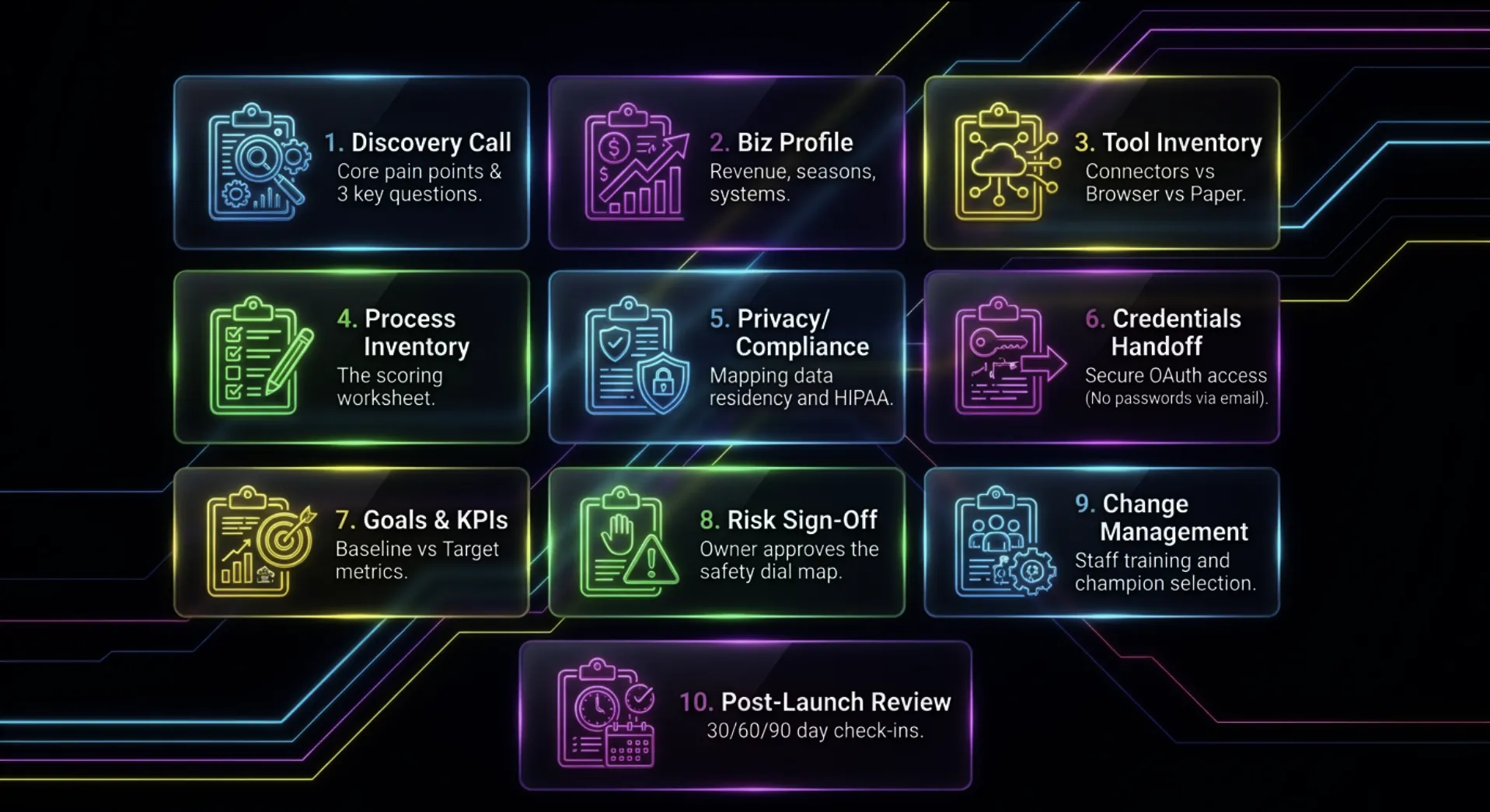
Form 1: Discovery Call
A 20 to 30 minute first conversation. Capture the business name, owner, best contact, how they heard about you, and the answers to my three opening questions:
- “Walk me through a normal Monday. Where does the time go?”
- “What is the one job everybody hates doing?”
- “If you had five extra hours a week, what would you do with them?”
Then add the tools they mention, the pain in their own words, their timeline, who else makes decisions, any past bad experience with tech vendors, and your next step with a date.
Form 2: Business Profile
The facts you need before you design anything: legal name, industry, locations, hours, number of staff by role, annual revenue range (optional), busiest days and seasons, main services and price list, customer types, how customers find them and contact them (phone, walk-in, web form, text, social), service area, and their top three goals for the year.
Form 3: Tools and Accounts Inventory
Every system the business uses, with who owns the account and whether there is an official Grok Bot connector. Email (Google Workspace or Microsoft 365), calendar, phone system and voicemail, scheduling or booking software, point of sale, accounting (QuickBooks, Xero, Zoho Books), payments, CRM, file storage, website platform, review sites, social accounts, industry-specific software (dental practice management, a field-service dispatcher, a property-management system), and any paper systems still in use. Mark each: connector available, browser only, or no access.
Form 4: Process Inventory
The worksheet from Steps 1 through 5 of the method above: one row per task, with trigger, owner, tools, minutes per occurrence, occurrences per week, error cost, sensitivity level, the six fit scores and the total.
Form 5: Data, Privacy and Compliance
What kinds of data the business holds (customer contacts, payment data, health information, legal files, children’s data, employee records), which laws or industry rules apply (HIPAA, state privacy laws, PCI for card data, attorney ethics rules, financial privacy rules), whether they have existing written policies, any client contracts with data clauses, where data must physically stay, and who is the privacy decision-maker. End with the sensitivity map: which tasks are cleared for cloud automation, which go local, and which stay manual.
Form 6: Access and Credentials Handoff
This form protects everyone. The safe rules, all printed on the form:
- Never collect passwords by email, text or on paper. Use the owner’s own password manager sharing, or have the owner sign in themselves while you watch.
- Prefer connectors that use the owner’s sign-in (OAuth) so no password changes hands at all, and the owner can revoke access in one click.
- Use separate accounts or roles for the bot where the software allows it, with the least access that does the job.
- Turn on two-factor authentication on every account before you connect anything.
- Log every access granted: which account, what level, granted by whom, on what date, and how to revoke it.
- Revoke on exit. When the engagement ends, walk the revocation list together and sign it off.
Form 7: Goals and KPIs
For each automation, the one number you will move, its baseline today, the target, how it will be measured, and when. Examples: hours per week on reminders (baseline 9, target 1), missed calls returned within one hour (baseline 30%, target 95%), average days to payment (baseline 41, target 25), review response time (baseline never, target under 24 hours). Owners remember numbers. So do referrals.
Form 8: Risk and Approval Sign-Off
Before go-live, the owner signs a one-page summary: what the bot will do, what it will never do, the approval map for every action, what happens if it makes a mistake, who to call, how to pause it instantly, and the data that crosses to the cloud versus stays local. This is not about blame. It is about the owner knowing exactly what they turned on.
Form 9: Change Management and Staff
The part most consultants skip and the reason most projects fail. List every staff member affected, how their job changes, what they will stop doing, what they will start doing (usually reviewing and approving), their concerns in their own words, the training session date, and the “champion” on staff who will be the first call. Say it out loud to the team: the bot takes the drudgery, not the job.
Form 10: Post-Launch Review
At 30, 60 and 90 days: each KPI against its baseline, what the bot got wrong and how it was fixed, what staff like and dislike, new tasks the owner now wants automated, approval levels that can safely relax (or need tightening), a client satisfaction score, a testimonial request, and a referral request.
The Starter Pack adds a few more that you will want once you are busy: a weekly bot health check, an incident log, an offboarding checklist and a monthly client report template.
How to Bill
Pricing is where most new consultants hurt themselves, usually by charging too little for work that is worth a great deal. Remember who you are competing with: not a software subscription, but the cost of the hours, errors and lost customers you are eliminating. Price against that.
Below are the billing models I recommend, and they work best combined. The dollar figures are example ranges only, to show the shape of a pricing menu. They are not a rate card, and they are not advice for your market. Rates vary enormously by region, industry, your experience and the size of the client. Set your own, raise them as your proof grows, and write them down so you stop negotiating against yourself.
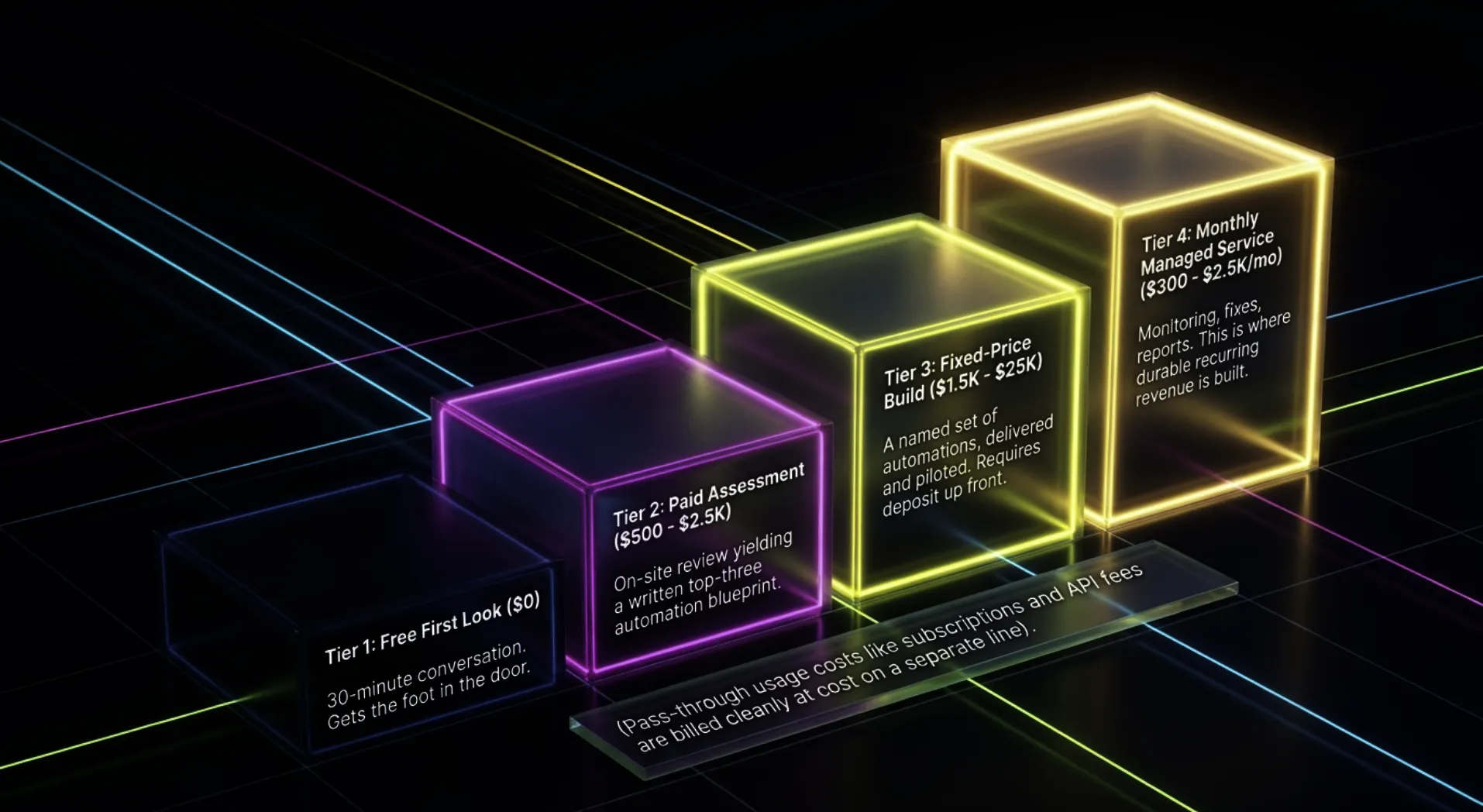
| Model | What it is | Example range (illustration only) | Best for |
|---|---|---|---|
| Free first look | A 30-minute conversation about one process | Free | Getting in the door |
| Paid assessment | On-site process review, fit scores, written top-three plan | $500–$2,500, often credited toward the build | Every new client |
| Fixed-price build | A named set of automations, delivered and piloted | $1,500–$7,500 per automation; $7,500–$25,000 for a multi-bot system | Clear, well-scoped projects |
| Monthly managed service | Monitoring, fixes, small changes, monthly report | $300–$2,500 a month | Every client after launch |
| Per-bot pricing | A monthly fee for each bot under management | $150–$500 per bot per month | Clients adding bots over time |
| Training workshops | Hands-on sessions for staff or groups | $500–$2,500 per session | Staff adoption, associations, chambers |
| Value-based pricing | A share of measured savings or new revenue | 10%–25% of first-year measured value | Big, measurable wins with trusted clients |
| Pass-through usage | Subscriptions, connector apps, calling minutes, local hardware | At cost, or cost plus a stated admin fee | Always, as a separate line |
How the Models Fit Together
The path I like for a typical client looks like this. A free 30-minute look turns into a paid assessment. The assessment produces a written proposal for a fixed-price build of the first three automations. When the build is live and the pilot numbers are in, the client moves to a monthly managed-service plan that covers monitoring, fixes, small changes and a monthly report. Training workshops are sold separately, to the client’s staff or to groups. As your track record grows, you add value-based pricing for the big wins.
That path turns one-time projects into recurring revenue, which is what made the PC consultants, web designers and social media managers of the earlier waves durable businesses rather than side hustles.
Pass-Through Costs: Keep Them Clean
Every client will have usage costs: the Grok Bot subscription, connector app subscriptions, phone-calling minutes, a local AI computer if needed. My strong advice:
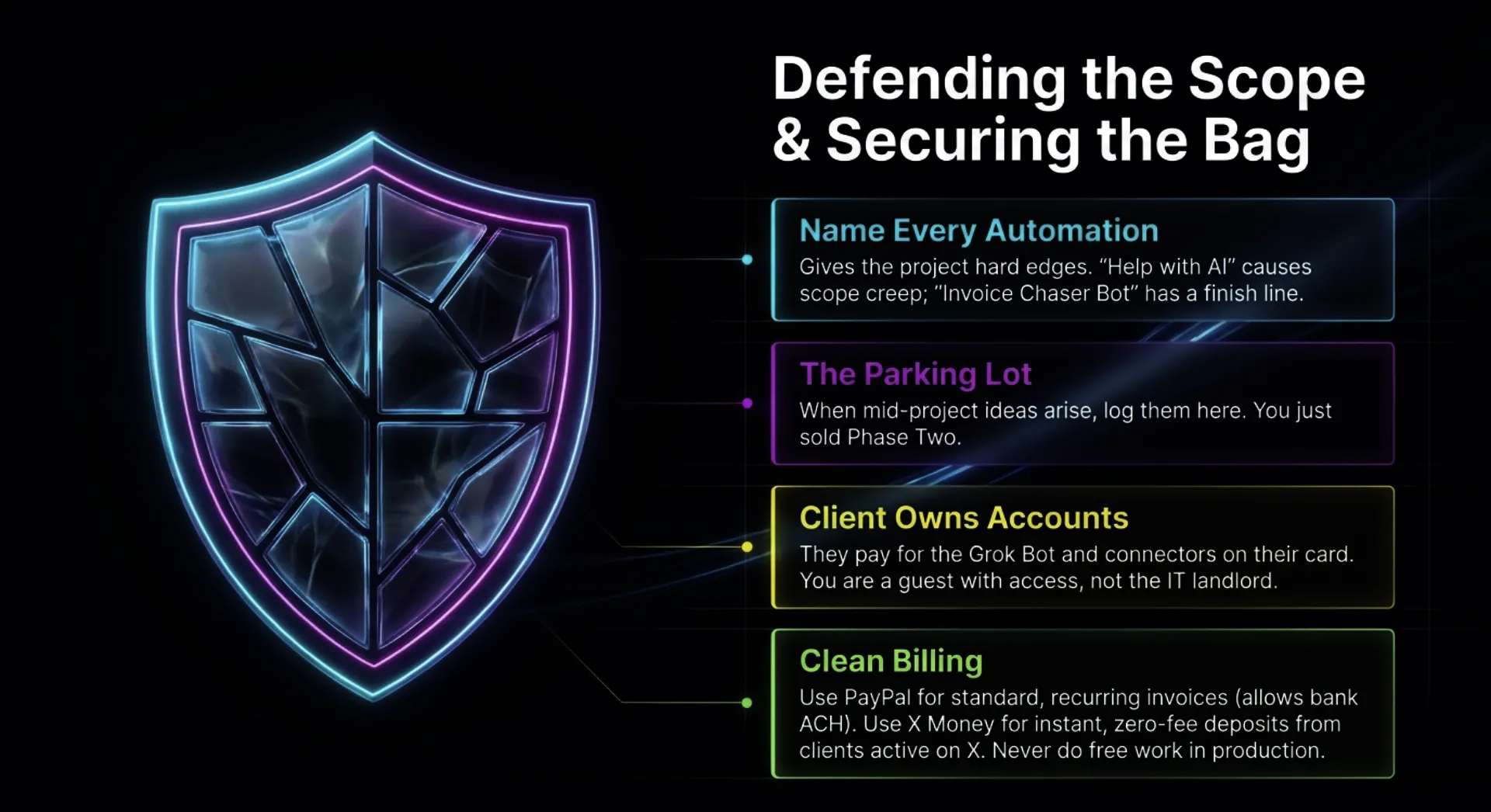
- The client owns the accounts. The Grok Bot account, the connectors and the data belong to the business, in the business’s name, paid with the business’s card where possible. You are a guest with access, not a landlord.
- Bill pass-through costs at cost, or at cost plus a clearly stated admin fee. Show them as a separate line. Never bury them in your fee.
- Estimate usage up front and review it monthly. Agents that run every hour cost more than agents that run every morning. Put a monthly usage line in your report and tune the schedules if it creeps up. My article A Simple Way to Make Grok Bot Run Faster and Cost Less has techniques that apply directly.
Contracts and Scope Creep
Every engagement needs a written agreement. (I am not a lawyer and this is not legal advice; have a local attorney review your templates once, then reuse them.) At minimum, the agreement should cover:
- Scope: exactly which automations, which tools, which outcomes. List them by name.
- Exclusions: what is not included. Write this section with care; it is where scope creep is stopped.
- Deliverables and acceptance: how you both agree a build is “done,” usually a two-week pilot meeting the agreed measure.
- Fees, payment terms and pass-through costs.
- Change requests: any new automation or significant change is quoted separately, in writing, before work starts.
- Data and confidentiality: what data you will access, how you protect it, that the client owns it, and what happens to your access at the end.
- Approvals and responsibility: the client approves outgoing messages and money actions under the agreed approval map.
- Limits of liability, term and termination, and how either side can exit cleanly.
The scope-creep tips that saved me the most grief:
- Name every automation. “Reminder Bot,” “Invoice Chaser,” “Morning Brief.” A named thing has edges. “Help with AI” has none.
- Keep a parking lot. When the owner asks for something new mid-project, smile, write it on the parking-lot list, and say “Great idea. Let’s quote it for phase two.” You just sold phase two.
- Include a small change allowance in the monthly plan (for example, a set number of small changes per month) so small requests do not need paperwork, but big ones do.
- Never do free work in production. Demos are free. Changes to a live client system are billable, always.
- Reprice every six months. Your skill grows, the bots get more capable, and the client’s results compound. Your price should follow.
Getting Paid: X Money and PayPal Invoices
A pricing menu is only half of billing. The other half is the moment the money actually lands, and new consultants lose more income here than anywhere else: the invoice that never went out, the deposit they were too shy to ask for, the client who meant to pay and forgot. Two tools cover nearly every local client I can think of. PayPal invoices are the workhorse. X Money is the fast lane for clients who already live on X. Here is how each one works today, checked against PayPal’s and X Money’s own pages on November 23, 2026.
Send a PayPal Invoice
PayPal Invoicing comes with a PayPal account and, per PayPal, has no setup or monthly fee; you pay a fee only when a client pays. Your client does not need a PayPal account to pay. From the website: Pay & Get Paid, then Create an Invoice, fill in who you are billing and what for, add notes or attachments, review, and send. From the PayPal app: Request, then Send an invoice to get paid. You can also copy a link to the invoice and text it, or show a QR code at the end of a meeting.
The client can pay with a PayPal account, Venmo, Pay Later, a debit or credit card, Apple Pay, or Pay by Bank (ACH). The fee depends on how they pay. For a U.S. invoice paid in U.S. dollars, PayPal’s published rates today are:
| How the client pays a PayPal invoice | PayPal’s fee to you | On a $2,000 invoice |
|---|---|---|
| PayPal account, Venmo or PayPal guest checkout | 3.49% + $0.49 | $70.29 |
| Debit or credit card, Apple Pay or another wallet | 2.99% + $0.49 | $60.29 |
| PayPal Pay Later | 4.99% + $0.49 | $100.29 |
| Pay by Bank (ACH) | 1%, capped at $10.00 | $10.00 |
| Client outside the U.S. | Add 1.50% | Add $30.00 |
Notice the last line. On a $2,000 build invoice, a client who pays by bank costs you $10 in fees, while the same invoice paid with a PayPal account costs about $70. When a client asks how to pay, it is fair to mention the bank option.
Request and Receive Payment With X Money
X Money is X’s own payments account, inside the Money tab of the X app and X.com. To request money, X Money’s help page says to open the Money tab, tap Send Money, choose the X user, and in the Transfer menu tap the arrows at the top right to switch from a payment to a request. When the client pays, the money lands in your X Money account automatically. X Money’s FAQ says transfers are free when both people use X Money, are usually instant, and have no limits once your identity is verified. To move the money to your bank, a standard ACH transfer is free and usually takes one to three business days; an instant transfer costs 1.75% (minimum $0.25).
Know the edges before you rely on it:
- Both of you need X Money. It is open to U.S. residents 18 and older, and X Money says it is still rolling out to select users. P2P transfers are between Money users only, and there is no international P2P.
- A completed payment cannot be reversed. That is good news for you as the payee, and a reason to double-check every request.
- There is no invoice. X Money has no invoice document, line items, terms or reminders that I could find in its help pages. Put your invoice number in the note, and keep your own invoice on file.
Grok Bot can work with X Money too. With the X Money connector, a bot can request money on your behalf, but only after you approve that exact request, every time, in the chat. That is the right design for anything that touches money.
When to Use Each
- Use a PayPal invoice for almost every business charge. Assessments, builds, monthly plans and pass-through costs. You get a real invoice with line items, tax, terms, a due date, reminders and a payment record your bookkeeper can use, and your client can pay any way they like.
- Use a PayPal recurring invoice for monthly plans. Set it once and PayPal sends each month’s invoice on schedule.
- Use a PayPal Payment Link for a fixed, repeatable charge, such as a lunch-and-learn seat or a standard assessment deposit, that you want to share by text or QR code.
- Use X Money for clients who live on X. It is instant, free between X Money users, and has no P2P limits once you are verified, which makes it ideal for deposits, workshop seats and monthly plans for clients who already use it. Send a matching invoice for your records.
Take a Deposit Up Front
Every new client pays something before you start. A deposit filters out the curious, funds your time, and changes how seriously both of you treat the project. My standing rules:
- The paid assessment is paid in full before the visit. If it is credited toward the build, say so on the invoice.
- Builds start with a deposit, often a third to a half of the fixed price, with the rest due at acceptance after the pilot. The percentage is yours to set; write it in the agreement.
- Monthly plans are billed at the start of the month, for the month ahead.
- Pass-through costs are billed at cost, on their own line, before you buy anything for the client. Better still, the client buys in their own name.
PayPal makes the deposit easy. On a single invoice, check Allow partial payment and set a minimum amount due; the client must pay at least that amount, and the invoice shows Partially Paid until the balance comes in. PayPal notes that partial payments are not a credit product. If you prefer a clean record, send two invoices: a deposit invoice now and a balance invoice at acceptance.
Members get the full billing playbook below: PayPal Business setup, invoice templates and tax, recurring and scheduled invoices, automatic reminders, late fees, payment links, disputes and chargebacks, pricing for fees, a retainer billing calendar, the collections ladder, bookkeeping and 1099s, quarterly taxes, and a month-one billing checklist. Become a member to read it.
Fifty Real-World Examples by Industry
Here is the heart of it: fifty concrete automations across more than two dozen kinds of local business. For each I name the manual process, the Grok Bot automation, and a before-and-after. The before-and-after figures are illustrative targets to show the scale of the opportunity, not measured results. Measure your own with the forms above. Where a public Grok Bot from GrokBot.Rocks already does something close, I link it so you can study or adapt it.
Dental Office
- Recall and reminder messages. Manual: the front desk works a printed list of patients due for cleanings and calls or texts each one. Grok Bot: a weekday routine reads the day-after-tomorrow schedule export, drafts reminder messages for approval, and lists unconfirmed patients for a personal call. Patient-identifying details stay in the office’s own systems or on local AI. Before → after: about 8 hours a week → about 1 hour of review, with fewer no-shows.
- Clinical note cleanup on local AI. Manual: the dentist dictates shorthand and an assistant types it up after hours. Local AI: a model on an office computer turns dictation into a structured draft note for the dentist to review and sign. Community bots like Create and Defend your Clinical Note show the format; run the patient data on a local model. Before → after: 45 minutes of evening typing → 10 minutes of review.
Medical or Chiropractic Office (Local AI)
- Insurance denial letters. Manual: staff read each denial and write an appeal from scratch. Local AI: the denial is scanned and processed on a local model that drafts the appeal with the right codes; Grok Bot only tracks the deadline from a de-identified log (“Appeal #14 due Friday”). Before → after: 60 to 90 minutes per appeal → 20 minutes, with no missed deadlines.
- Morning huddle sheet. Manual: the office manager pulls the schedule, open balances and missing forms into a paper sheet. Hybrid: a local model builds the patient-level sheet on the office computer; Grok Bot sends the doctor a count-only summary at 7 AM. Before → after: 40 minutes every morning → 5 minutes.
Plumbing, HVAC and Electrical
- Missed-call rescue. Manual: voicemails pile up while the techs are under a house; half are never returned the same day. Grok Bot: the business number forwards voicemails and texts to email (Google Voice does this), a routine reads each one, flags emergencies, drafts a text-back and puts a hold on the calendar. My own Grok Bot Text & Voicemail bot works exactly this way, and community bots like Missed Call Rescuer and Contractor Front Desk sort leads into hot, warm and spam. Before → after: about a third of calls returned within an hour → nearly all of them.
- Weekly demand forecast. Manual: the owner guesses how many techs to schedule next week. Grok Bot: a Monday routine checks the weather forecast for the service area and last year’s call volume, then suggests staffing and parts to stock, like the community HVAC Weekly Digest. Before → after: guesswork → a one-page plan every Monday.
- Truck stock tracking. Manual: techs discover they are out of a part at the job. Grok Bot: techs text what they used; the bot keeps a running count on a Page and drafts the reorder, like the community Truck Inventory bot. Before → after: frequent second trips → reorders before the shelf is empty.
Restaurant and Café
- Morning owner brief. Manual: the owner digs through supplier, bank and payroll email before service. Grok Bot: a 7 AM routine reads the inbox and sends a short brief that flags bank, supplier and payroll messages, similar to the community Restaurant Franchise Owner Assistant. Before → after: 45 minutes of email → a 3-minute read.
- Supplier price watch. Manual: nobody notices that a supplier quietly raised the price of chicken. Grok Bot: every invoice emailed in is read and compared with last month’s prices; increases over a set percentage are flagged. Before → after: surprises at month-end → a same-day alert.
- Review replies. Manual: reviews go unanswered for weeks. Grok Bot: a daily routine drafts a warm, specific reply to every new review for approval, like the community Review Reply Bot. Before → after: occasional replies → every review answered within a day.
Law Office (Local AI for Client Matters)
- Intake and conflict check prep. Manual: a paralegal re-types web-form inquiries into the case system and runs names by hand. Hybrid: Grok Bot sorts new inquiries into practice areas and books consultations; client facts and the conflict check run on a local model. The community Full-Spectrum Law Firm OS shows a firm-wide design. Before → after: next-day callbacks → same-day consultation offers.
- Deadline calendar. Manual: court and filing dates are copied into calendars by hand. Grok Bot: dates from scheduling orders are drafted into the calendar with reminders at 30, 14, 7 and 1 days, approved by the attorney. Before → after: manual double-entry → one approval click per date.
Real Estate
- Morning hot sheet. Manual: the agent scrolls listing sites every morning. Grok Bot: a routine summarizes what moved overnight in the agent’s farm area and suggests three follow-ups, like the community Hot Sheet. Before → after: 45 minutes of browsing → a 5-minute read.
- Listing descriptions. Manual: writing each listing from notes and photos. Grok Bot: property facts and photos become a draft description in the brokerage’s style, like the community Listing Agent Desk LITE. Before → after: an hour per listing → 15 minutes of editing.
- Lead follow-up. Manual: open-house sign-ins sit in a folder. Grok Bot: each sign-in gets a personal follow-up drafted the same evening and a reminder for a call in three days. Before → after: sporadic follow-up → every lead touched within 24 hours.
Auto Repair Shop
- Status updates. Manual: customers call all day asking “is my car ready?” Grok Bot: when a technician marks a stage, the bot drafts a short text update for the service writer to send. Before → after: dozens of interrupting calls → a handful.
- Parts price checks. Manual: the service writer calls three parts suppliers for each unusual part. Grok Bot: the bot calls or checks supplier portals and returns a comparison with availability. Before → after: 30 minutes per part → 5 minutes of reading.
Salon, Barber and Spa
- Rebooking and gap filling. Manual: the stylist texts regulars when a cancellation opens a slot. Grok Bot: when a cancellation appears, the bot drafts messages to clients who are due and asked to be told. Community bots like Salon Suite, MedSpa & Solo Stylist Front Desk and Stylist and Barber Shop Manager show the pattern. Before → after: empty chairs → most gaps filled the same day.
- Social posts from the day’s work. Manual: posting is always “tomorrow.” Grok Bot: the stylist sends three photos; the bot drafts captions for approval, like the community Jimothy’s Post Helper. Before → after: a post a month → three a week.
Accountant and Bookkeeper
- Statement to spreadsheet. Manual: typing bank statement PDFs into spreadsheets. Grok Bot: PDFs become clean files ready for QuickBooks Online or Xero, like the community PDF to Excel · Accounting Bookkeeping. Client financial files with account numbers can run on local AI. Before → after: hours per client per month → minutes of checking.
- Bank reconciliation proposals. Manual: matching each bank line to a bill. Grok Bot: with the QuickBooks connector set to read and propose only, the bot matches lines and flags exceptions, like the community Books and Bookkeeping Ninja Bank Rec bots. Before → after: a full day a month → an hour reviewing exceptions.
- Missing-document chase. Manual: emailing clients again and again for tax documents. Grok Bot: a weekly routine checks what is missing per client and drafts a polite, specific reminder. Before → after: hours of chasing in tax season → one review session a week.
Retail Shop
- Inventory and reorder. Manual: walking the shelves with a clipboard. Grok Bot: with the Shopify connector, the bot reads sales and stock, flags low items and drafts purchase orders for approval. Before → after: weekly clipboard walk → a daily low-stock list.
- Lapsed customer win-back. Manual: never done. Grok Bot: a monthly routine finds customers who have not bought in 90 days and drafts a personal note with a reason to return, like the community Gonzalo’s SMB manager. Before → after: zero outreach → a steady trickle of returning regulars.
General Contractor and Remodeler
- Estimate drafting. Manual: evenings spent turning site notes into estimates. Grok Bot: photos and voice notes from the site become a draft estimate using the contractor’s price sheet as a skill. Before → after: 2 hours per estimate → 30 minutes, and estimates go out days sooner.
- Subcontractor compliance. Manual: tracking certificates of insurance and lien waivers on a spreadsheet nobody updates. Grok Bot: a routine reads incoming certificates, tracks expirations and drafts renewal requests, like the community Covered: Subcontractor COI & Lien Waiver Tracker. Before → after: surprise lapses → 30-day warnings.
- RFI and submittal log. Manual: open questions get lost in email. Grok Bot: every RFI and submittal is logged with who owes what and when, like the community Submittals And RFI Tracker. Before → after: lost questions → a daily open-items list.
Insurance Agency
- Renewal preparation. Manual: pulling policy details and calling clients before renewals. Grok Bot: 60 days out, the bot assembles a renewal brief for the agent and drafts the client outreach for approval. Client personal data handling must follow the agency’s privacy obligations. Before → after: last-minute renewals → a calm 60-day pipeline.
- Marketing compliance check. Manual: the agent hopes the newsletter is compliant. Grok Bot: every outbound email and post is checked against the agency’s rules before sending, like the community Sentinel. Before → after: risky copy → reviewed copy.
Property Manager and Small Landlord
- Rent matching. Manual: matching deposits to tenants by hand. Grok Bot: deposits are matched to each tenant and late or short payments flagged, like the community Landlord Ledger. Before → after: a day a month → 20 minutes.
- Maintenance requests. Manual: tenants call and text at all hours. Grok Bot: requests are logged, triaged by urgency, and a vendor call is drafted or placed for emergencies, like the community Property Manager and LeaseLord bots. Before → after: scattered texts → one tracked queue.
- Short-term rental guest messages. Manual: answering the same check-in questions for every guest. Grok Bot: drafts check-in instructions and answers from a house manual skill, like the community Property Bot. Before → after: constant interruptions → one approval per stay.
Landscaping and Lawn Care
- Daily dispatch. Manual: the owner rebuilds the crew schedule every rainy morning. Grok Bot: checks the forecast, proposes the reshuffled route and drafts customer notices, like the community Dispatcher for field-service companies. Before → after: an hour of morning chaos → a 10-minute approval.
- Seasonal upsell. Manual: nobody remembers to offer aeration or leaf cleanup. Grok Bot: a routine drafts seasonal offers to the right customers at the right time. Before → after: missed revenue → a reliable seasonal campaign.
Gym and Fitness Studio
- Trial member follow-up. Manual: free-trial visitors get one call, maybe. Grok Bot: each trial member gets a personal three-step follow-up sequence drafted from their sign-up notes. Before → after: trials forgotten → every trial followed up.
- Class reminders and waitlists. Manual: staff text the waitlist when someone cancels. Grok Bot: cancellations trigger drafted messages to the waitlist in order. Before → after: empty spots → full classes.
Nonprofit
- Donor thank-yous. Manual: thank-you letters go out weeks late. Grok Bot: each new gift triggers a personal thank-you draft and a tax receipt from a template. Before → after: weeks late → within 48 hours.
- Grant deadline tracking. Manual: deadlines live in one person’s head. Grok Bot: solicitations are logged with requirements and dates; the community Bid Desk bot gives a fit check on an RFP in minutes. Before → after: last-minute scrambles → a 90-day grant calendar.
Church and Faith Community
- Weekly bulletin and announcements. Manual: the office volunteer assembles the bulletin from scattered emails. Grok Bot: collects announcements from a shared inbox and drafts the bulletin and the email newsletter for the pastor’s approval. Before → after: Friday-night scramble → Wednesday review.
- Building and utilities watch. Manual: nobody notices the water bill doubled. Grok Bot: a routine reads utility bills and flags anomalies, like the community util bot for buildings and churches. Before → after: surprises → early warnings.
Veterinary Clinic
- Vaccine reminders. Manual: postcards and phone calls. Grok Bot: a routine drafts reminders from the due list exported from the clinic system. Before → after: hours of calls → a daily approval batch.
Home Services (Cleaning, Pest Control, Pool)
- Quote follow-up. Manual: quotes go out and are never followed up. Grok Bot: a weekday routine finds quotes with no reply and drafts a nudge, like the community Follow-Up Keeper. Before → after: lost quotes → more closed jobs.
- Invoice audits and supplier pricing. Manual: nobody checks the chemical supplier’s invoices. Grok Bot: compares invoices with agreed prices, like the community trade assistant Tiffany for pool and plumbing businesses. Before → after: silent overcharges → caught overcharges.
Any Business: The Universal Five
- Invoice chasing. Manual: the owner hates asking for money, so nobody does. Grok Bot: overdue invoices get a friendly, then firm, then final reminder, each approved. My own InvoiceX does this, and so does the community Invoice Chaser. Before → after: 40-plus days to payment → noticeably faster cash.
- Owner’s morning brief. Manual: starting each day in the inbox. Grok Bot: one page at 7 AM: what needs you, what’s waiting on others, today’s calendar, and cash. Community bots like Catch and Operator are built for small business owners. Before → after: an hour of triage → 10 minutes.
- Competitor watch. Manual: never done. Grok Bot: tracks competitors’ public prices, offers and hiring pages and reports real changes, like the official Competitor Watch. Before → after: blind → a monthly brief.
- Supplier and vendor calls. Manual: someone spends an afternoon on hold. Grok Bot: places the call to the business line, asks the questions and returns a transcript, like the community Business Call Bot. Before → after: an afternoon on hold → a summary in the inbox.
- Cash-flow forecast. Manual: the owner checks the bank balance and hopes. Grok Bot: connects to the accounting tool and charts the next 30 days of cash, like the community Cash Flow Forecaster. Before → after: surprises → a weekly forecast.
Travel-Heavy Businesses
- Crew and sales travel. Manual: the office manager books flights and hotels across five websites for a crew going to a job out of state. Grok Bot: with the November flight and hotel updates, the bot searches flights with full fare rules and hotels with maps and bookable rates near the job site, then brings the options back for approval. Before → after: half a day of booking → 20 minutes of choosing.
Professional Office on a Private Network
- Private document search with Tailscale. Manual: staff dig through years of files on the office server. Hybrid: a private search tool runs on the office network; Grok Bot reaches it through the business’s Tailscale network, under the tailnet’s access rules, without exposing the server to the internet. Sensitive results stay on the private side. Before → after: 20-minute file hunts → answers in under a minute.
That is fifty, and it is only the beginning. Every one of these can be combined. A plumbing company might run five of them. A dental office might run six. That is how a single client becomes a monthly relationship.
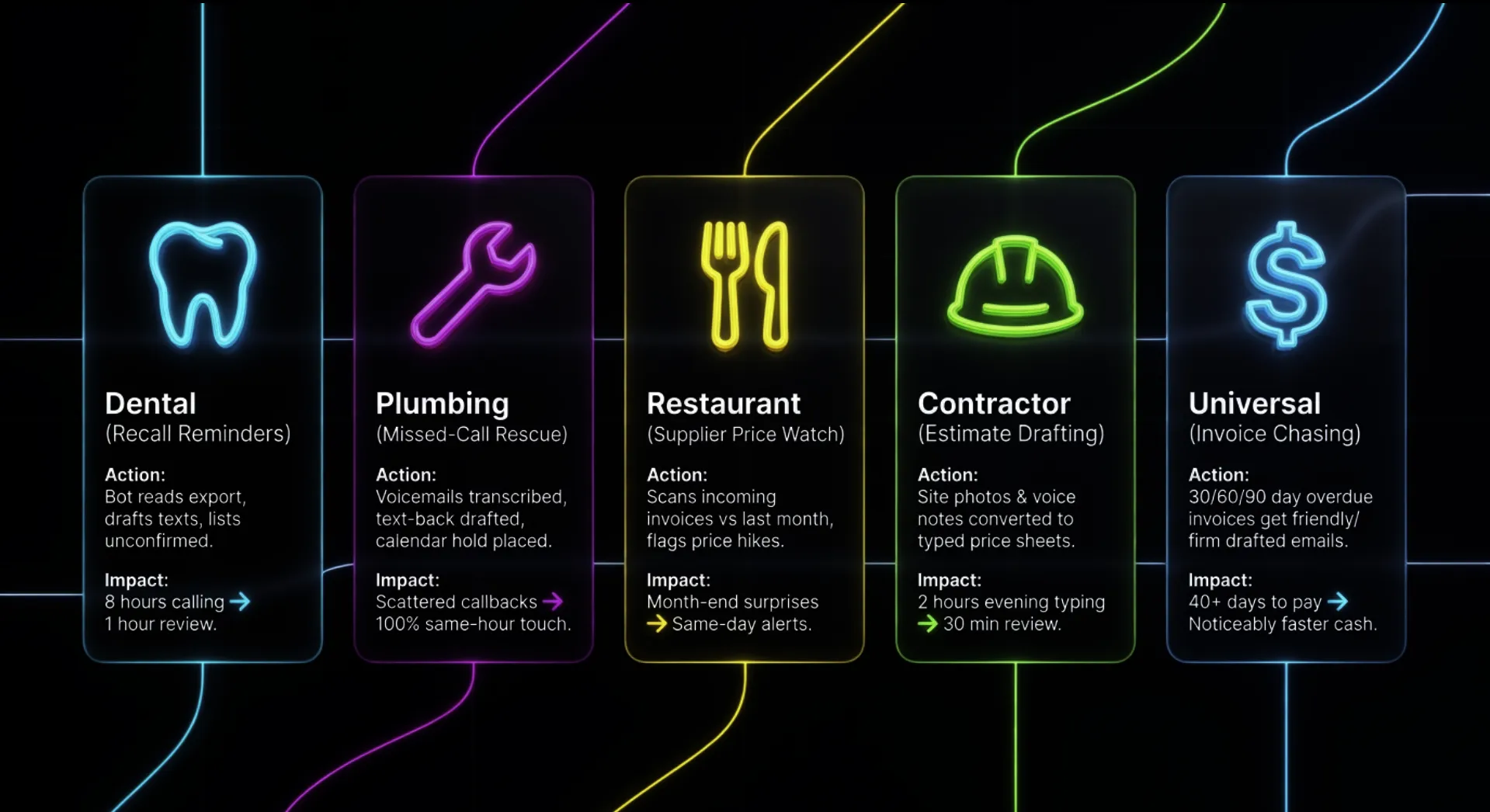
Your First Ninety Days in the Business
You do not need a storefront, a company name or a big budget to start. You need a few weeks of practice and the discipline to get out of the house.
- Days 1 to 30: Build your own proof. Automate your own life and your own business first. Build three demos you can show on a phone. Pick one or two industries to focus on. Print your leave-behinds. Join the chamber and one referral group. Do two free process reviews for businesses you already know, in exchange for honest feedback and permission to tell the story.
- Days 31 to 60: Land the first paying clients. Run your first lunch-and-learn. Walk one street a week. Convert at least two free reviews into paid assessments and one into a fixed-price build. Use every form, every time. Measure everything.
- Days 61 to 90: Turn projects into a practice. Move your first build onto a monthly plan. Write your first case study. Ask for referrals at every 30-day review. Teach a free class at the library or community college. Raise your prices once.
Members get a detailed 30/60/90-day launch plan with weekly checklists in the Starter Pack.
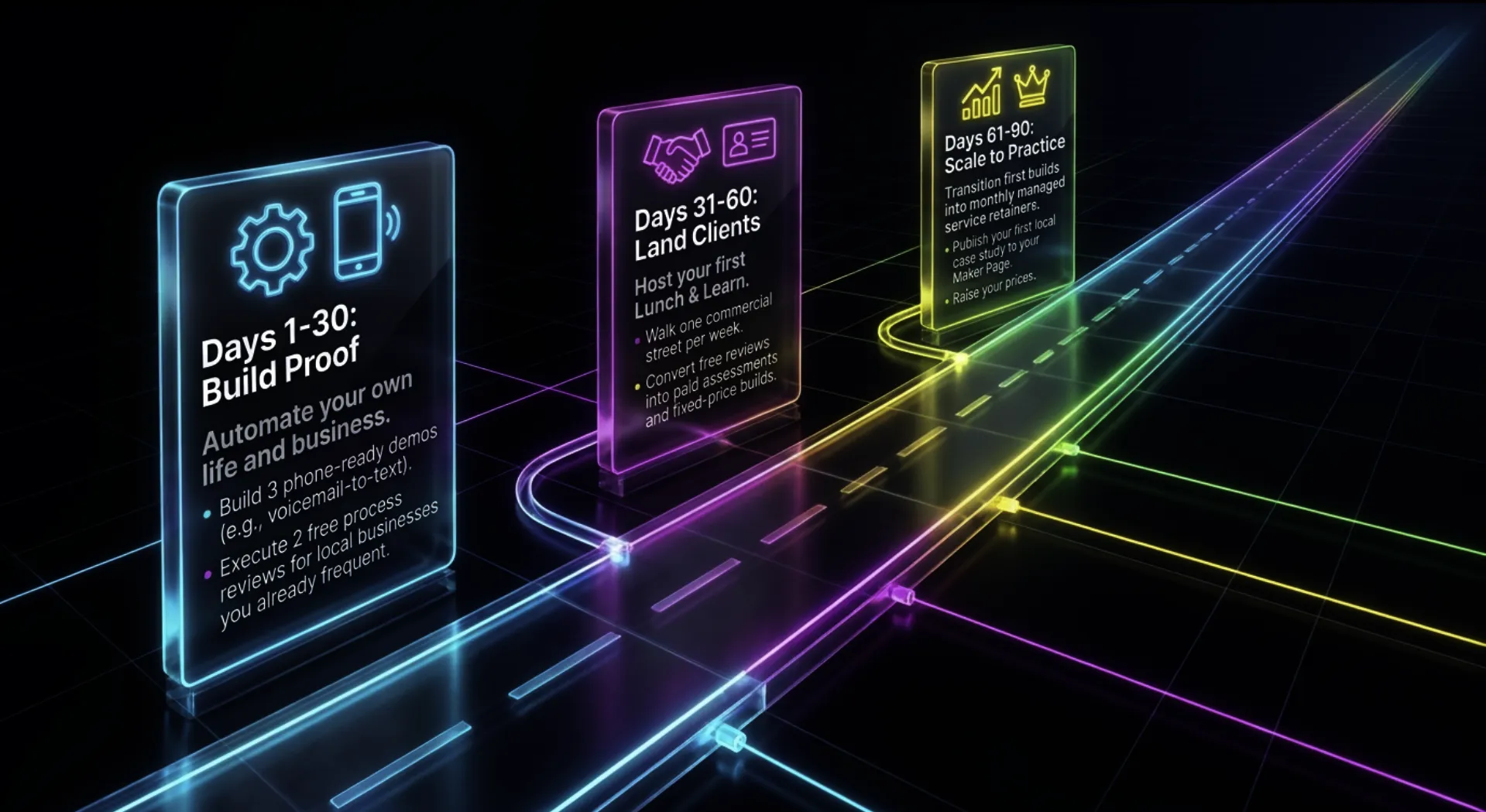
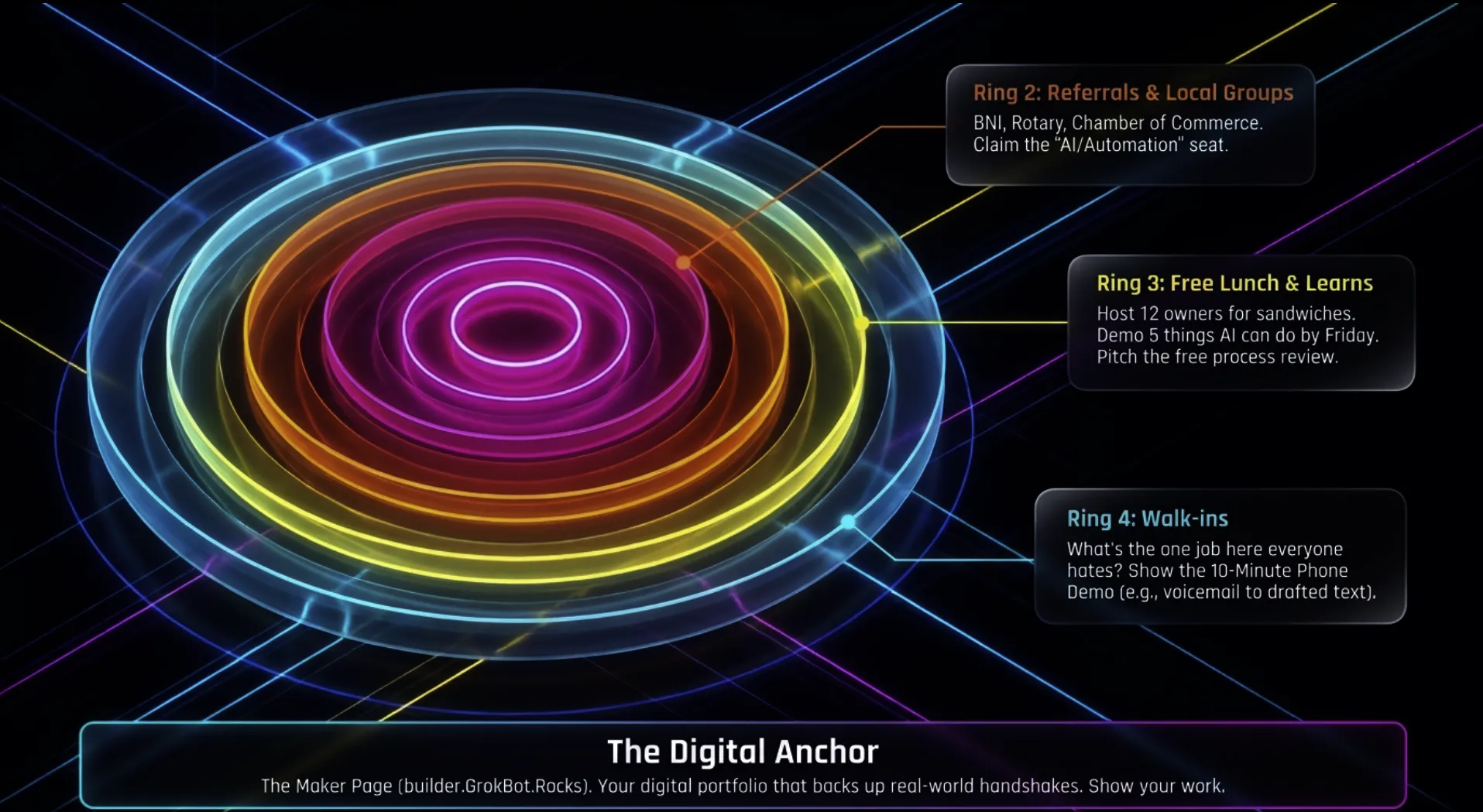
Mistakes That Sink New AI Consultants
- Selling the technology instead of the outcome. Nobody wants “an AI agent.” They want their evenings back.
- Automating the checkbook first. Start with visible, frequent, low-risk work. Earn the right to touch money.
- Letting the bot send without approval on day one. Drafts first, always. Relax the gates only when the numbers prove it is safe.
- Ignoring the staff. The receptionist who feels replaced will quietly make sure your project fails. Make her the champion instead.
- Collecting passwords. Use the owner’s own sign-ins and connectors. Never keep a client’s passwords in your notes, your email or your head.
- Ignoring the rules on calls and messages. The FCC confirmed in 2024 that AI-generated voices count as “artificial” voices under the Telephone Consumer Protection Act, which means such calls to consumers generally require their prior express consent. Use bot calling for business-to-business calls and for customers who have agreed to it, and have the bot say who it is calling for.
- Sending regulated data to the cloud. Health, legal and financial records go local unless every service in the chain is permitted to handle them, in writing.
- Underpricing. If the owner says yes immediately, your price was too low.
- Disappearing after launch. The monthly relationship is the business. The bots need tending, the staff need coaching, and the owner will always have one more idea.
The Fourth Wave Belongs to the People Who Show Up
I have watched this pattern for decades. A powerful technology arrives. The headlines are about the giant companies that make it. But the real transformation happens one small business at a time, in a back office, with a cup of coffee, when someone patient sits down with the owner and says, “Show me how you do this now.”
The PC consultants did it. The web designers did it. The social media managers did it. Now it is our turn, and the tool we are carrying is more capable than anything those earlier waves ever had. You do not need anyone’s permission or anyone’s stipend to start. You need a method, the forms, a fair price, and a pair of comfortable shoes.
Go knock on a door this week. Ask the owner what job everybody hates. Then come back and tell me what you found.
If you want the full kit, become a member. Members get the AI Business Starter Pack as a bonus, the step-by-step billing playbook, the Puppy Dog Close and my field lessons from selling to small merchants, and access to skills for building better Grok Bots: the reusable instruction templates and tips in my Grok Bot Insider Guide. Members also get 15% off my consulting.
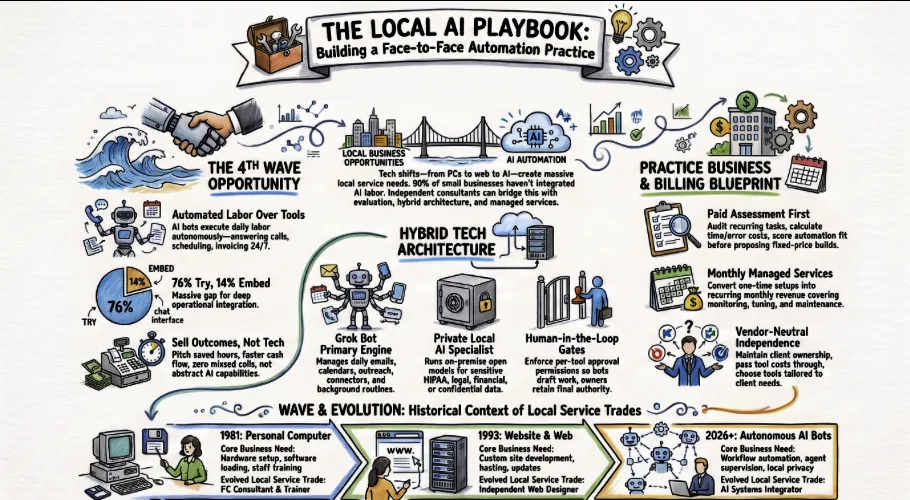
Sources
- OpenWorks, OpenAI’s program page: partner duties, the 20-community pilot, and the stipend of up to $8,000 a month.
- Brian Roemmele on X, November 23, 2026: the post quoted above.
- IBM: The personal computer: the IBM 5150 introduced in August 1981.
- NCSA Mosaic, National Center for Supercomputing Applications: Mosaic’s early growth and the December 1993 New York Times coverage.
- Facebook Unveils Facebook Ads, Meta newsroom, November 2007: more than 100,000 Pages launched on day one.
- The Impact of Technology on U.S. Small Business, 2026, U.S. Chamber of Commerce Technology Engagement Center: 66% of small businesses use AI.
- Business Trends and Outlook Survey, U.S. Census Bureau: about 24% of businesses used AI in a business function in the period collected October 19 to November 1, 2026.
- Small Businesses Embrace AI, But Need Training and Support to Fully Harness It, Goldman Sachs 10,000 Small Businesses Voices, March 2026: 76% use AI, 14% fully integrated, 73% want more training.
- OpenWorks partner application and OpenWorks business application, OpenAI, checked November 23, 2026: “four full days per month” of free help plus a monthly workshop; sensitive-data questions.
- ChatGPT Business pricing, OpenAI, checked November 23, 2026: $20 a seat a month billed annually, $25 billed monthly, “For teams of 2–200 employees,” “No training on your business data by default,” Premium seat $100 a month billed annually or $125 billed monthly, “We offer monthly plans for Go, Plus and Business and annual plans for Business and Enterprise.”
- Introducing dots, OpenAI, September 29, 2026 (checked November 23, 2026): “Your first dot is included in your Pro or Business Premium plan,” “In the future, you’ll be able to add more dots.” OpenAI Help Center: Managing dots in ChatGPT workspaces (“Only a dot’s owner can direct it,” “Shared-dot management is not included”) and Pricing and billing for dots in ChatGPT Enterprise. ChatGPT workspace agents, sharing within an organization.
- xAI pricing, checked November 23, 2026: Premium $30 a month with Grok Bot, Teams “$30+/user/month,” “Cancel anytime, at least 24 hours prior to renewal.” X Subscription Referral Program Terms, last updated November 4, 2026: “14 days of X Premium free” for eligible new users. Create and manage Bots, Grok Bot docs: sharing a Bot as a template. Grok Bot Marketplace.
- Frequently Asked Questions About Small Business, 2026, SBA Office of Advocacy, February 2026: 36.2 million small businesses, 29.8 million with no employees.
- Monthly Labor Review, U.S. Bureau of Labor Statistics: May 1985 (computer and data processing services, 106,700 jobs in 1972 to 475,300 in 1984), April 1986 (growth of more than 250%, 1974 to 1984) and December 1987 (12.8% a year, about 227,000 jobs added, 1982 to 1986).
- Measuring the Growth of the Web, Matthew Gray, MIT: website counts, 1993 to 1996. Total number of websites, Internet Live Stats: about 17 million in 2000 (estimate).
- So You’re Ready for a Web Page, Daniel Akst, Los Angeles Times, June 24, 1996: small-site bids from $900 to $15,000.
- Web Lessons Learned, Joel Snyder, Internet World, June 1996: $50 to $75 an hour, $100 to $500 a page, maintenance costs.
- Building the Price-Wise Web Site, Phaedra Hise, Inc., September 1, 1996: design from $500 to $50,000; hosting from $30 to $3,500 a month.
- Web Developers and Digital Designers, BLS Occupational Outlook Handbook: 2025 median pay $99,520.
- National Small Business Week: New Resources, Meta, May 2022: more than 200 million businesses use Meta’s apps every month.
- Squarespace: About Us (founded 2003) and Wix.com prospectus, SEC, 2013 (founded 2006).
- Bringing People Closer Together, Meta newsroom, January 11, 2018: less public content from businesses; Pages may see reach decrease.
- Social media manager cost, Upwork: undated estimate of $400 to $2,000 a month for small-business account management on two channels.
- ChatGPT sets record for fastest-growing user base, Reuters, February 2, 2023: an estimated 100 million users two months after launch (UBS analyst note).
- Unsloth Requirements and Saving models to Ollama, Unsloth documentation, checked November 23, 2026: fine-tuning memory minimums and export to Ollama. Modelfile Reference, Ollama.
- Grok Bot changelog: per-tool connector permissions (November 18, 2026) and the flight and hotel redesign (November 16, 2026).
- Tailscale: Grok Bot has a Tailscale integration, November 9, 2026.
- FCC Confirms that TCPA Applies to AI Technologies that Generate Human Voices, February 2024.
- PayPal Merchant Fees, PayPal Invoicing, How do I create and send an invoice? and How much does it cost to use PayPal Invoicing?, PayPal, checked November 23, 2026: invoice fees, partial payments and minimum amount due, recurring invoices.
- X Money Frequently Asked Questions and X Money Legal Terms and Policies, checked November 23, 2026: requesting money, P2P fees and limits, withdrawals.
- America’s SBDC, U.S. Chamber local chamber directory and BNI.
- Bot examples: GrokBot.Rocks. Connector examples: GrokApps.Rocks. Community bots are built by independent makers; review any bot before you use it with client data.
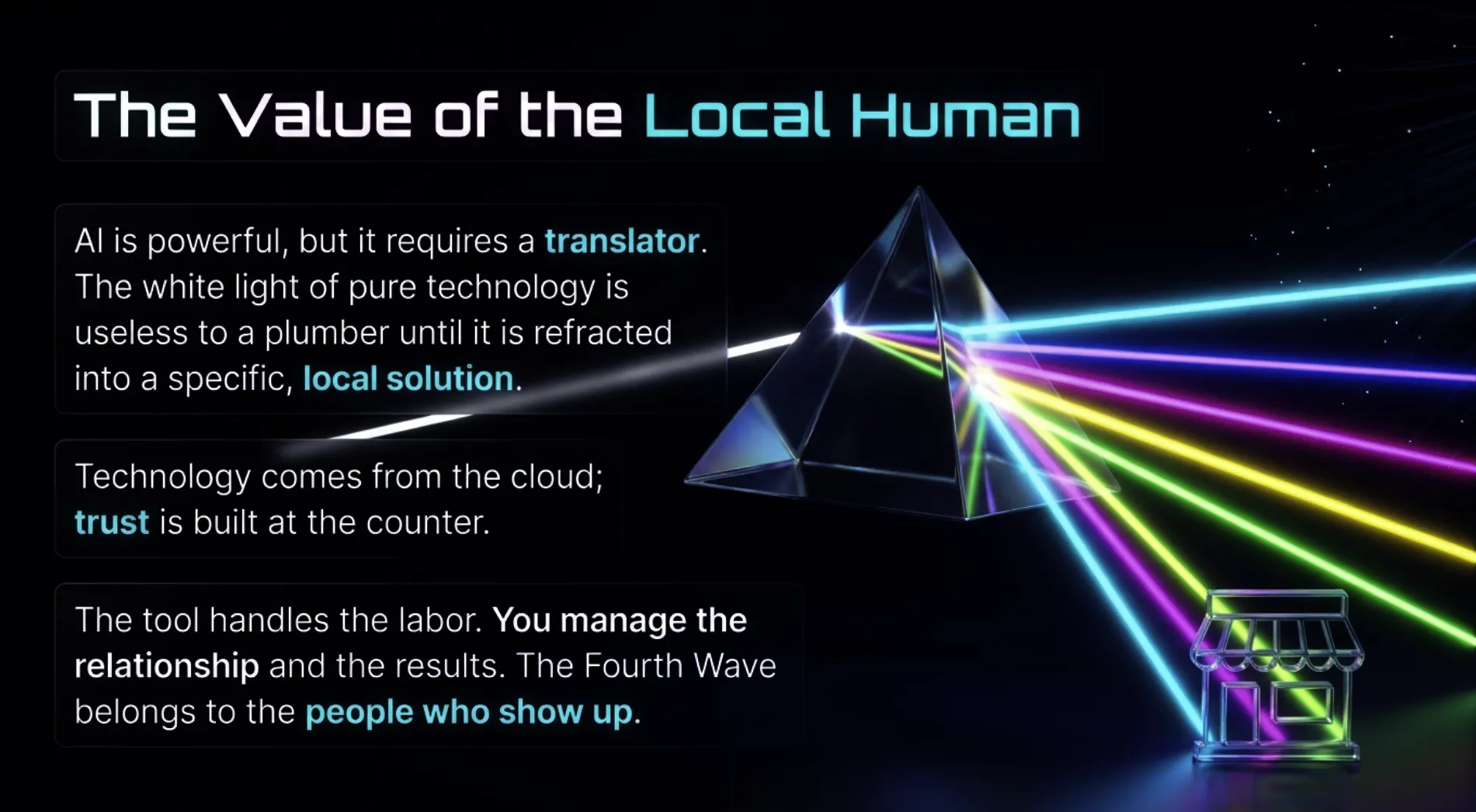
Support This Work, You Will See It No Place Else
To continue this vital work documenting, analyzing, and sharing these hard-won lessons before we launch humanity’s greatest leap: I need your support. Independent research like this relies entirely on readers who believe in preparing wisely for our multi-planetary future. If this has ignited your imagination about what is possible, please consider donating at buy me a Coffee or becoming a member. Value for value you recieved here.
Every contribution helps sustain deeper fieldwork, upcoming articles, and the broader mission of translating my work to practical applications. Ain ‘t no large AI company supporting me, but you are, even if you just read this far. For this, I thank you.
Stay aware and stay curious,

🔐 Start: Exclusive Member-Only Content.
The rest of this article is for Multiplex members
You’ve reached the members-only part. Log in to keep reading right here, or join to unlock it.
- Full member-only articles: insights, wisdom and executive summaries
- The Multiplex members forum
- Member benefits and discounts
Already a member? You’ll come right back to this article after logging in. Forgot password?
Membership status: Not logged in
🔐 End: Exclusive Member-Only Content.
~—~
~—~

~—~
Support ReadMultiplex at Multiplex.Tips

Support ReadMultiplex
Subscribe or donate by Bitcoin.
Copy address:bc1qkufy0r5nttm6urw9vnm08sxval0h0r3xlf4v4x

Send your receipt to [email protected] to confirm subscription.
Members
Become a member for full member-only articles, the Multiplex members forum, and member benefits and discounts.
 Past, present and future technology research + insights
Listen
🔊 Every article has a free “Listen to this ►” button. Hear it read aloud in your browser.
The Multiplex
- Advertise with us: Rates and booking
- X: @ReadMultiplex
- Buy a T-shirt: Multiplex.Love
- Program Guide: Multiplex.Today
- Podcast: Multiplex.Life
- Join the Multiplex team: Multiplex.Team
Stay updated
Get an email when we post new articles:
