How the Digital Age Is Erasing Itself—And The 1000 Year Disc That Refuses to Die.
There is a kind of loss that does not announce itself. No fire. No headline. A tape deck stops tracking. A dye disc develops unreadable errors on its innermost tracks. A hard drive spins down in a drawer and never spins up. A photo service changes its terms, and the export path disappears. A cloud account sits dormant, invisible, until an automated policy—not a human decision—deletes it. A university lab migrates servers, and the graduate student’s dataset is not on the list. A computer crashes. An old format photo card cant be read. Data is being lost by the minute.
For most of my working life, I have been in the business of moving records out of that kind of custody. My career began where most preservation work actually begins: not in a vault, but wherever the last working reader still sat. Payphone rooms with a modem transmitting to my disk drive—from the late 1970s onward, where I installed and maintained machines whose only record of was a paper tape, or a punch card that a later owner would throw out. Garage benches. Stacks of media that had already outlived the machine that wrote them. Later, the work moved to hard drives and digital accounts. The rooms changed. The failure did not.
I will present to you the experience I have gained by finding the best preservation methods for electronic data. For sure the best preservation method for physical material is photographic microfiche/microfilm. I will write about this in a future article.
My goal was not to fall in love with a data format but it was to move a record onto something that could still be read before the window closed and hopefully last a 1000 years.
We are now in a data crisis and few understand that most of their data will likely be lost before they are gone. Now some folks want to erase when they are gone, but many loved ones, although they may not see it now, would love to see this data again. The pictures you posed for or aimed your camera at. The videos of a moment captured dace’s later may be a treasure to have this snippet of time. It will be all lost if you do not take action today to be sure it sustains. All media is erasing, the game is to get on a media that has a 1000 years or more. Or at least a few hundred years
This article is sponsored by Read Multiplex Members who subscribe here to support my work: Link: https://readmultiplex.com/join-us-become-a-member/
It is also sponsored by many who have donated a “Cup of Coffee”. If you like this, help support my work: Link: https://ko-fi.com/brianroemmele
Listen to the companion podcast: https://rss.com/podcasts/readmultiplex-com-podcast/3223910
Two Clocks
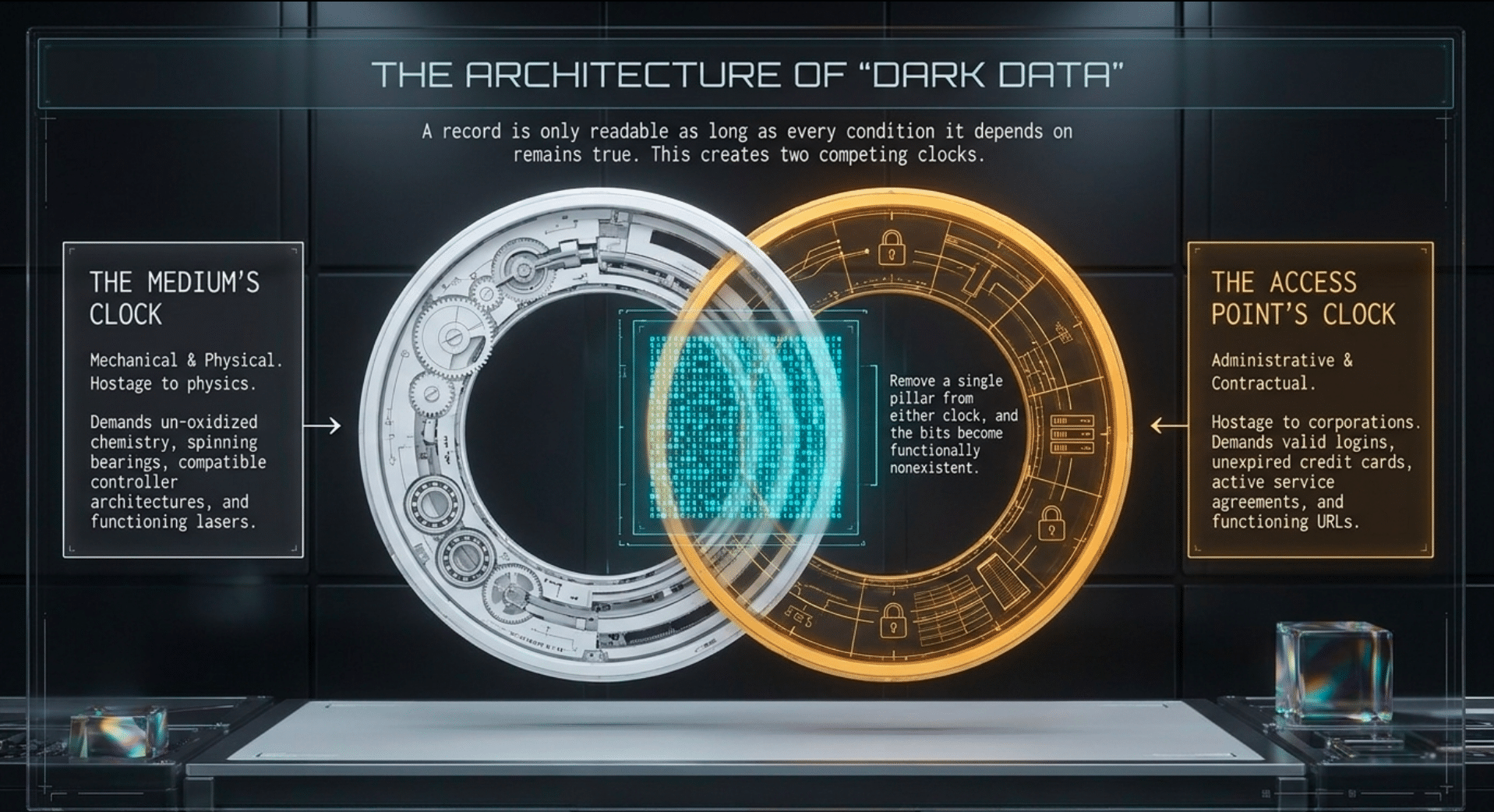
A record is only readable as long as every condition it depends on remains true, and this creates two competing clocks: the clock of the medium and the clock of the access point.
Some medium’s clock are mechanical. A magnetic tape requires a functioning deck. Microfilm and microfiche—the formats I have been pulling from the period roughly 1870 to 1970—need a reader, a specific lamp, and a lens that has not been scrapped with the library that once owned them. A dye-based disc relies on a laser and a chemistry that has not succumbed to oxidation or light damage. Even a hard drive is a hostage to physics: it needs a bearing that still turns, a controller architecture the current machine can speak to, and a file system the current operating system still mounts.
The access point’s clock is administrative. A cloud object depends on a corporation, a service contract, a valid login, and a credit card that has not expired. Remove even one of those pillars and the file is not gone in the philosophical sense. It is gone in the only sense that matters. It becomes dark data: bits that exist somewhere on a platter but are functionally nonexistent, because no human can reach them.
I scan older electronic media because the window of readability is perhaps years a decade at the high end. For me, archival work is a disciplined sequence rather than mood. A reel is cleaned; a frame is captured at a resolution high enough to answer questions fifty years from now; the file is checksummed to ensure bit-perfect integrity before it is allowed to count as kept.
This electronic data decay scales up to entire cultures. When GeoCities closed, it took a generation of the early web with it. In 2019, MySpace confirmed that a server migration had effectively wiped out music uploaded between 2003 and 2015—roughly 50 million songs from about 14 million artists—alongside photos and videos that were never backed up elsewhere. The company told people to keep their own backups; that advice arrived after the files were already gone.
From Kodak Gallery to MobileMe, platforms have closed or forced migrations on rigid deadlines. In 2017, Photobucket ended free third-party hosting and replaced a decade of embedded images, across forums, listings, and blogs, with an upgrade banner. Some users made it. Many others did not know there was a deadline until their digital history had been deleted.

The Great Divergence
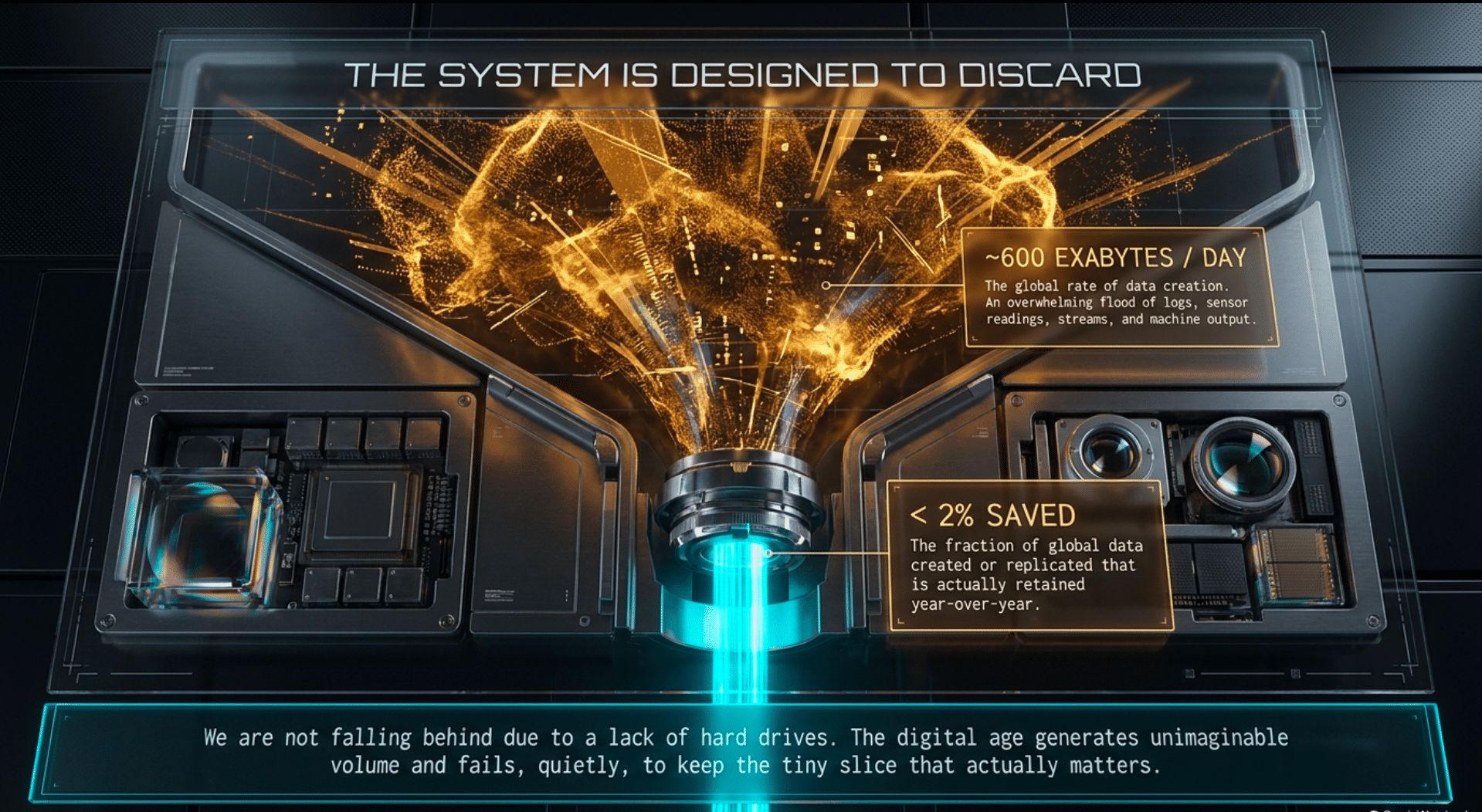
The digital age does not remember everything. This is the false assumption many operate on. It generates an enormous volume of data, retains a thin slice of it, and then fails, quietly, to keep even that slice. Two numbers have to be kept apart, because they are often collapsed into one slogan.
The first is creation. IDC’s Global DataSphere tracks everything created, captured, replicated, and consumed—but it is a count of noise, not unique human memories. On the forecast path revised in June 2026, IDC put the 2025 DataSphere at 218.4 zettabytes, against 64.2 zettabytes in 2020. Divided by 365, that is on the order of 600 exabytes a day. Most of that flood is logs, caches, streams, sensor readings, copies of copies, and machine output that was never meant to be kept.
The second number is retention, and it is the one that matters. IDC reported that less than 2 percent of the data created or replicated in 2020 was actually saved into 2021. Installed storage has grown quickly, and it has still grown more slowly than creation. We are not falling behind because we lack hard drives this quarter. We are falling behind because the system is designed to discard.
I am not writing about the disposable stream—the ephemeral data never meant to be stored, although this is in the eye of the beholder. I am writing about the page, the song, the camera roll, and the scan: the things someone intended to keep, which then failed one administrative event at a time. A host orphans content during a migration.
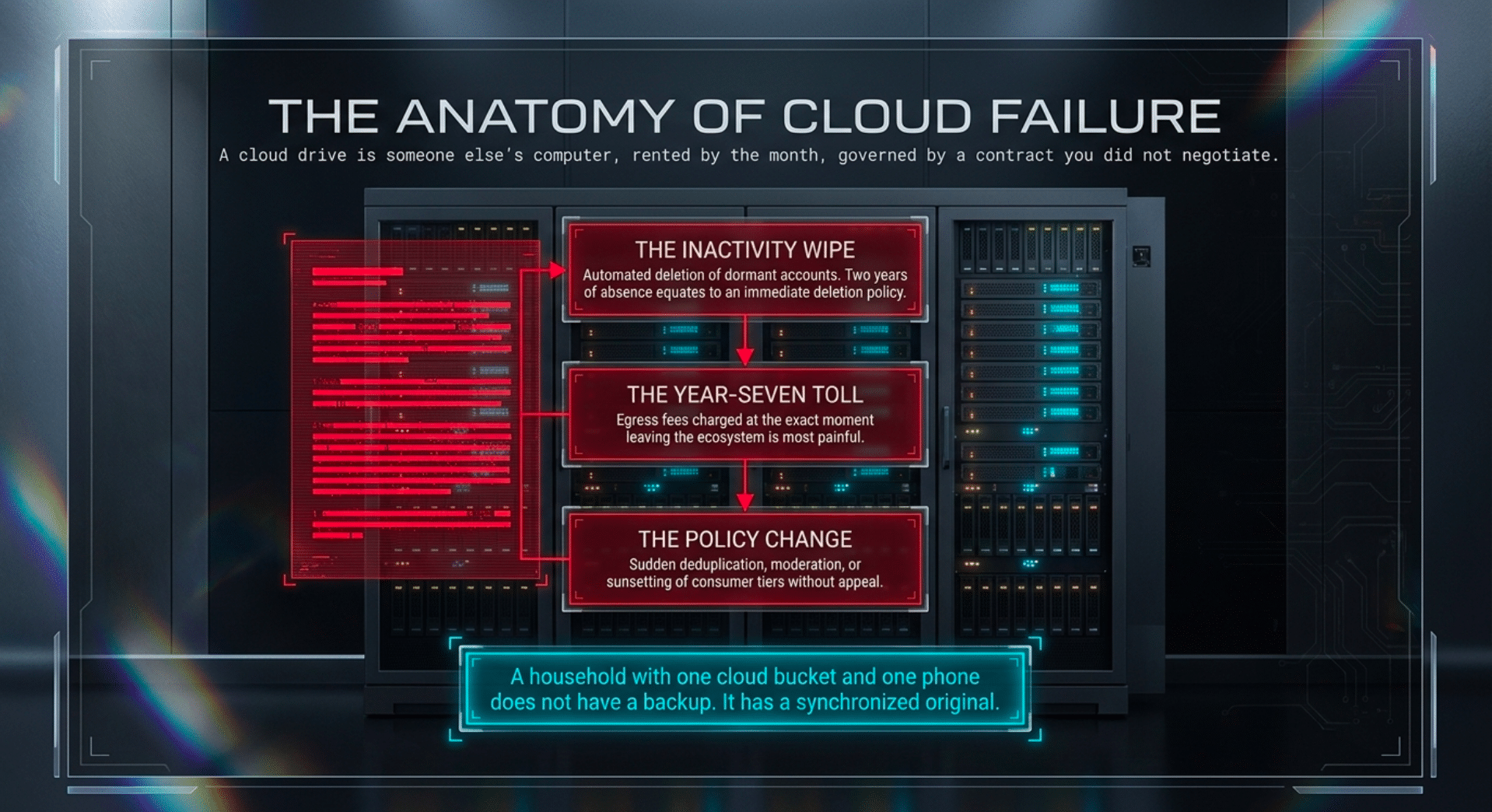
Google’s standing policy is that a personal account unused for two years may be deleted, including everything in Gmail, Drive, and Photos. Apple does not wipe iCloud the moment a plan lapses, but its agreement reserves the right—with 30 days’ notice—to delete anything above the remaining quota, and new backups stop immediately.
A device is replaced, a library is “optimized,” or a URL is rewritten. The file might still exist on a server in Virginia, but the address that pointed to it is dead. People experience these events as housekeeping. Over a decade, it is how the middle years vanish.
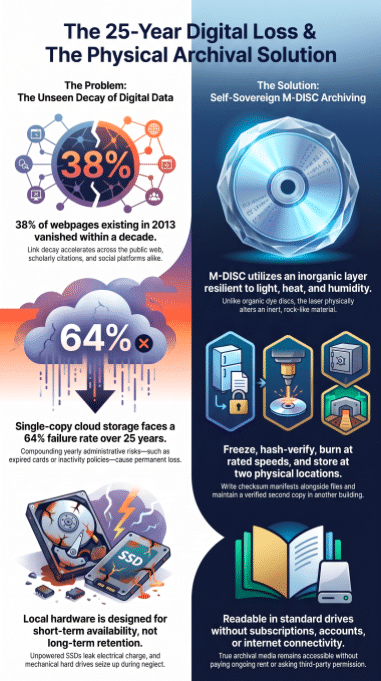
The decay of the public web is measurable and accelerating. In 2024, Pew Research Center found that 38 percent of webpages existing in 2013 were gone a decade later, and that even pages from 2021 were missing at a rate of about one in five within two years. On the pages that did survive, nearly a quarter of news sites and 21 percent of government pages contained broken links. Wikipedia is more fragile still: 54 percent of its pages carry at least one reference link to a page that no longer exists.
Even the Internet Archive—the world’s digital safety net—is subject to these tides. A study by Old Dominion University of 27.3 million archived URLs found that only 35.3 percent were still alive in 2023. The median lifespan of URLs that had died was just 2.3 years. Deep links—the kind pointing directly to a specific photo, PDF, or article—had a half-life of about a year, and only about 4 percent survived more than ten. Scholarly links decay more slowly, but the trend is downward: a 2025 analysis of medical-journal web references found inaccessibility rising from 27.2 percent at three years after publication to 41.9 percent at five years, and a twenty-year study of library and information science journals found accessibility falling from 87 percent for citations under five years old to 38 percent for citations older than ten. In one large study of scholarly URI references, about four in five suffered either link rot or content drift—meaning the link resolved, but not to the thing that was cited.
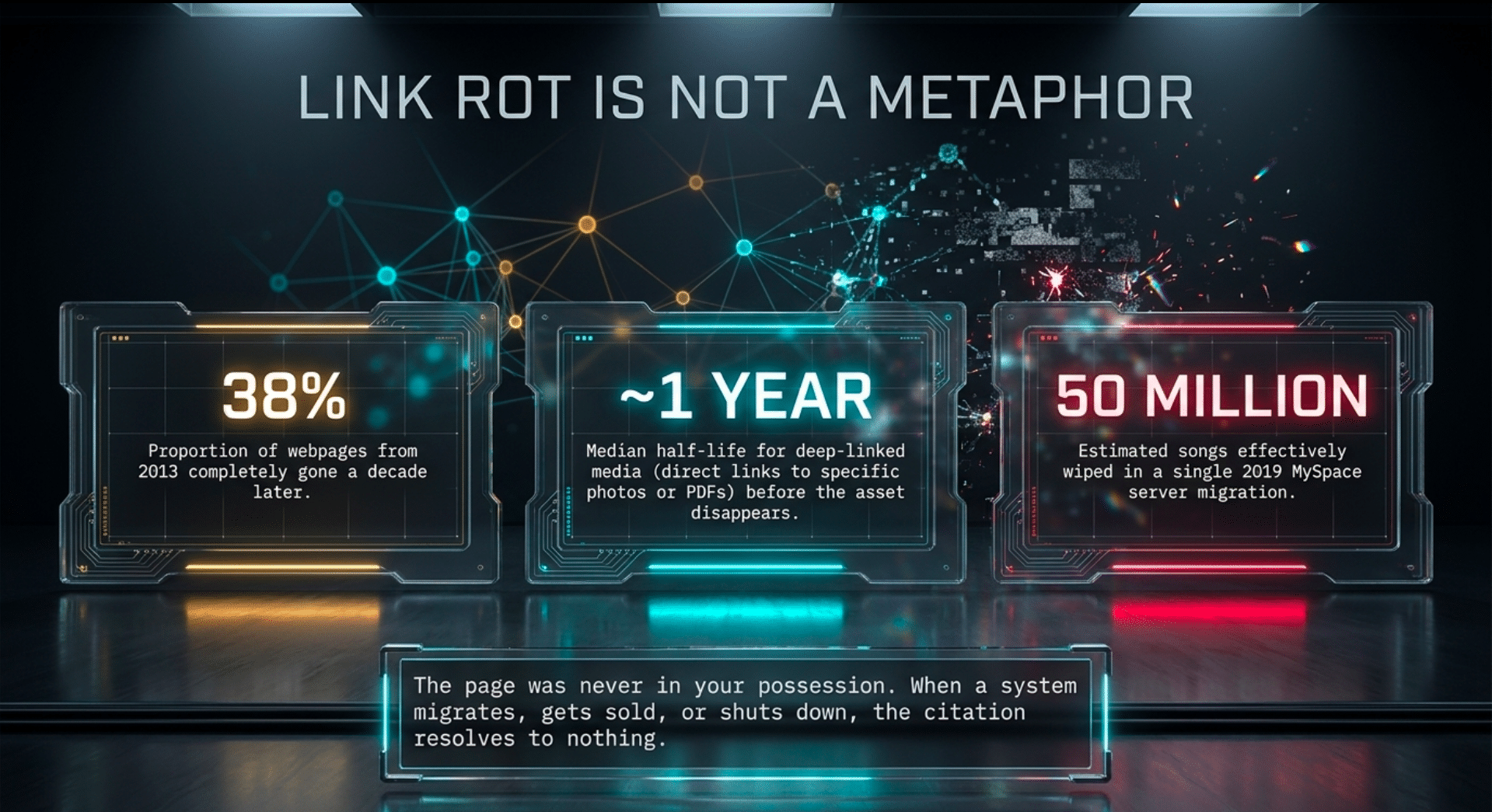
Link rot is not a metaphor. The page was never in the reader’s possession. The copy, if one existed, lived on one system, in one building, under one contract. When that system was migrated, sold, or switched off, the citation resolved to nothing.
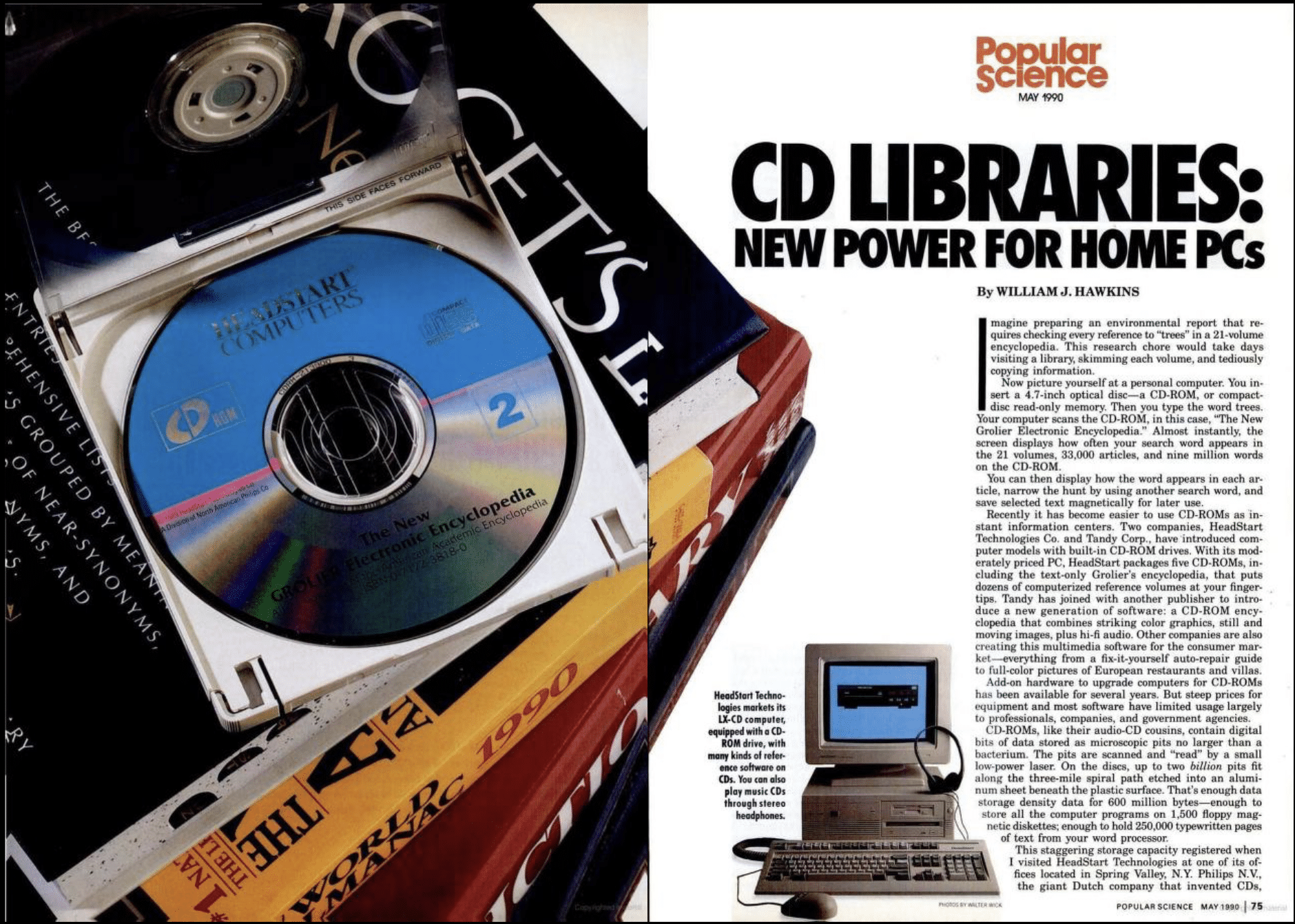
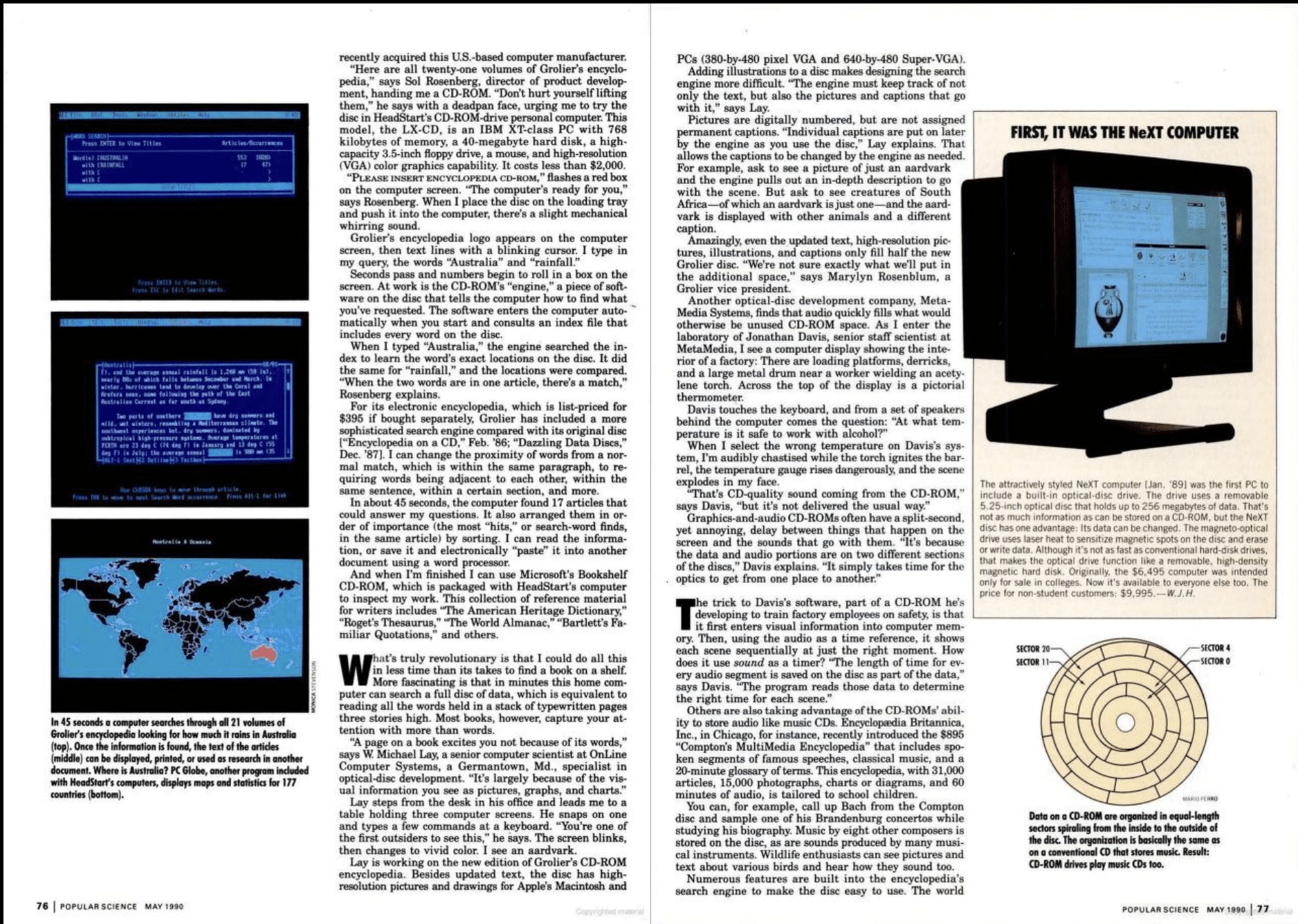
CDs were trumpeted as the long term solution for data retention, it turns out you will long outlast what is on most CDs and most DVDs.
The Twenty-Five-Year Horizon
Think back to 2001. Do you still use the same devices, the same storage? Twenty-five years is not a round slogan. It is one working lifetime, and it is long enough that we already know what it does to consumer digital media. The backward look covers MiniDV tapes, kitchen-table CD-Rs, early memory cards, Zip disks, and the first consumer cloud experiments. Some of those objects can still be read with specialist equipment; many cannot be read in an ordinary home at all. I have opened enough of those boxes to stop treating “it is on the computer” as a location.
There is no census that predicts exactly how much family video will vanish by 2051, and I will not invent a percentage the evidence does not contain. What the evidence does support is a harder statement: for images and video whose only durable copy exists online, loss over the next 25 years is the expected outcome unless someone deliberately breaks the chain of custody. Survival must be engineered. The reason is not that a server is likely to burn. The reason is that too many independent conditions have to remain true for every one of those 25 years, and any one of them is enough to end the record.
The company must still exist, or its successor must have migrated the bytes rather than just the brand. The account must remain recoverable—a recovery address that does not die with the user, a phone number that is not reassigned, an estate that can actually find the password. Google’s inactivity rules mean that death or long absence is effectively a deletion policy, not a tragedy the platform is built to prevent. The bill must be paid—at whatever price they demand in year seven—including the egress fees charged at the moment leaving is most painful. The terms must still treat the files as the user’s to keep. The export must still work, at full resolution, in a format a future machine can recognize, before the grace period ends. A household with one cloud bucket and one phone does not have a backup. It has a synchronized original.

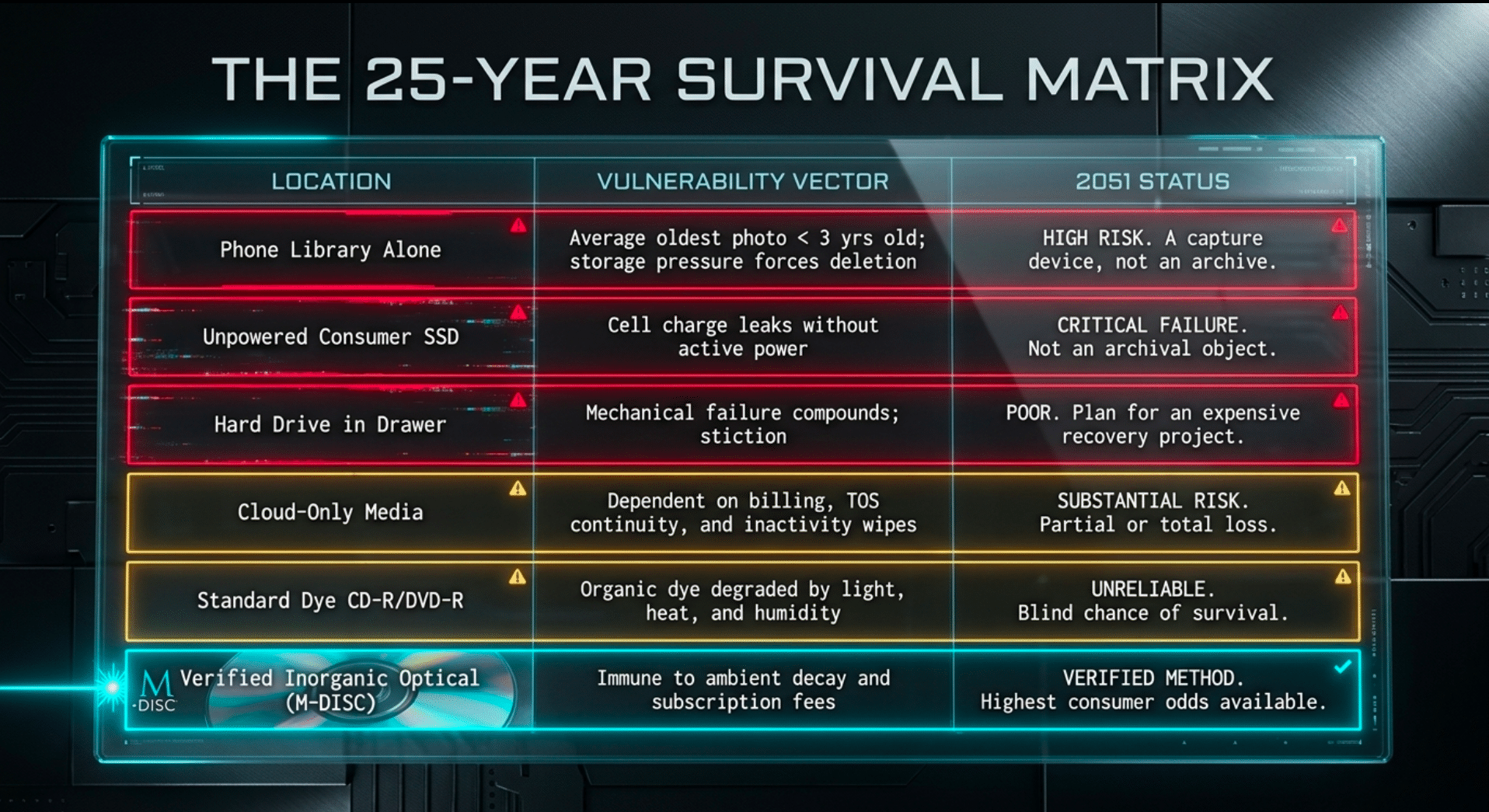
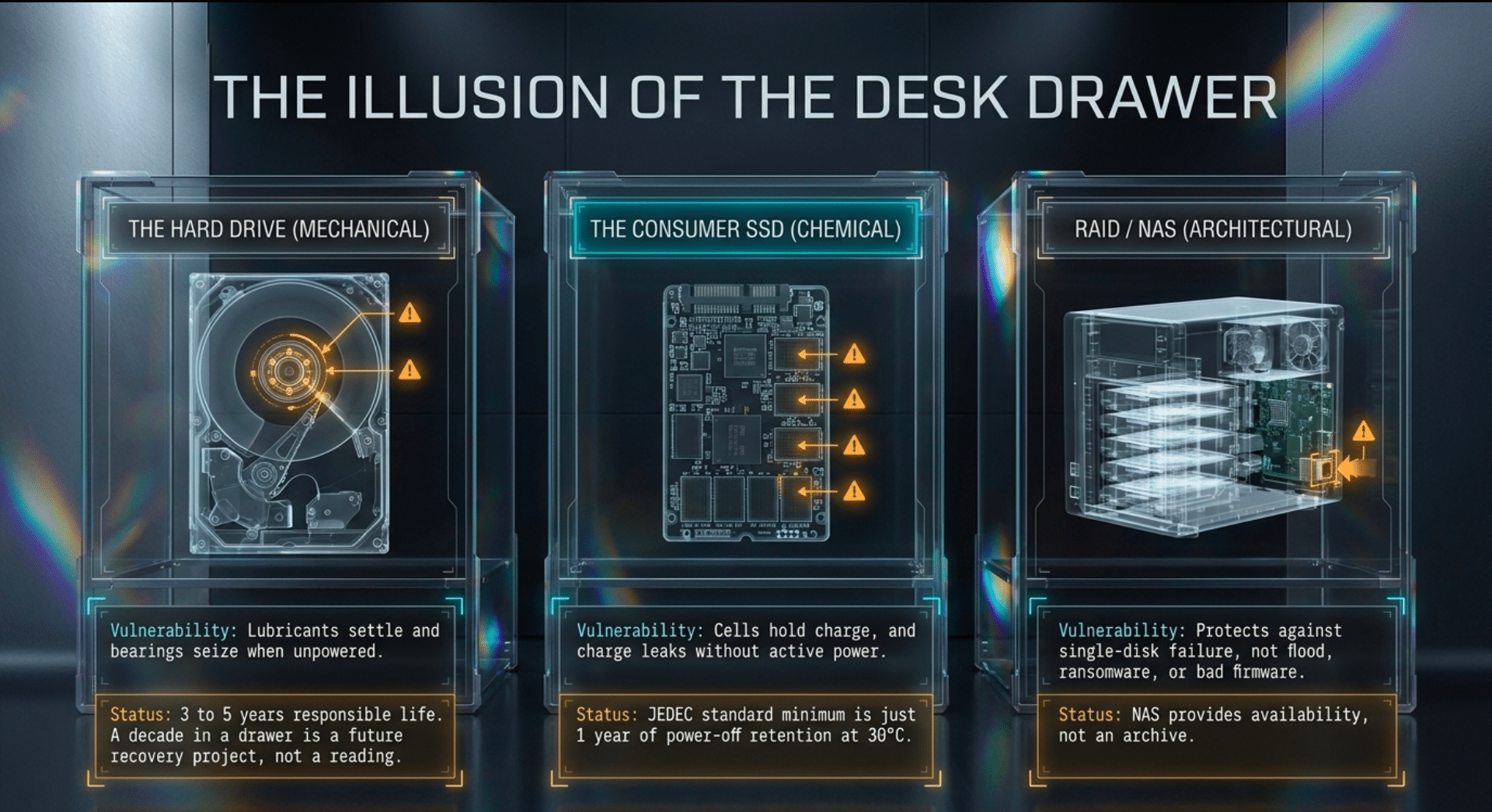
Local hardware is not a perfect safety net either. In Backblaze’s 2025 fleet, even drives in continuous data-center service failed at an annualized rate of 1.36 percent, and no model recorded a year with zero failures. A drive sitting in a drawer is often worse: lubricants settle, bearings seize, and no one notices for a decade. Three to five years is a responsible planning life for a hard drive; it is not a 25-year vessel. An unpowered consumer SSD is more precarious still. The JEDEC client requirement is a minimum of one year of power-off retention at 30°C, after the drive has been written to its rated endurance—a qualification floor, not a promise. A powered drive refreshes itself. A drive in a closet does not. And RAID does not change the horizon. It protects against one disk dying inside one chassis. It does not protect against a flood, a ransomware note, or the discovery that the array was the only copy. A NAS is availability. Availability is not an archive.
The arithmetic of failure is compounding, and it is the part people under-model. If a single-copy online archive faces just a 4 percent chance each year of a fatal event—a lockout, an unpaid invoice, a lost credential—the chance of surviving all 25 years drops to about 36 percent. At 6 percent a year, survival falls to roughly 21 percent. At 10 percent, still a modest description of household disorganization plus corporate change, survival is about 7 percent. Files do not need a catastrophe. They need one bad year in twenty-five.
Personal libraries fail faster than the public web because they have fewer copies. A 2026 study of iPhone users put the median library at 2,547 photos and 127 videos, and found that the average age of the oldest photo still on a typical phone was only about 2.7 years. Only about 5 percent of photos were ever intentionally deleted; the rest were simply displaced, into a cloud account, a migration, or a deletion. A consumer survey reported by TechRadar found that only about a third of Americans backed photos up to the cloud, that only 3 percent kept images in printed form—and that 54 percent believed their digital images would still be accessible in 50 years. Belief is not a retention policy. The gap between that belief and the ten-year decay of ordinary web pages is the risk.
| Where the only copy lives | What 25 years has already done to this class | Readable in 2051, without a deliberate second archive? |
|---|---|---|
| Deep web URL / social upload | Deep-link half-life near 1 year; 38% of 2013 pages gone by 2023; MySpace’s 2003–2015 media lost in one migration | Unlikely. Treat the original address as temporary. |
| Cloud-only photos/video | Billing, terms, export, and inactivity wipes must all hold | Substantial risk of partial or total loss. |
| Phone library alone | Oldest photo averages under 3 years; storage pressure forces deletion | High risk well inside 25 years. The phone is a capture device, not an archive. |
| One hard drive in a drawer | Mechanical failure compounds; stiction and neglect | Poor. Plan for a recovery project, not a reading. |
| One unpowered consumer SSD | JEDEC client floor is 1 year at 30°C after endurance stress | Not an archival object. |
| Single-copy dye CD-R/DVD-R, unverified | Light, heat, humidity, and bad burns age the dye | Unreliable. Some survive; you cannot know which without reading them now. |
| Two verified inorganic archival discs, two sites, with a manifest | Still depends on a future reader and honest lifetime claims | The best consumer odds available. Not a promise. A method. |
What Fills the Discs
For most families, the irreplaceable items are photographs and video. A document can often be regenerated; a face at age four cannot. My own collection is broader—scans of media from 1870 to 1970, the mail archive, curated texts, the offline collections I have been assembling so that a later machine can be rebuilt without streaming the source back from a vendor. But the household case is the one that determines whether this practice spreads, because that is the archive most people will either make or lose.
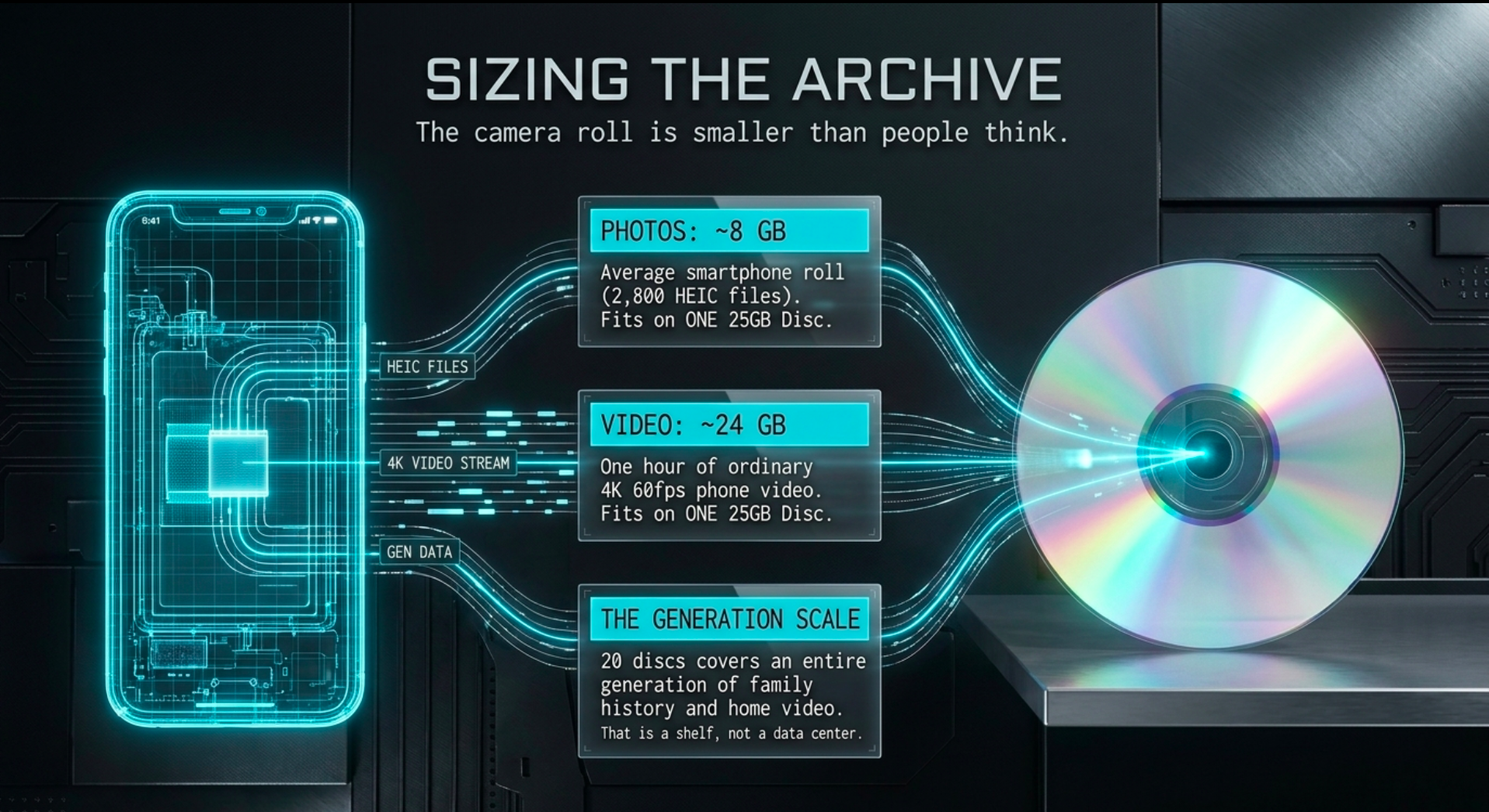
The scale of the problem is one of capacity, and the camera roll is smaller than people think. Surveys place the average smartphone user near 2,400 to 2,795 photos. In a September 2025 Mixbook survey of 2,485 U.S. adults, 48 percent had more than 1,000 photos on the phone, 26 percent more than 2,500, 15 percent more than 5,000, and 4 percent had 15,000 or more. A 12-megapixel HEIC file runs about 2 to 3 MB; a JPEG of similar content, about 4 to 6 MB. A 25 GB M-DISC holds roughly 23 GB of files after the realities of the burn—about 7,500 HEIC photos or 4,600 JPEGs. A typical phone roll is one disc, not a project.
Video is the hidden cost. A few percent of the library can be clips and still consume about 40 percent of the space. One minute of 4K at 60 frames per second is on the order of 400 MB; with Dolby Vision, it can approach 700 MB. An hour of ordinary 4K phone video is about a full 25 GB disc.
| What you are saving | Rough size | 25 GB discs needed |
|---|---|---|
| Average phone roll (2,800 HEIC) | 8 GB | 1, with room left |
| Same roll as JPEGs | 14 GB | 1 |
| Heavy phone (10,000 mixed photos) | 40–50 GB | 2 |
| One hour of 4K phone video | ~24 GB | 1 |
| 20 years of annual archives (3,000 photos a year) | 180–240 GB | 8 to 11 |
| Family of four, same habit, plus home video | 400 GB – 1 TB | 18 to 40 |
For most households, the practical archive is one disc of pictures, one of video, and a second copy of each in another room. Twenty discs covers a generation. That is a shelf, not a data center. The risk here is not capacity. It is delay.
The Chemistry of Permanence
A pressed DVD from 2004 may still work. A recordable disc from that same year will likely not. The difference is the recording layer. Pressed discs carry pits stamped into the plastic at a plant. Recordable CD-R and DVD-R, in the ordinary case, carry a mark burned into an organic dye—and the dye is the memory. Light, heat, and humidity age it; a bad burn ages it faster; quality varies wildly between spindles that look identical on the shelf. Gold archival CD-R, the MAM-A discs and the older Mitsui discs librarians trusted, slowed that decay with a phthalocyanine dye and a gold reflector. They did not leave the dye behind. They negotiated with it. I have opened spindles from the 2000s that looked perfectly fine and returned read errors on the inner tracks. A garage full of kitchen-table burns is not an archive until every disc has been read and verified.
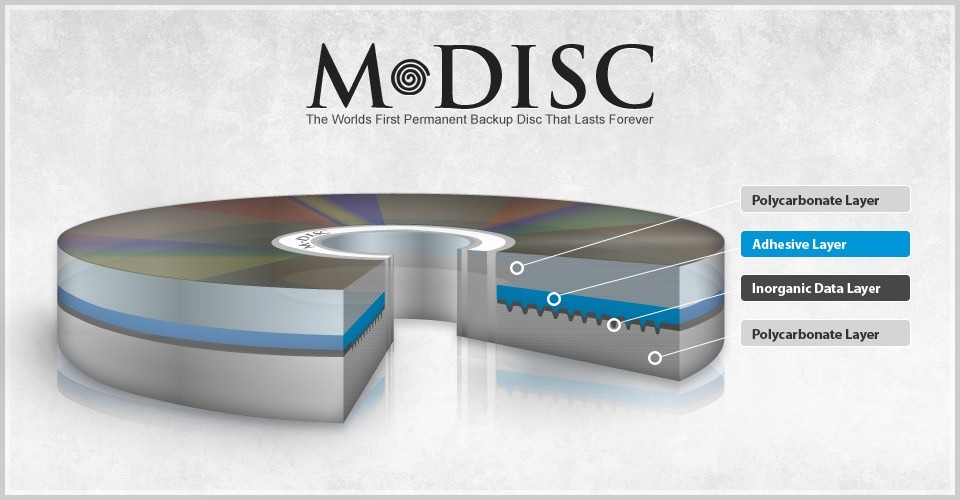
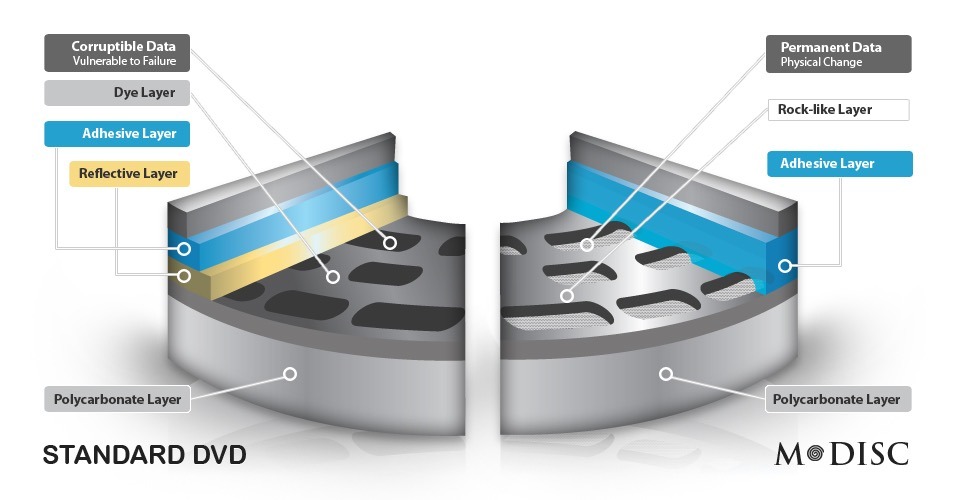
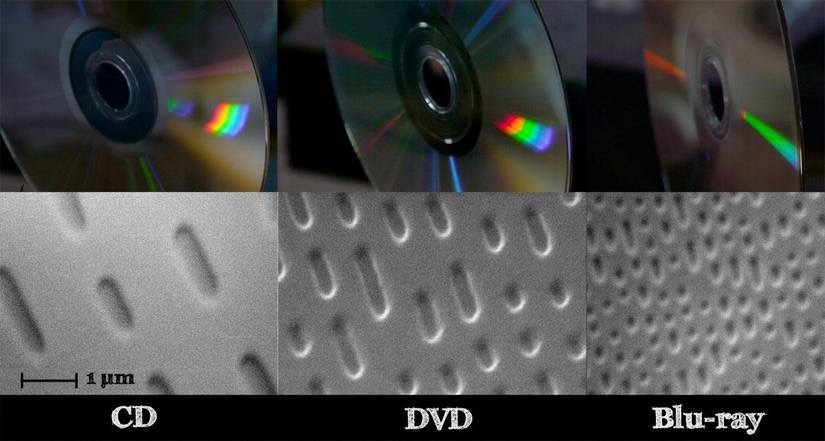
M-DISC was born as a refusal of that vulnerability, and the idea did not start in a marketing department. Millenniata was built around work at Brigham Young University. The co-founders were Barry Lunt and Matthew Linford, both professors there, with Henry O’Connell as chief executive and Doug Hansen as chief technology officer. The company was incorporated in American Fork, Utah, on May 13, 2010, but the product had already been shown: M-DISC, for Millennial Disc, introduced around 2009 as a write-once disc whose recording layer was not an organic dye.
Millenniata incorporated on May 13, 2010, the recording surface was an inorganic material the patents call glassy carbon; a high-power laser etches physical pits into it rather than altering an organic dye. The company claimed that properly stored M-DISC DVDs would remain readable for a 1000 years, and a Naval Air Warfare Center Weapons Division accelerated-aging test under 85 °C, 85 percent humidity, and full-spectrum light left the M-DISC samples readable while conventional archival discs failed.
Millenniata filed for bankruptcy in December 2016 after defaulting on convertible debt issued under CEO Paul Brockbank. Debt holders took the assets and formed Yours.co to continue sales; manufacturing rights later settled with Ritek and Verbatim. During the same years the consumer optical market contracted as cloud storage prices fell and laptop makers omitted disc drives. Most people moved their photographs, documents, and backups to remote accounts that require ongoing payment and network access.
The discs themselves remain readable in ordinary optical drives and do not depend on an account, a subscription, or a company that must stay in business. Verbatim and Ritek still sell licensed M-DISC media, although questions have been raised about whether later Blu-ray formulations retain the original glassy-carbon layer. For anyone who already burned family records or research onto the earlier discs, the format continues to function as a physical copy that can be stored offline and read decades later without reference to the services that replaced optical drives.
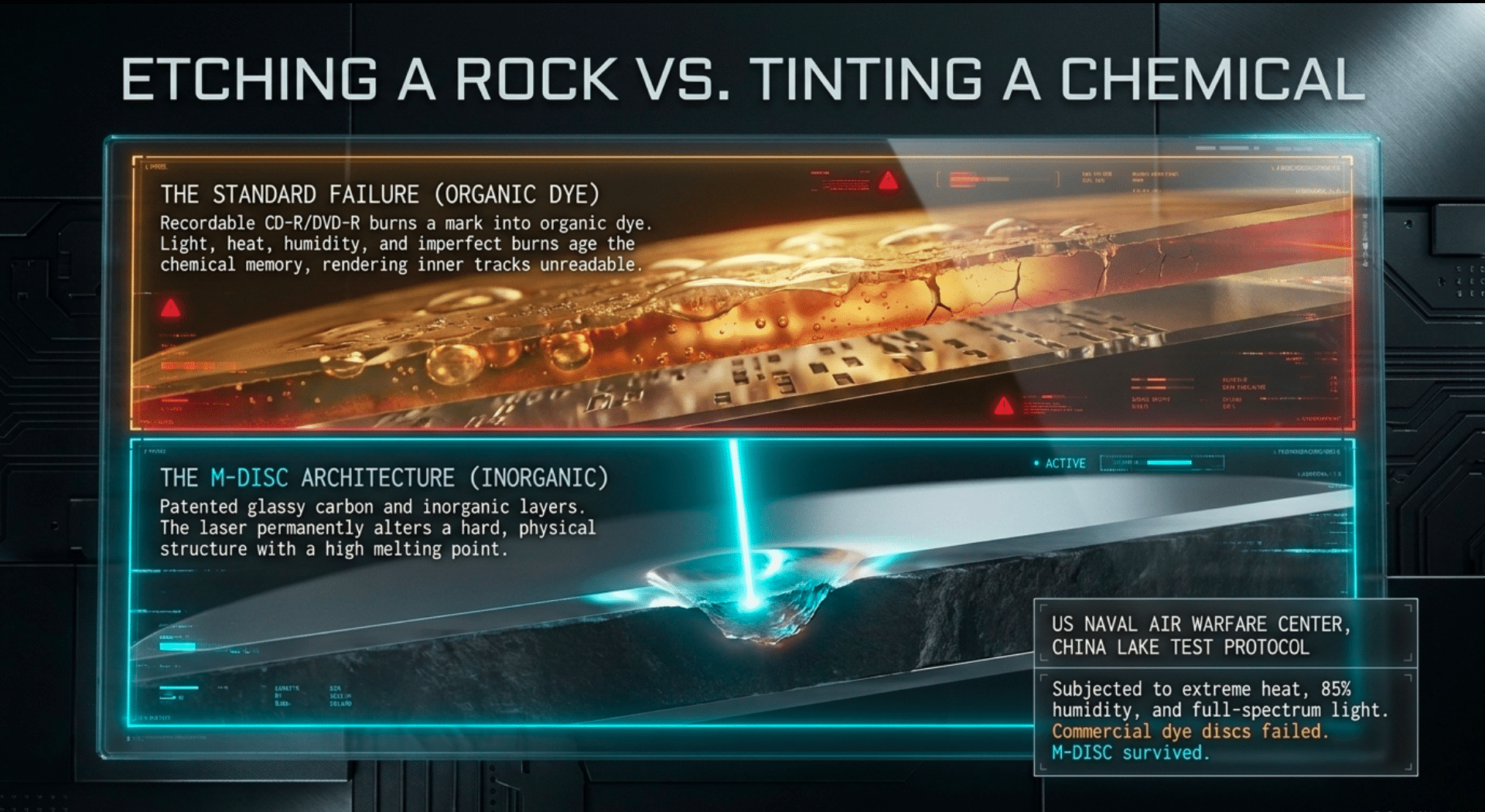
The patents (https://patents.google.com/patent/US7613869B2/en) describe a data layer in the family of glassy carbon—substantially inert to oxidation, with a high melting point. The laser does not tint a chemical. It changes a hard, rock-like layer. The mark is physical. On the original DVD version the distinction was visible: the disc looked almost clear, because there was no dye to color it. You needed a drive whose firmware knew the write strategy and whose laser could deliver the pulse, and not every DVD burner could. That limitation was real, and it is why people still say M-DISC “needs a special drive.” For the original DVD, that warning is correct.
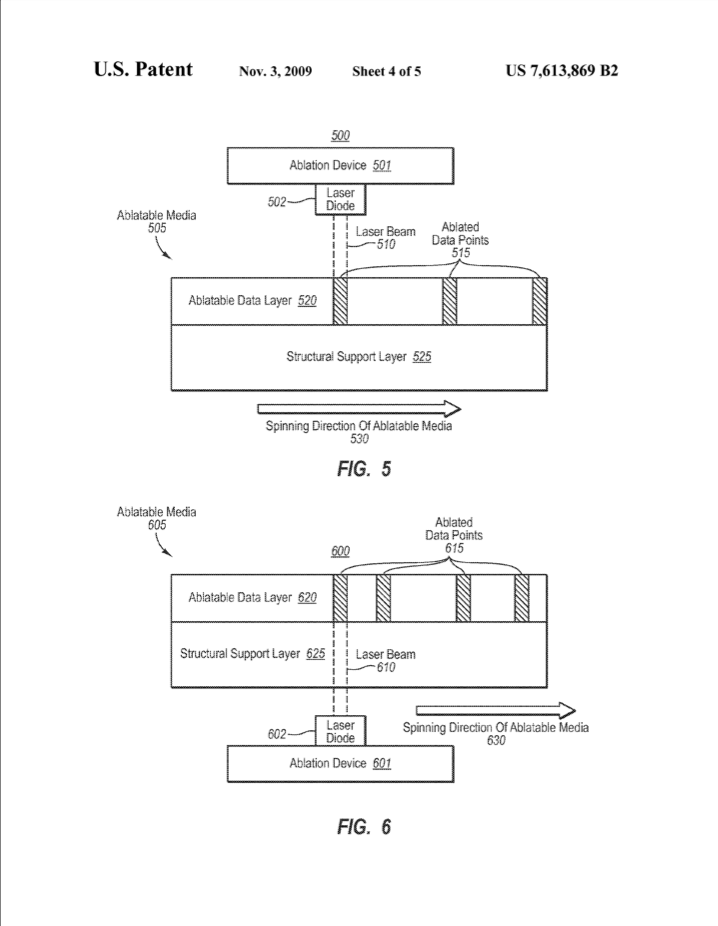
The United States Naval Air Warfare Center Weapons Division at China Lake tested the early DVD against commercial dye discs from Delkin, MAM-A, Mitsubishi, Taiyo Yuden, and Verbatim. Under heat, humidity, and full-spectrum light, the dye discs failed. The M-DISC discs did not. That China Lake work is the reason the format earned a reputation outside the optical-disc trade. It is a test of the DVD generation, under harsh conditions, against the discs archivists were actually buying. It is not a 1,000-year certificate for every disc later sold under the name.
Then the market moved the other way. Cloud storage got cheap. Laptops dropped the optical bay. People got complacent and lazy. And as I mentioned above, Millenniata issued convertible debt, defaulted, and went bankrupt in December 2016. The debt holders took the assets. A follow-on effort sold discs for a while. The manufacture that lasted passed to licensed makers—above all Verbatim, part of the Mitsubishi Chemical family, with Ritek also licensed. The company that invented the disc did not survive the decade that stopped buying drives. The disc did.
That is worth sitting with. The archive medium outlived the startup. That is the correct order of operations—and it is also a warning. A brand is not a formulation. The object you buy in a given year has to be judged as that object.

What the Blu-ray Version Actually Is
The DVD was the proof of concept. The Blu-ray is a more useful tool. A single-layer M-DISC BD-R holds 25 GB; dual-layer holds 50 GB; BDXL triple-layer holds 100 GB. Verbatim is the brand still on the shelf, in jewel cases and on spindles, at 4x and, on later stock, 6x. The recording layer is inorganic; on the current discs Verbatim adds a hard coat, and on the higher-capacity discs a titanium-bearing structure meant to slow moisture getting in at the edge. You write it once. You cannot erase it. That is a feature. An archive that can be overwritten is an archive waiting to be corrupted by the next process that touches it.
If you want the lowest life of over 1000 years of storage for you data and it can be broken down into smaller sizes of a DVD 4.7GB, M-DISC DVD is your archive medium. I use both M-DISC DVD and M-DISC Blue Ray 25GB-100GB.
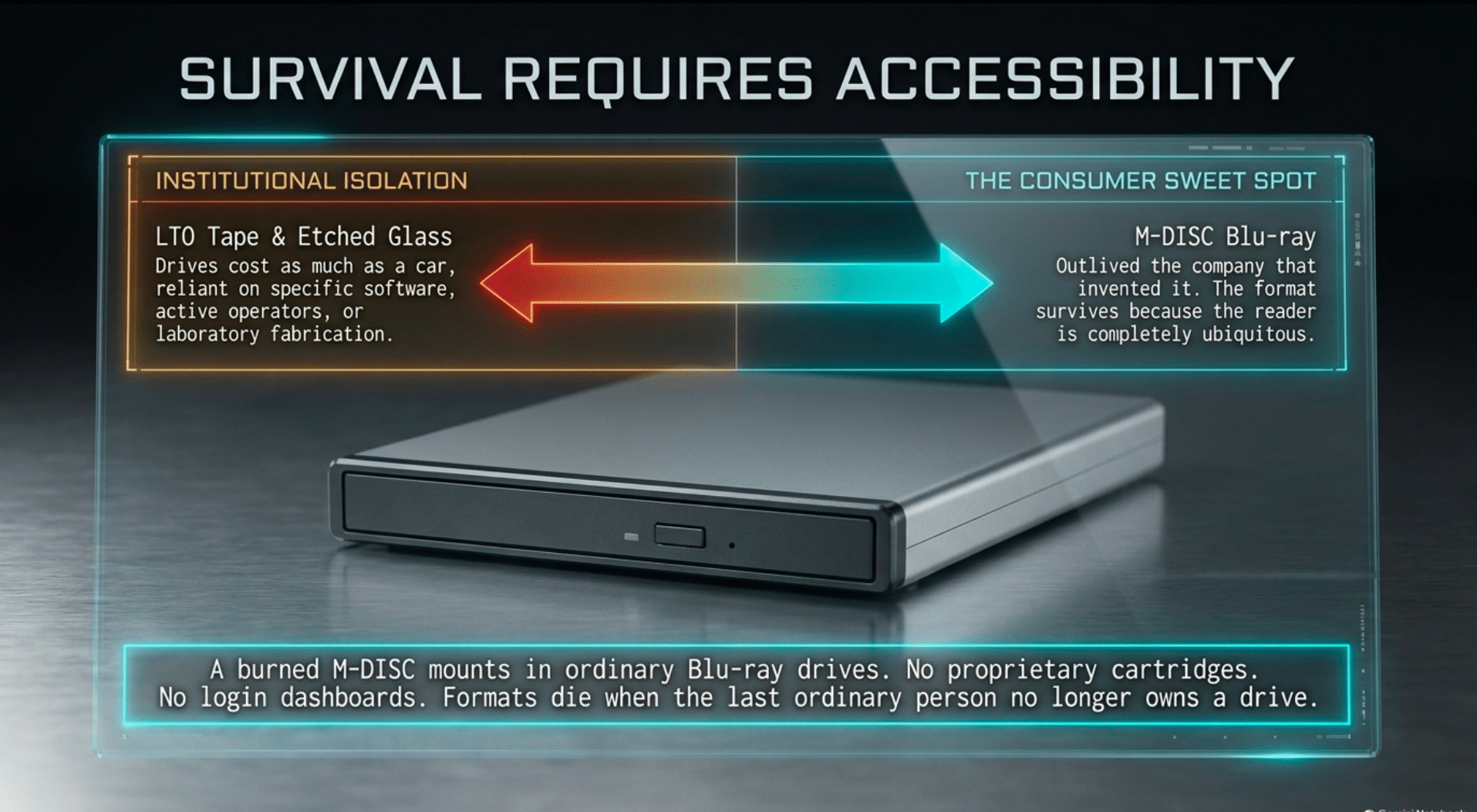
The read compatibility is the quiet victory. A burned M-DISC Blu-ray mounts in ordinary Blu-ray drives. You do not need the original burner, the original software, or an account. It is the opposite of a tape cartridge whose drive costs more than the data, and the opposite of a cloud bucket whose keys live in a dashboard you may not be able to log into in 2040. The reader for these discs is still an ordinary product.
The lifetime claims need plain language. Millenniata talked about a millennium, a 1000 years; Verbatim’s current sheets cite ISO/IEC 16963 testing and say several hundred years. Their own harsh-condition comparison—80°C and 80 percent humidity—had ordinary BD-R becoming unreadable somewhere between roughly 380 and 660 hours, while the M-DISC was still behaving past 1,000. These are oven tests extrapolated by an Arrhenius model. They are not a disc that has sat in a closet since the Grant administration; no such disc exists, because the format has not. I do not trust the round numbers on the packaging. I trust the direction of the results. I can say that all forms of M-DISC will outlast any current consumer storage system.
Honest archives will also cite the uncomfortable paper. A French national metrology laboratory test from 2010 to 2012 found that at 90°C and 85 percent humidity, early DVD M-DISC did not beat a glass disc made by Syylex, and did not clearly beat the best dye DVDs in that particular protocol. Syylex etched pits into glass; the company later failed, and you could never burn its discs at home. The test is a reminder that “inorganic” is not a magic word, and that DVD M-DISC and today’s Blu-ray M-DISC are not the same object. There is a further caveat archivists argue about, and I will not dodge it: early in 2022, Verbatim changed the formulation of its M-DISC Blu-ray, moving from 4x to 6x, and some recent media identifiers look a great deal like high-grade inorganic BD-R rather than the distinct glassy layer of the original DVD. If that is so, the Blu-ray may be, in part, the best of the standard inorganic discs wearing a stronger coat and a harder test report. I have seen that argument. I do not think it disqualifies the disc. But I have not seen any drop in quality across all the M-DISCs I used and I have 100s. Standard dye and no-name LTH Blu-ray are not in the same class. A tested inorganic disc, sold as an archive disc, from the company that still runs the lifetime protocol, is the consumer shelf. I buy Verbatim, they own the M-DISC license. I do not buy the spindle with no maker.

Every Other Consumer Archive, Set Beside It
I keep more than one kind of copy. I do not pretend they are the same kind.
A hard drive is a working shelf: fast, large, cheap per terabyte, and mechanical, with a bearing, a head stack, and a lubricant not designed for a decade in a box. Bit rot is real at small rates and becomes real in practice when nobody scrubs the disk. A drive in a drawer is a future recovery project. An SSD is worse as an archive and better as a tool: the cells hold charge, charge leaks, and a powered-off consumer drive—especially a cheap one left in a hot car—has no serious archival story. NAS and RAID feel like safety because they have lights and a phone app, but they are availability: one pool, one house, one password, one firmware update that goes badly. If the house floods, the pool and the phone that administered it are in the same water.
LTO tape is what institutions use, and they are right. A current cartridge holds many terabytes, the format has a published roadmap, and a tape on a shelf uses no power. But the drive costs as much as a used car, the software assumes an operator, and the generation you buy will want a newer drive later. That is a correct solution for a library, not for a household that needs to save 200 GB of family video this month. Gold CD-R and the remaining gold DVD-R from MAM-A are the honorable elders—phthalocyanine dye, gold reflector, claims of a century or more—but capacity is 700 MB or 4.7 GB, and I cannot ask a family to manage a hundred discs when eight Blu-rays would hold the same photographs.
Pressed, replicated DVD-ROM and BD-ROM are the strongest plastic disc for a finished, unchanging corpus, but they require a replicator and a minimum order. Glass—the Syylex idea and the laboratory projects that followed, including research into fused silica—is the correct end state: pits in a substrate that does not care about humidity. None of it is a product I can buy and burn on a Saturday. Until it is, the correct end state is not a plan. Sony’s Optical Disc Archive and the professional Archival Disc are real, rated in the century class, and locked to their own readers and cartridges; Pioneer’s DM for Archive served a Japanese retention rule. Excellent engineering. Not a thing you order beside a spindle of blanks.
And the cloud? The cloud is a service. I use these services but I do not confuse them with the shelf, they are a leaking jug of water in the desert.
Why the Cloud Alone Is Not an Archive
A cloud drive is someone else’s computer, rented by the month, governed by a contract you did not negotiate, in a building you cannot enter, behind a login that dies when you do unless you planned otherwise. The failure modes over 25 years are ordinary, which is why they are so complete. The card expires during a hospitalization, a move, or a year in which nobody is watching the receipt. The account is locked by an automated system, and the appeal form goes nowhere. The provider merges, sunsets a consumer tier, or clarifies the terms so that inactive data is eligible for deletion. The export is rate-limited; the files you thought were yours turn out to be previews; the recovery address is an inbox at the same provider. None of this requires malice. It requires time. Twenty-five years is enough time.
Cost is the part people under-model. Introductory storage is a lure. The price that matters is the price in year seven, when leaving is painful, and the egress fee on the way out. Enterprise object storage publishes a per-gigabyte number that looks small until you keep versions, keep them in two regions, and then pay to read them back. The economic design of cold cloud storage is that you pay rent forever and a toll to move. An archive with a monthly invoice is an archive that can be priced out of existence by the heir who does not recognize the charge.
There is a second cost, quieter. A file that exists only as a service is a file that can be inspected, deduplicated, moderated, or lost in a policy change. Training corpora, family records, unpublished work, medical paperwork, the raw scans from a garage archive: some of that should not live solely in a multi-tenant bucket. An air gap is not paranoia. It is the oldest practice in records management. A disc on a shelf has no API. It cannot be bulk-deleted by a terms update, and it cannot be read by a future system unless a person chooses to mount it. That is the point.
I do not tell anyone to abandon cloud sync. Sync is how a phone survives being dropped in a lake. I tell them not to let it be the only copy, and not to assume the rent stays flat or the login survives them. A disc you have verified does not invoice you in 2031. It does not vanish because nobody signed in during 2033.
The Practice
The work I care about now produces data that is awkward in exactly the way optical likes. Curated sets. Cleaned text. Transcripts. Small models’ training slices. Reference scans from the garage, including material that existed only as film or fiche until it was captured. I do not put the only copy of a multi-terabyte raw dump on optical; raw dumps belong on disk, where they can be restaged, and they should exist in more than one place. I put the curated, named, checksummed set—the one I would hate to regenerate—onto M-DISC. A 25 GB disc holds a serious chunk of text and metadata; a few of them hold a working corpus; a 100 GB BDXL disc holds a large slice of audio, or a packed archive of documents with their checksums beside them. The disc is the snapshot that cannot be encrypted by ransomware and does not depend on a login. As models and agents move into the house instead of living only in a browser tab, the distinction will matter more, not less. A shelf of verified discs is a library. A subscription is a leash. If the account dies, the library should not die with it.
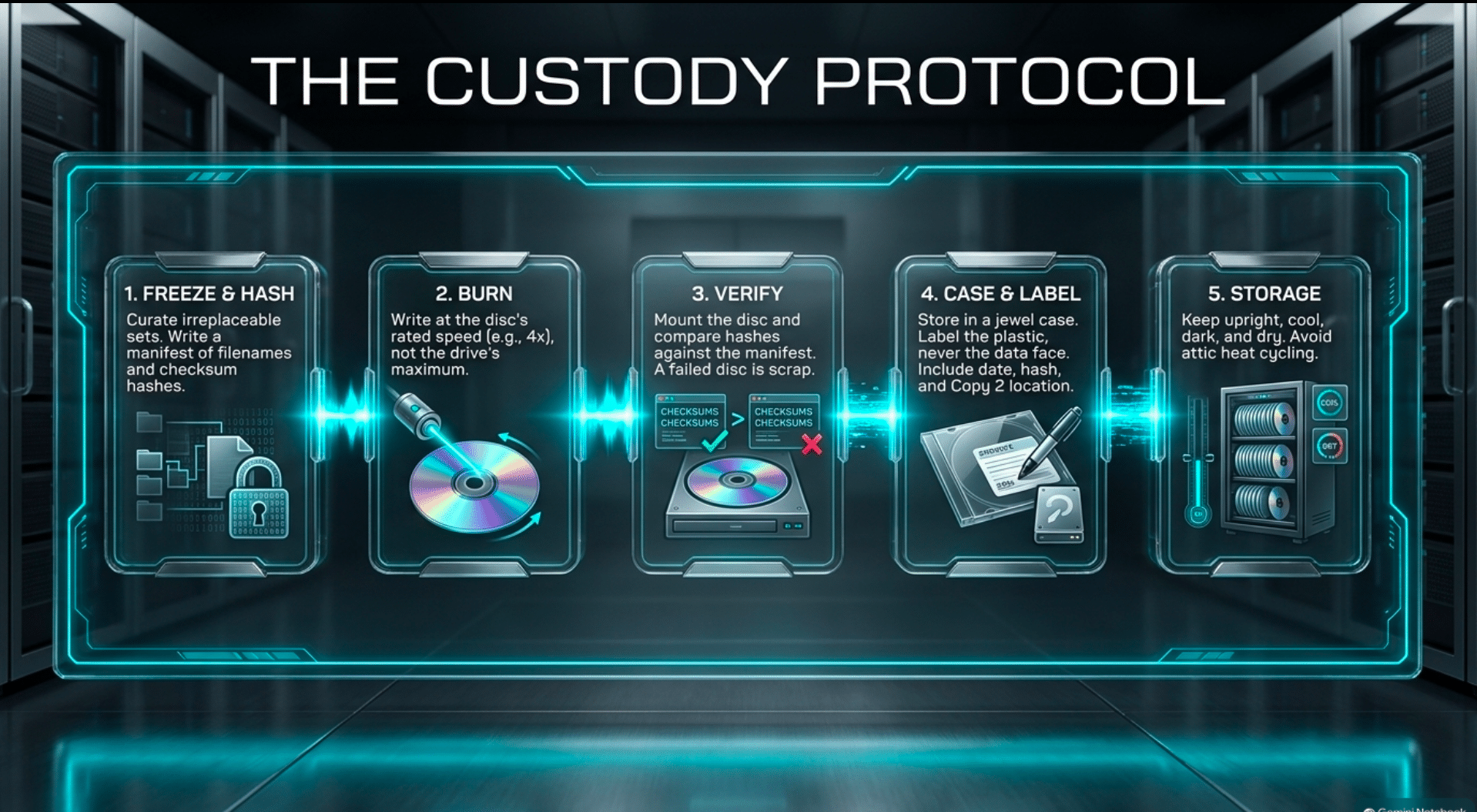
The practice itself is dull, which is why it works. I freeze a folder. I write a manifest of filenames and hashes, and I store that manifest with the files, not only on the machine that burned them. I burn at the disc’s rated speed or slower—4x on the 25 GB media when that is the rated speed, not at the drive’s party-trick maximum. I verify, comparing hashes from the mounted disc against the manifest. A failed disc is scrap, and the next blank is cheap. A passed disc goes into a jewel case, labeled on the case and never on the data face, with the title, the date, the hash algorithm, and where the second copy lives. It is stored upright, cool, dark, and dry. A second verified copy goes to another building. One disc is a hope. Two discs in two rooms is a method. Three, with one off site, is what I want for anything I cannot rebuild.
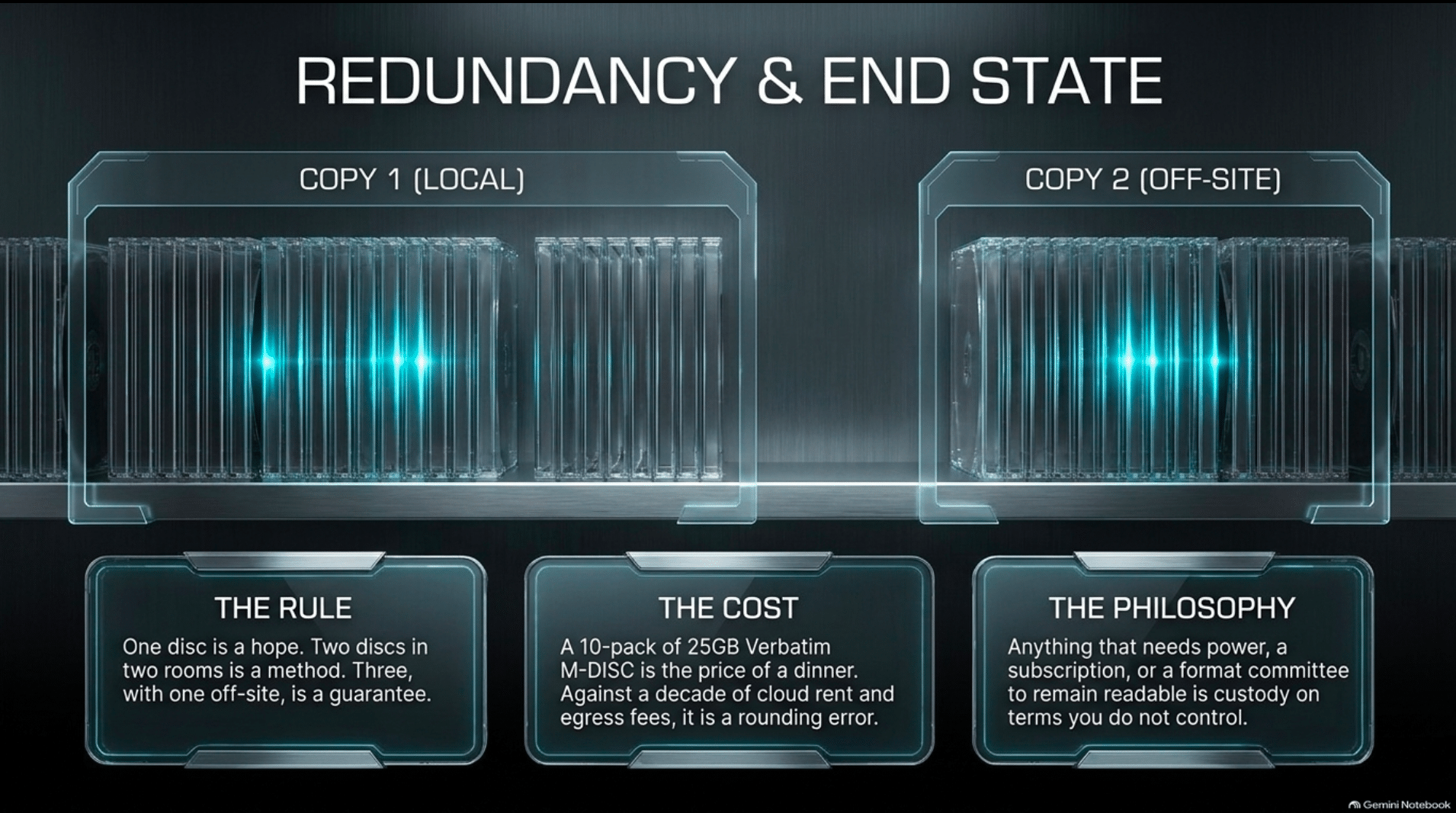
Cost is the argument that makes this stick for people not already inclined to it. A 10-pack of 25 GB Verbatim M-DISC is on the order of a dinner; a 5-pack of 100 GB discs is on the order of a modest tool; the drive is a one-time purchase. Against a decade of cloud rent on the same bytes, plus egress if you ever want them back in bulk, the disc is the low-cost copy. Against the cost of rebuilding a cleaned training set—or the catastrophic cost of losing the only video of a person who has died—it is a rounding error.
The Two Drives I Use
People say a cheap burner cannot write M-DISC. They are half right. On the original DVD M-DISC, the laser has to mark that hard layer, and a drive without the write strategy—or a slim drive sagging on a single USB port—will produce a disc that appears to burn and then will not verify.
On Blu-ray the situation is kinder, because M-DISC BD-R was specified so that ordinary Blu-ray writers could record it. You do not need a ritual. You do need a stable burn. A 100 GB disc can take an hour or longer; a laptop port that dips, a hub in the middle, a machine that sleeps, and the laser starves. The disc is ruined, and the blank was the expensive one. Write quality is the product. The logo on the box is only a hint.
So I split the recommendation in two, and I use both roles on purpose.
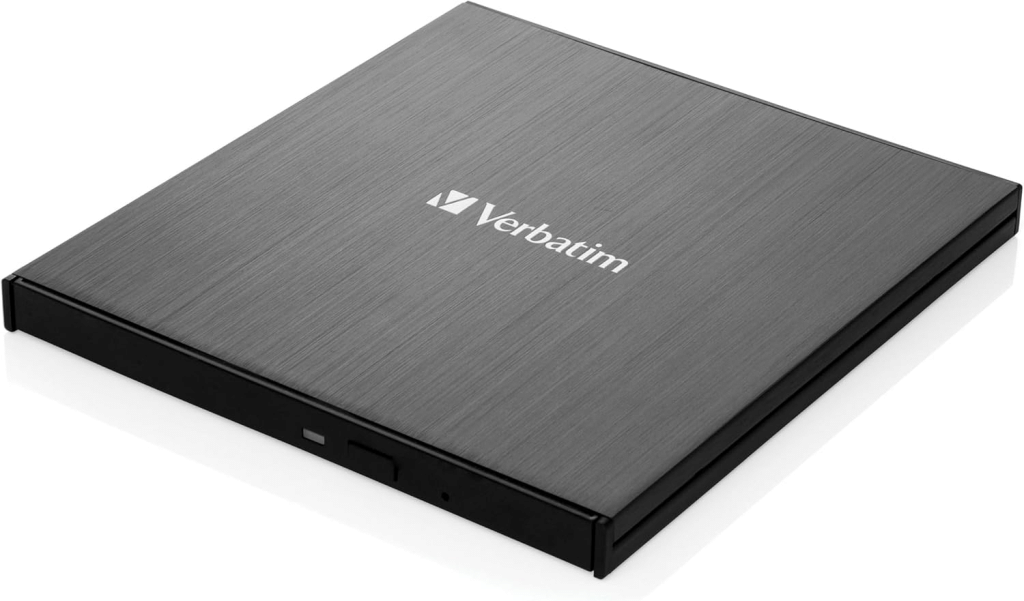
The main drive I like is the Verbatim Ultra HD 4K Blu-ray Writer, USB-C, BDXL and M-DISC Support (https://amzn.to/4s54WFx) HIGH-CAPACITY ARCHIVING: Store up to 100GB on a BDXL disc and preserve important files using compatible M-DISC archival media.
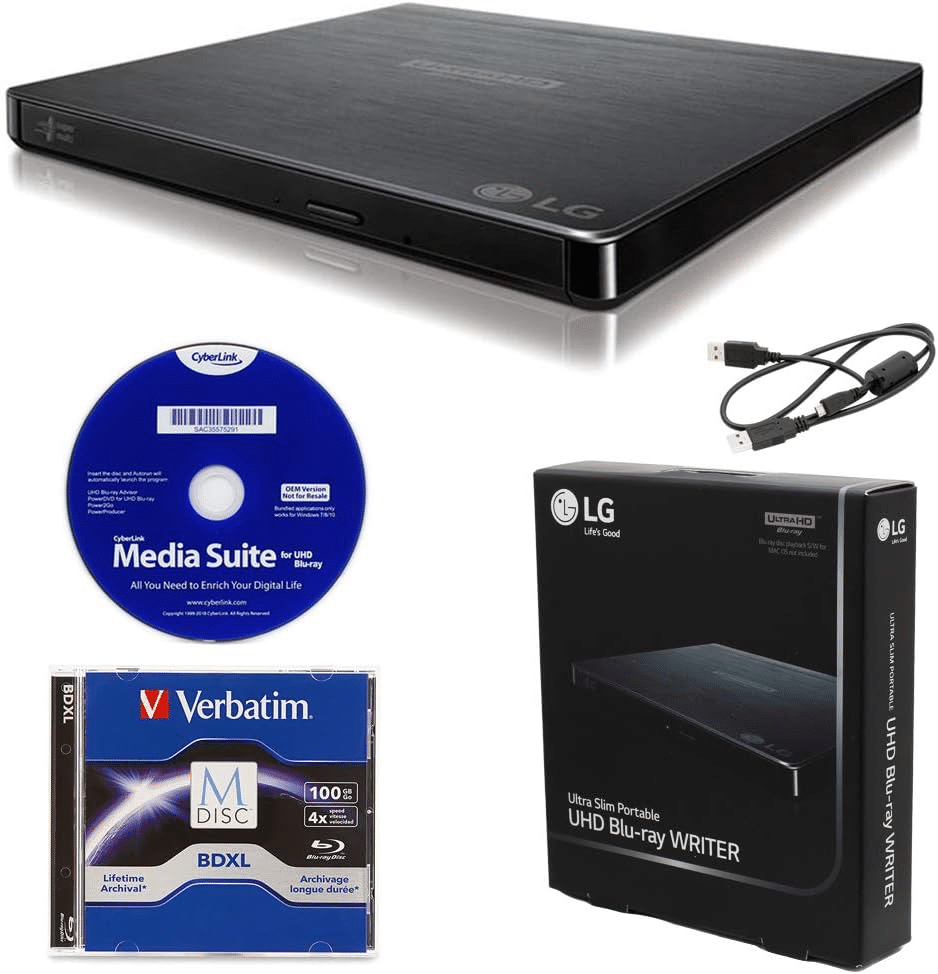
The higher quality device is the LG BP60NB10 Portable 6X Ultra HD 4K Blu-ray Burner External Drive with CyberLink Software, 100GB M-DISC BDXL, and USB Cable – Burns CD DVD BD DL BDXL Discs (https://amzn.to/4rY5H2U). This one has a wall charger option: the laser and the spindle are not begging the USB port for current. It writes at up to 16x, reads and writes BDXL through 128 GB, and they lists M-DISC support for both Blu-ray and DVD.
The issue is these drives are starting to become very hard to find thus the very high end is taken up rapidly. The devices from Japan like the Pioneer devices (or any company using their hardware) and the top lone ASUS devices are most costly but are the best.
If you want to wait this BUFFALO 6X Portable Blu-ray Drive, TAA-Compliant drive (https://amzn.to/4ihuhaX) is a great option, it has the Japanese drive that is proven to be the best.
What to Buy, and How to Treat It
Verbatim M-DISC BD-R, 25 GB (https://amzn.to/47LXKVg), is the default blank; ten discs are enough to prove the workflow, including one deliberate failure so you learn what a bad verify looks like. The 25-pack is the refill. The 100 GB BDXL (https://amzn.to/3TW2ynI), in jewel cases rather than a bulk stack you will not label, is the disc for the sets that have earned their size. For the M-DISC DVD that is the original media that has the longest life 15 Pack Millenniata M-Disc DVD 4.7GB 4X HD 1000 Year Permanent Data Archival/Backup Blank Media Recordable Disc (https://amzn.to/4hO5nz9) is the choice. I think for most folks they can put the most important data on just a few of these 4.2GB discs and be fine and use the other Blue Ray M-DISC for less priority data.
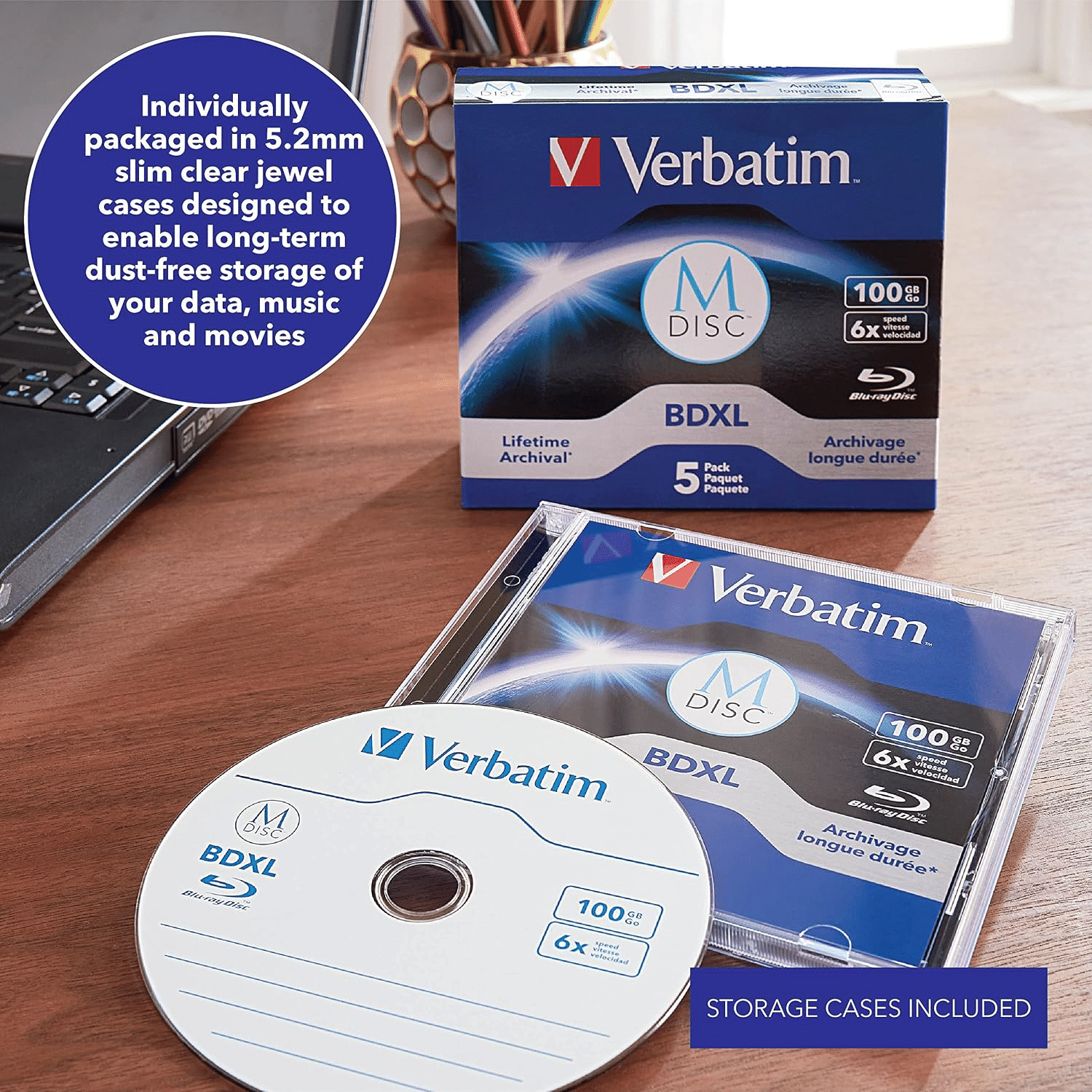
Jewel cases over spindles once the disc is burned; the spindle is for blanks, and a bare disc in a paper sleeve is how the data face gets scratched before the chemistry ever matters. Do not put a paper label on the data face. Buy blank cases if you dont have them.
Keep the discs out of the attic, the basement that floods, and the car: polycarbonate survives ordinary rooms, but not a decade of heat cycling. Label the case with what the disc is, the date, the hash algorithm, and where the second copy lives—a disc nobody can identify in 2045 is only slightly more useful than a disc nobody can read. And keep one working Blu-ray drive, not as an assumption but as a possession. Formats do not die when the last disc fades. They die when the last ordinary person no longer owns a drive. I keep a drive for the same reason I keep a reader for the older film: the file is not preserved if the only machine that can open it has been discarded.
Finally, I would write a paper manifest and keep this with the discs AND the with the M-DISC Drive with instructions for use. We don’t know what life may bring. But there is a better chance your data will be preserved if it is explained in best detail to those that survive.
The Shelf Is the Point
We are losing data in the most ordinary ways, and we are losing it faster as the copies concentrate in fewer services. Some may say that data is made to be lost. Perhaps. But with each loss, humanity loses its wisdom and its memory; in the past, collective amnesia has set us back into dark ages. The institutions will keep tape. The laboratories may yet ship glass. Between those and the drawer of dying drives, a person still has a plastic disc with a hard recording layer, a public standard, and a reader that costs less than a phone.
M-DISC Blu-ray is not a promise of the year 3000. It is the best consumer archive on the market in this decade: write-once, readable in ordinary drives, tested harder than dye, cheap enough to duplicate, and independent of the company that bills you. The company that invented it is gone. The discs are not. That is what survival looks like for a format, and it is what I want for the work—and for the families whose entire visual history currently lives behind a login.
Anything that needs power, a subscription, a company, or a format committee to remain readable is custody on terms you do not control. An archive is an object you can read without asking permission. I have spent a working life watching windows close without warning—first in payphone rooms and on garage benches, now in the quiet expirations of the cloud. The rooms changed. The failure did not. The daily erasure of the world’s temporary data will continue, and it should. The erasure of the small set you meant to keep is optional.
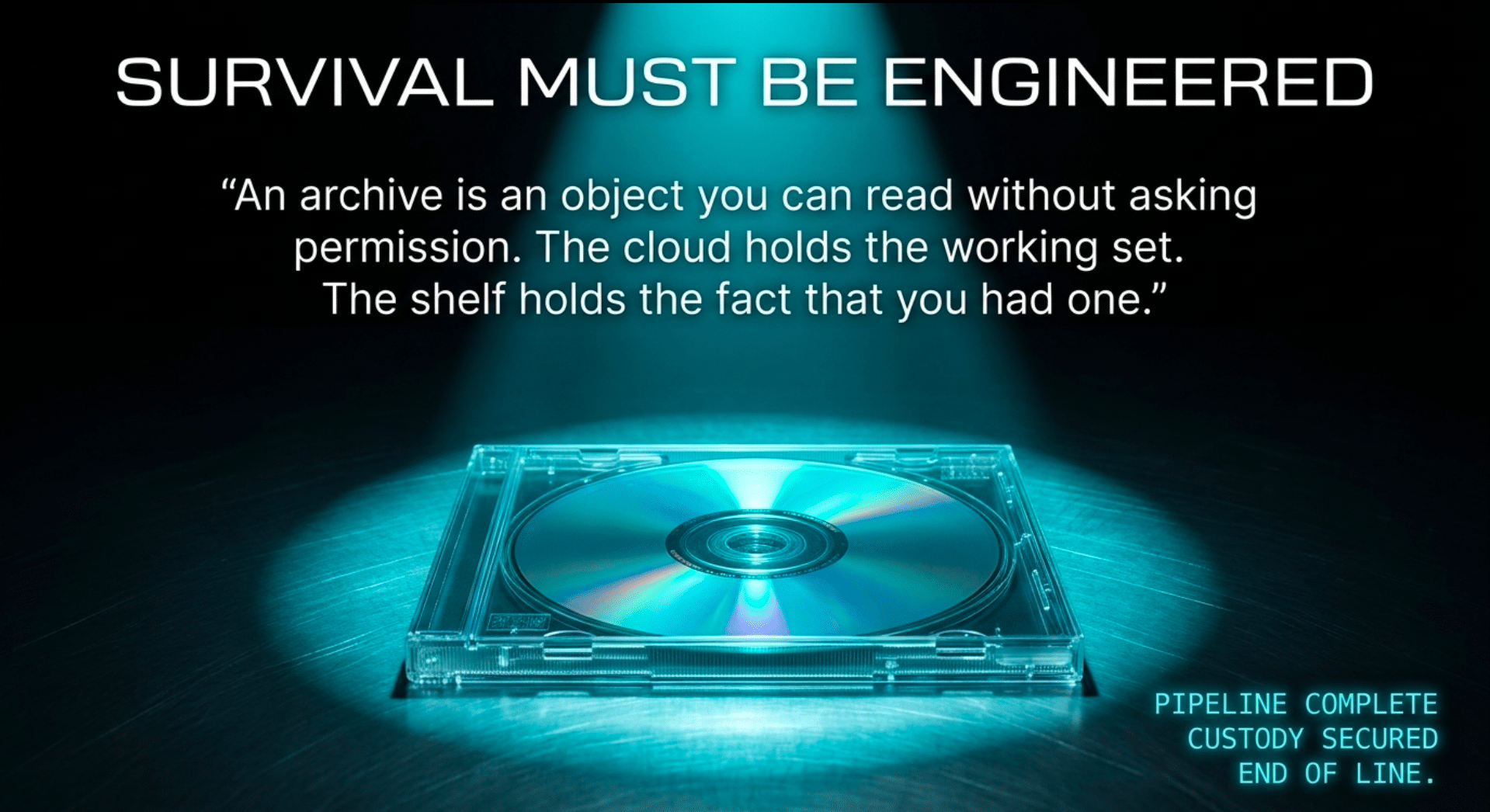
Burn the copy. Verify it. Put it on a shelf, and put a second one somewhere the first disaster cannot reach. The cloud can hold the working set. The shelf holds the fact that you had one.
Support This Work, You Will See It No Place Else
To continue this vital work documenting, analyzing, and sharing these hard-won lessons before we launch humanity’s greatest leap: I need your support. Independent research like this relies entirely on readers who believe in preparing wisely for our multi-planetary future. If this has ignited your imagination about what is possible, please consider donating at buy me a Coffee or becoming a member. Value for value you recieved here.
Every contribution helps sustain deeper fieldwork, upcoming articles, and the broader mission of translating my work to practical applications. Ain ‘t no large AI company supporting me, but you are, even if you just read this far. For this, I thank you.
Stay aware and stay curious,

🔐 Start: Exclusive Member-Only Content.
The rest of this article is for Multiplex members
You’ve reached the members-only part. Log in to keep reading right here, or join to unlock it.
- Full member-only articles: insights, wisdom and executive summaries
- The Multiplex members forum
- Member benefits and discounts
Already a member? You’ll come right back to this article after logging in. Forgot password?
Membership status: Not logged in
🔐 End: Exclusive Member-Only Content.
~—~
~—~
~—~
Support ReadMultiplex at Multiplex.Tips

Support ReadMultiplex
Subscribe or donate by Bitcoin.
Copy address:bc1qkufy0r5nttm6urw9vnm08sxval0h0r3xlf4v4x

Send your receipt to [email protected] to confirm subscription.
Members
Become a member for full member-only articles, the Multiplex members forum, and member benefits and discounts.
 Past, present and future technology research + insights
Listen
🔊 Every article has a free “Listen to this ►” button. Hear it read aloud in your browser.
The Multiplex
- Advertise with us: Rates and booking
- X: @ReadMultiplex
- Buy a T-shirt: Multiplex.Love
- Program Guide: Multiplex.Today
- Podcast: Multiplex.Life
- Join the Multiplex team: Multiplex.Team
Stay updated
Get an email when we post new articles:

Hi Brian –
“Phat_Sauce” from Twitter here (no longer active there.
My ReadMultiplex account says “Active member · Free Member-Not signed up” and that I am not eligible to read member content. I am pretty sure several months ago I paid about CDN $95 to get a membership??
Sorry to trouble with such basics, can you please clarify what I did pay, and what I need to do to get member access to your content?
Many thanks for all that you do. I am so impressed with the range of knowledge and interests you have which seem so similar to mine, ranging from cancer treatments & cures, to nutrition, health and ancient, occulted topics of energy and everything in between. FANTASTIC.
Infinite love & gratitude, Sir.
Don
Don, thank you! I just fixed it. I really appreciate it. Deep gratitude.